

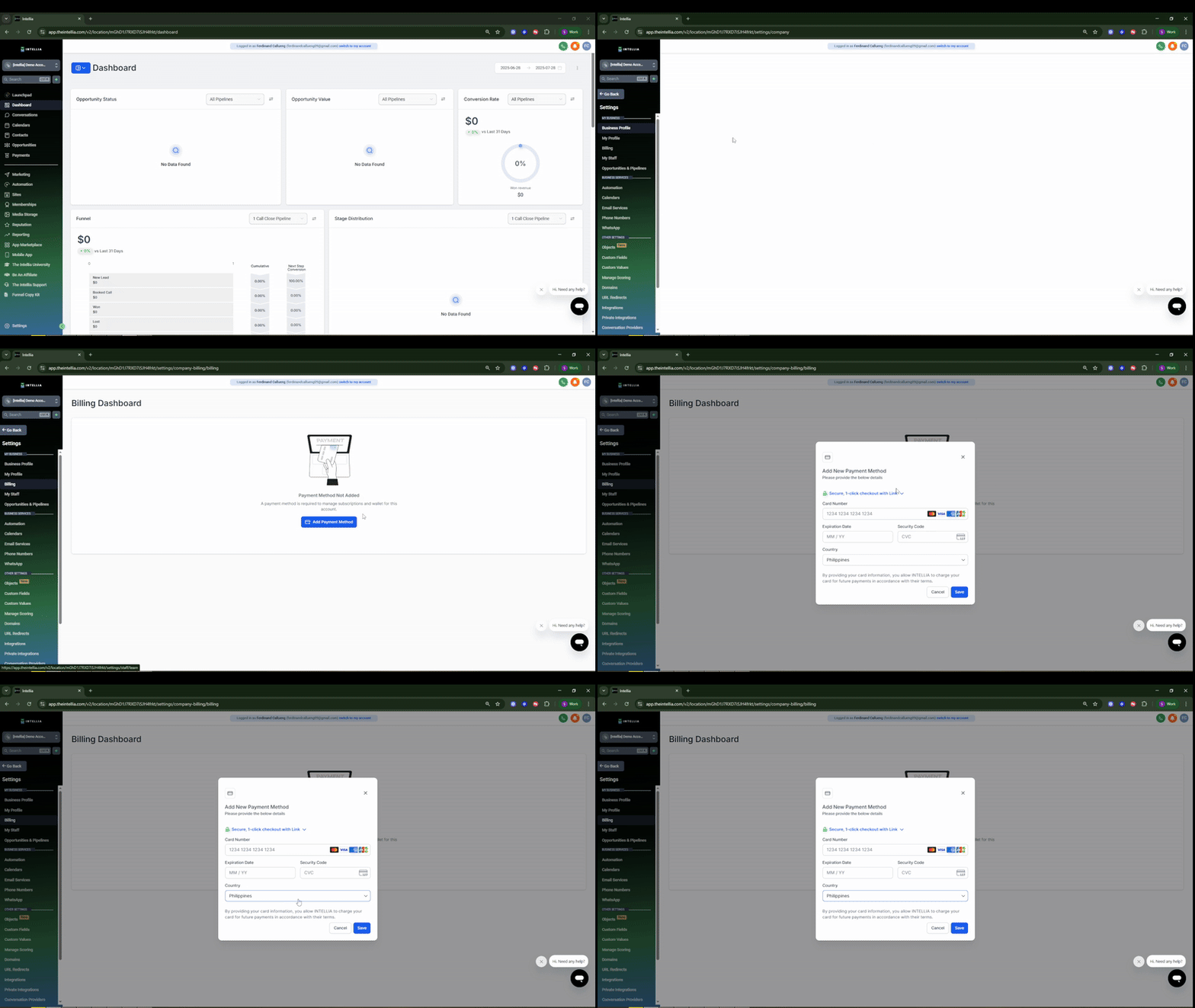
Step 1: Log in to your Intellia account.
Step 2: Go to Settings located at the bottom left corner.
Step 3: Under Settings, click on Billing from the left menu.
Step 4: Add your Payment Method section.
Step 5: Check your Billing Information section.
Step 1: Log in to your Intellia account.
Step 2: Go to Settings located at the bottom left corner.
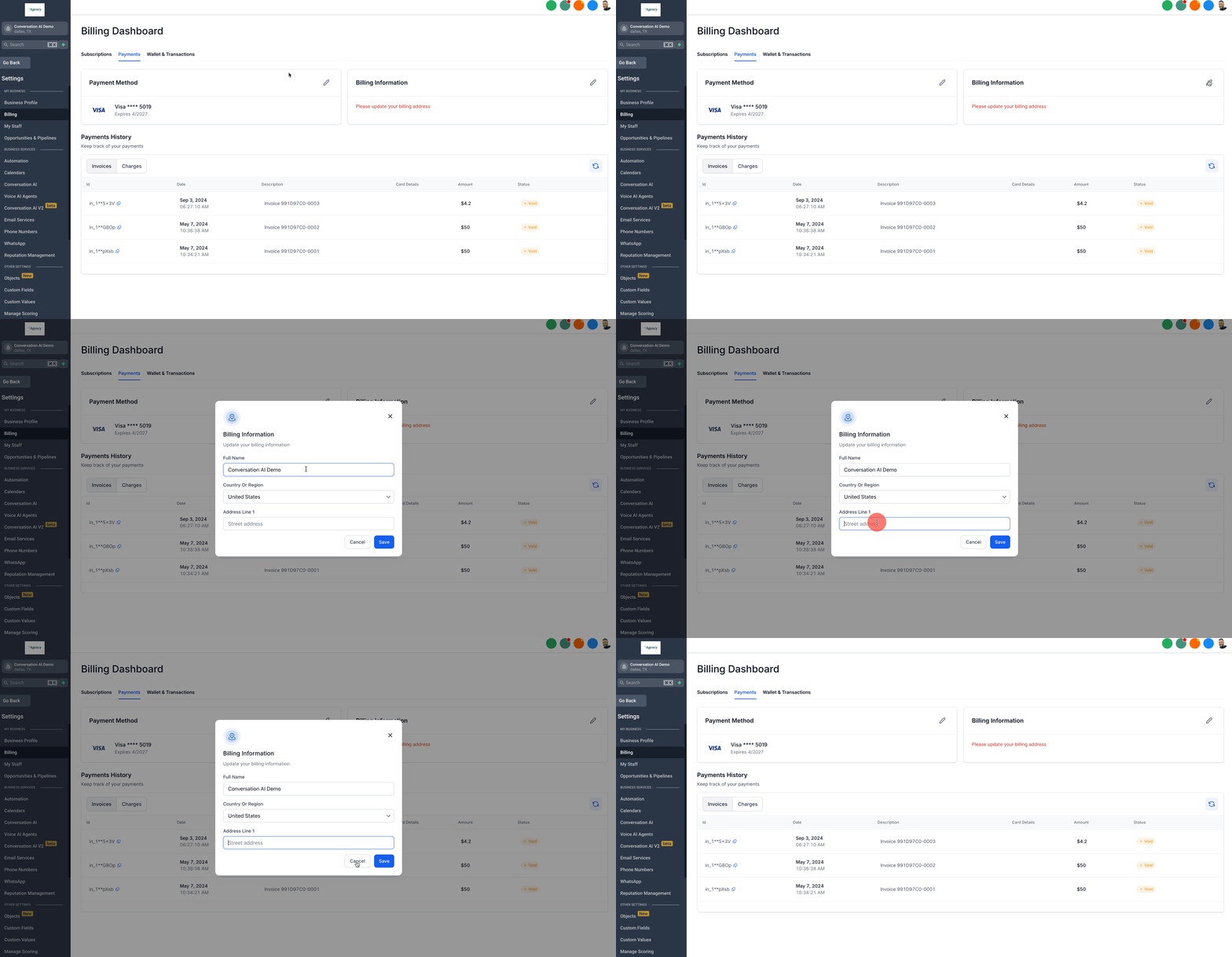
Step 3: Under Settings, click on Billing from the left menu.
Step 4: Add your Payment Method section.
Step 5: Check your Billing Information section.