Video Link: https://bit.ly/duplicate-workflow
How to Clone the Workflows
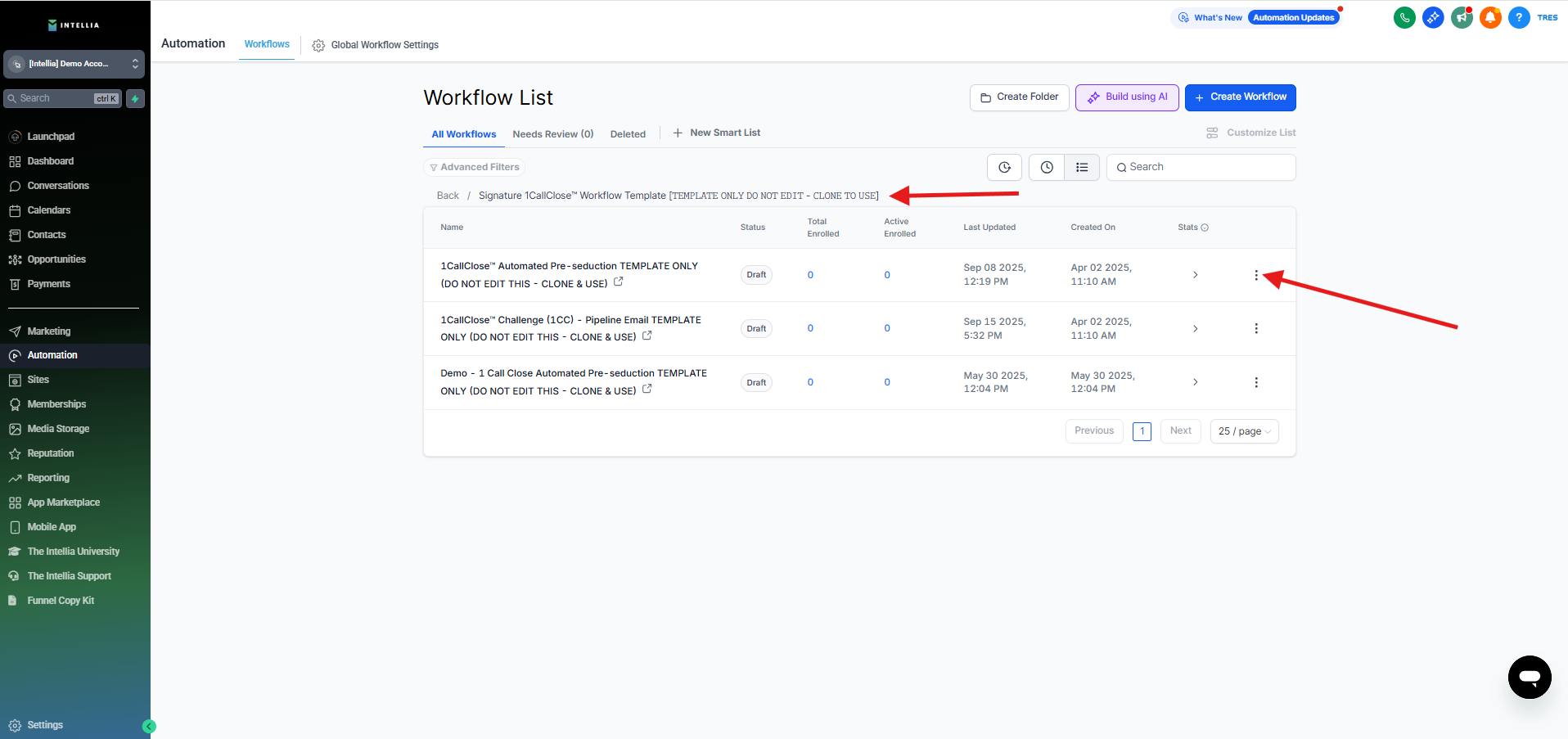
Step 1 : Click the Workflow you want to clone > Click the 3 little dot Icon
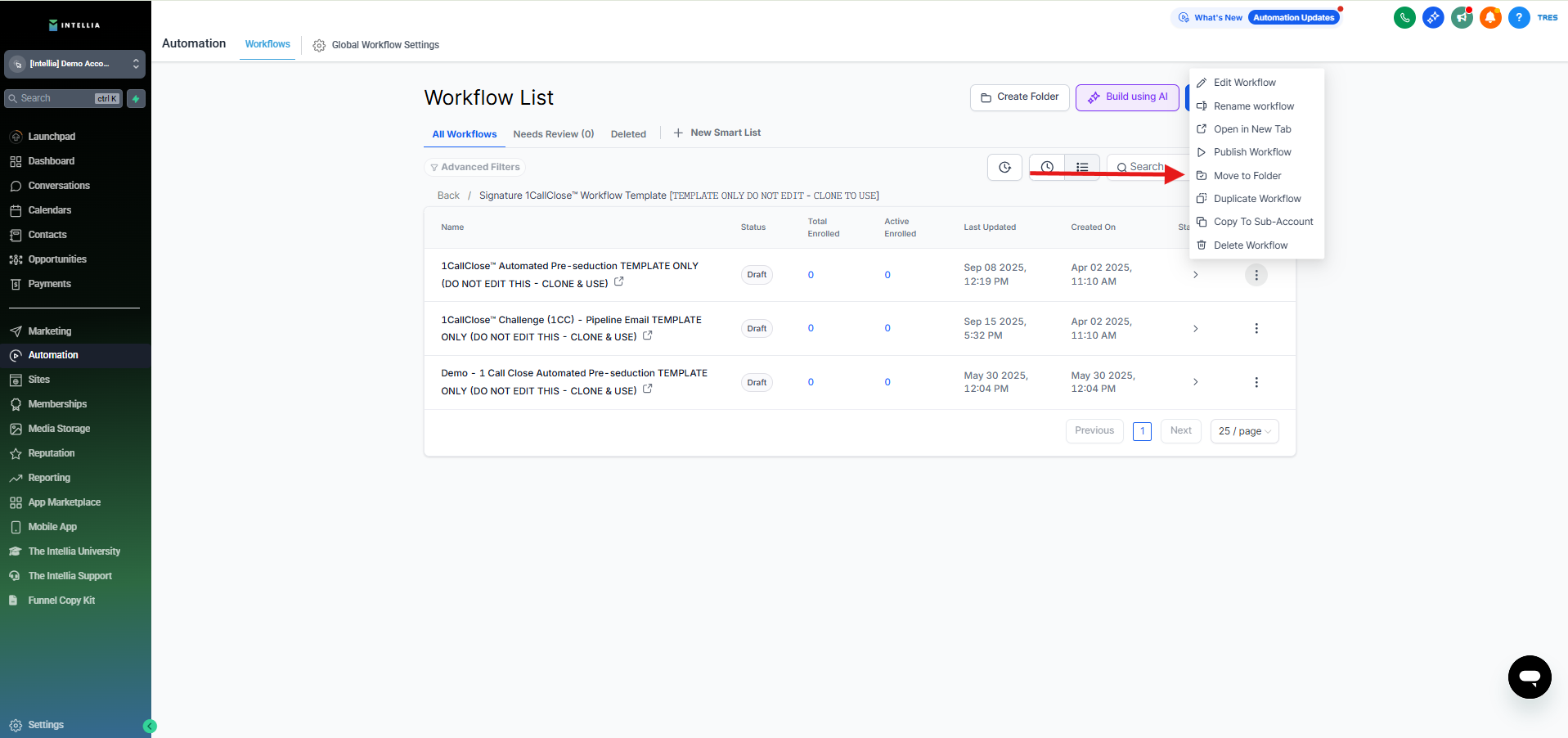
Step 2 : Click the Duplicate Workflow > Then click Create.

Step 3 : Then if you want to move the Workflow to the Folder you create > Click the Move Folder >
Search for the newly created folder by typing it's name > Click Move.