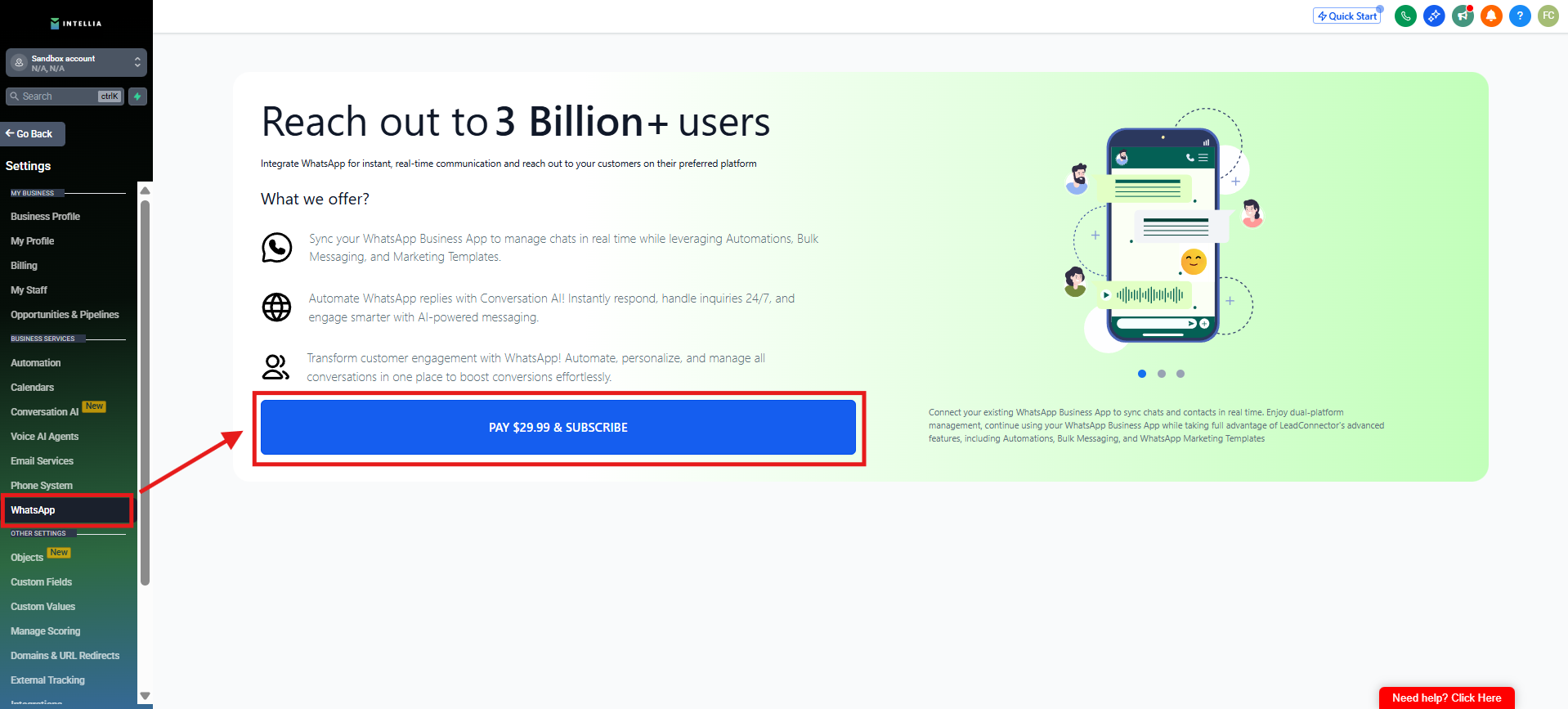
Go to Settings → WhatsApp
Click Subscribe and pay $29.99/month
This is a monthly subscription that enables WhatsApp messaging for your account.

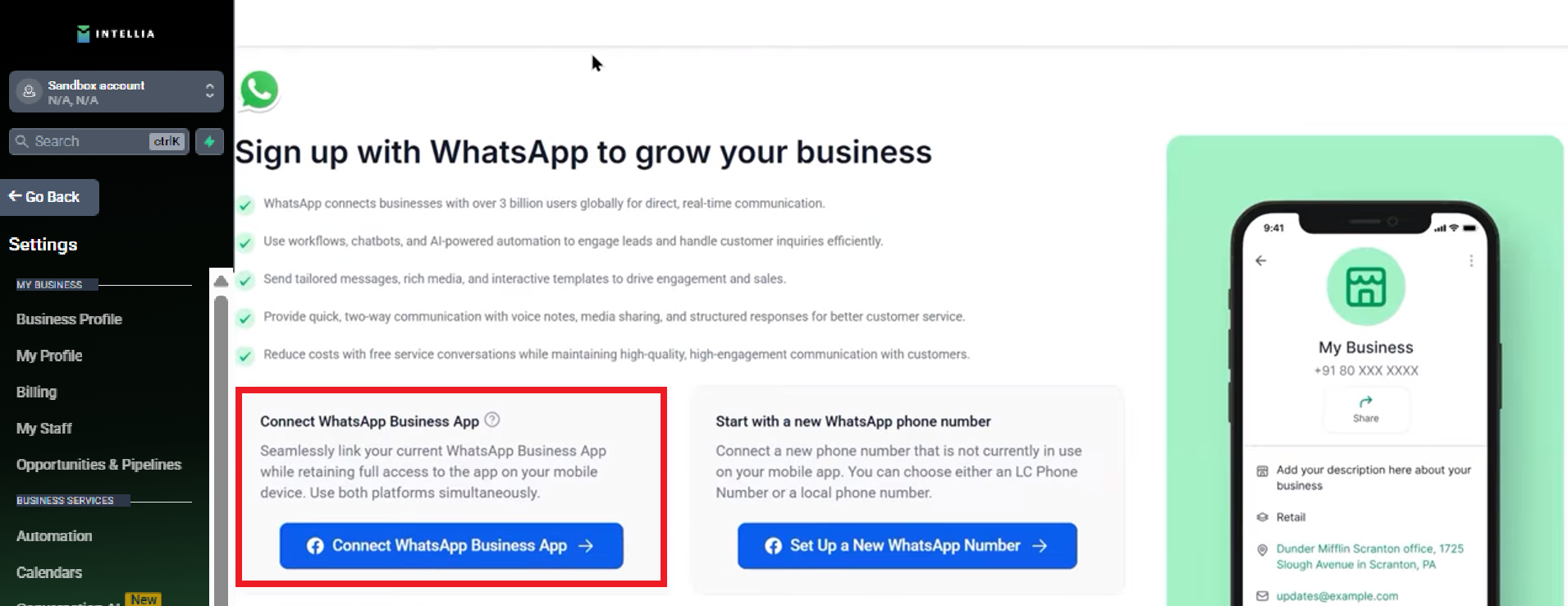
You have two options:
Choose this if you already have a WhatsApp Business number you want to use
Follow the onboarding prompts to complete the connection
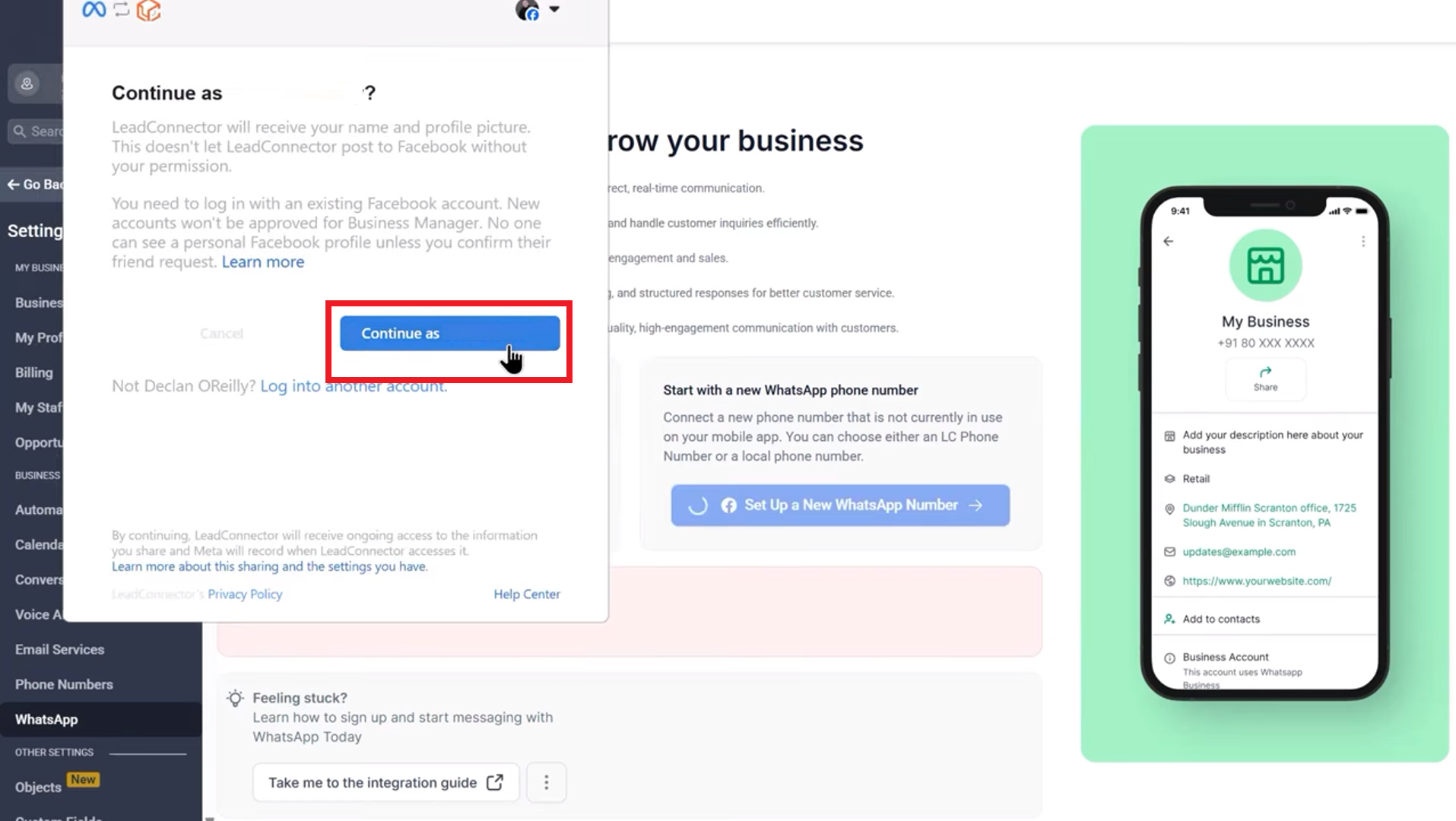
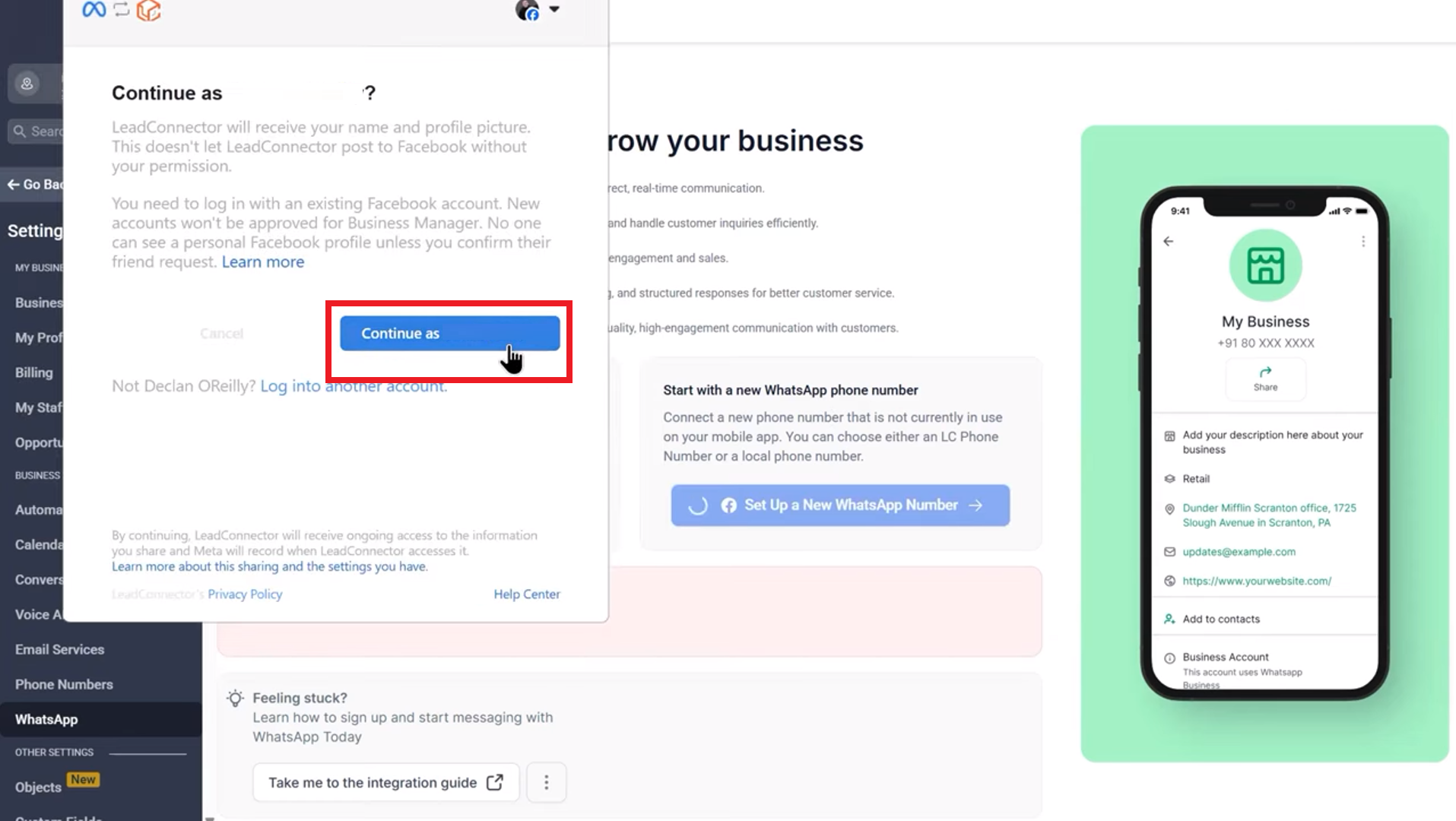
Continue using your Facebook page or profile and get started.
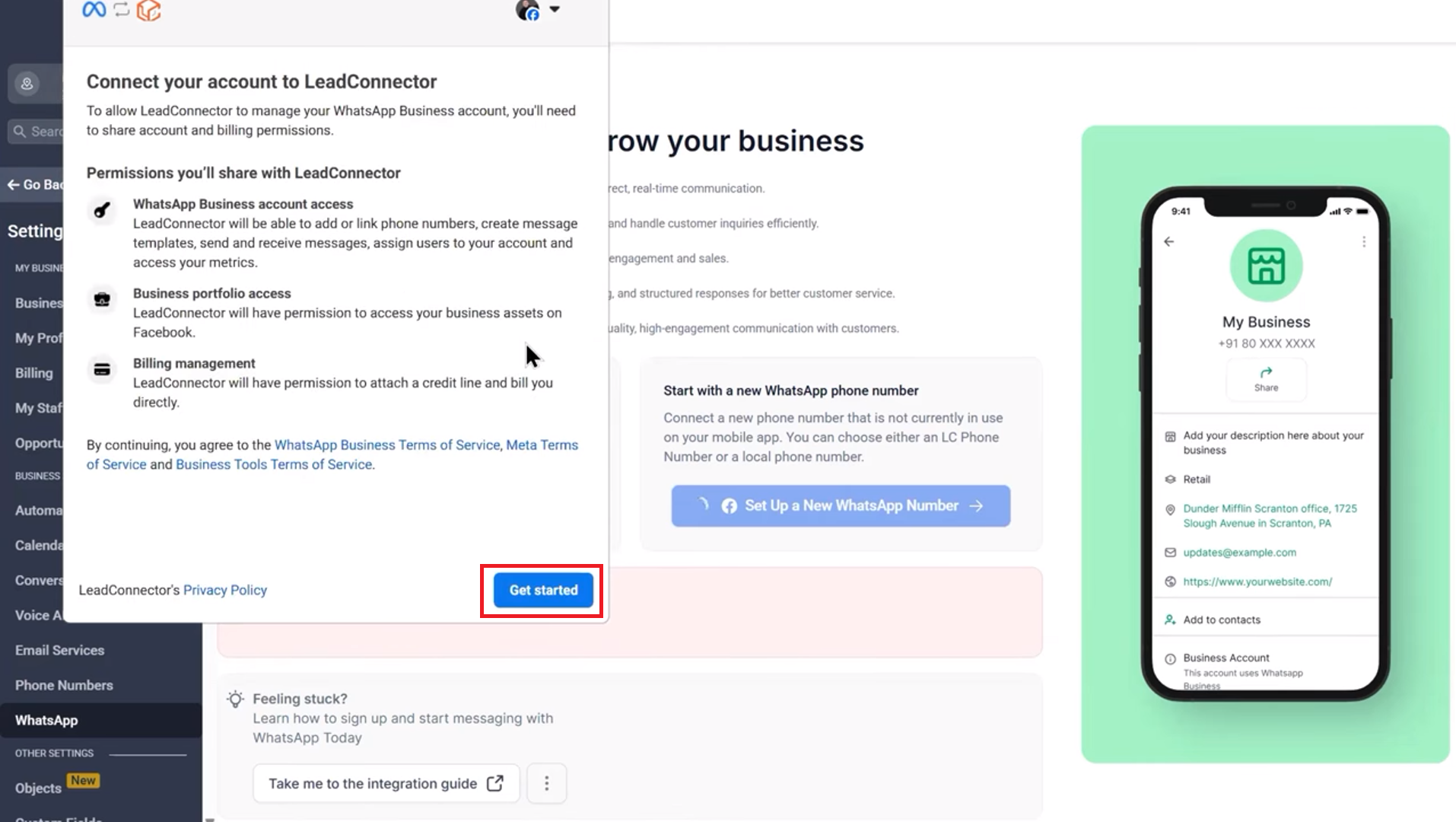
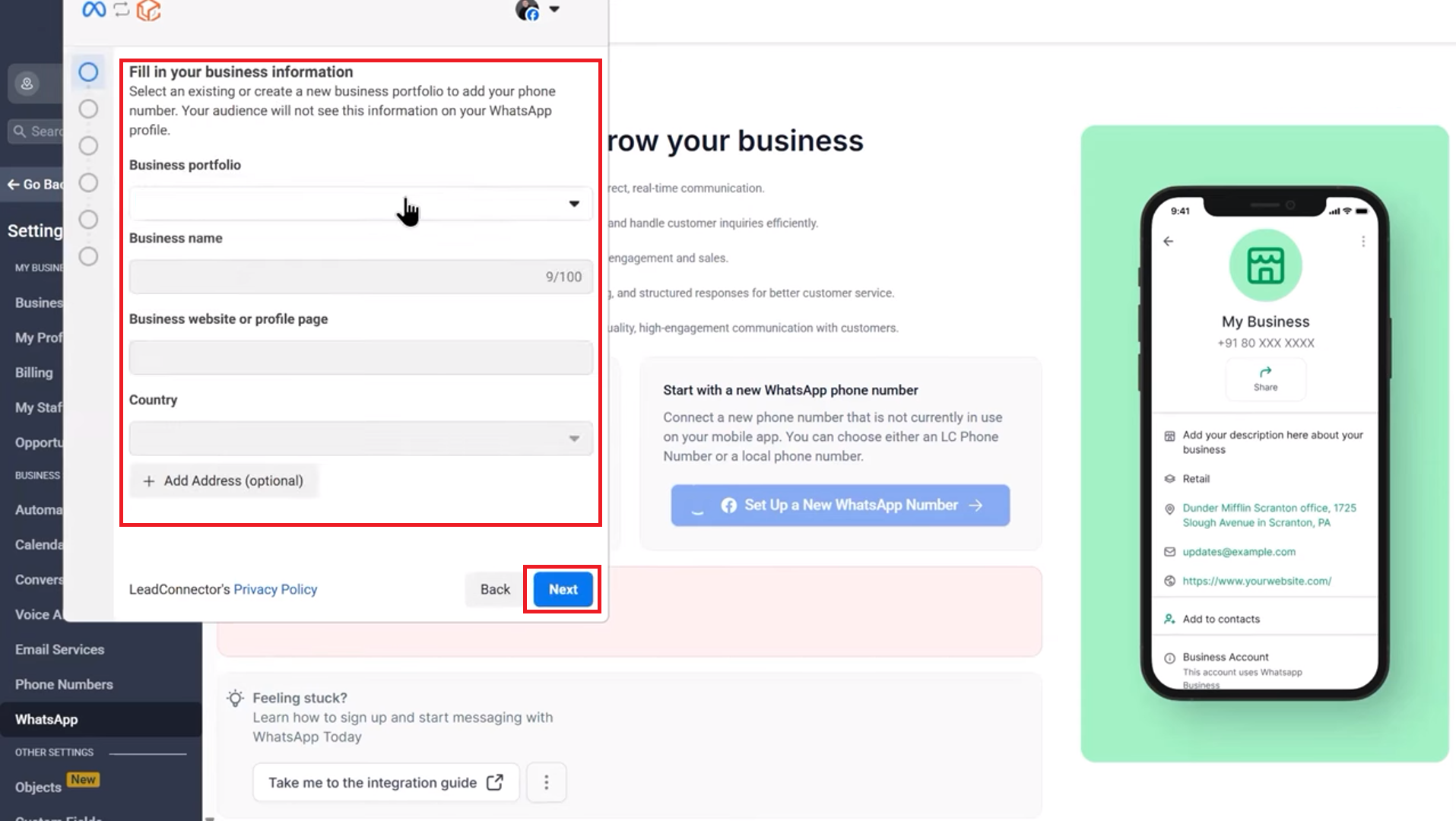
Fill in your business information.
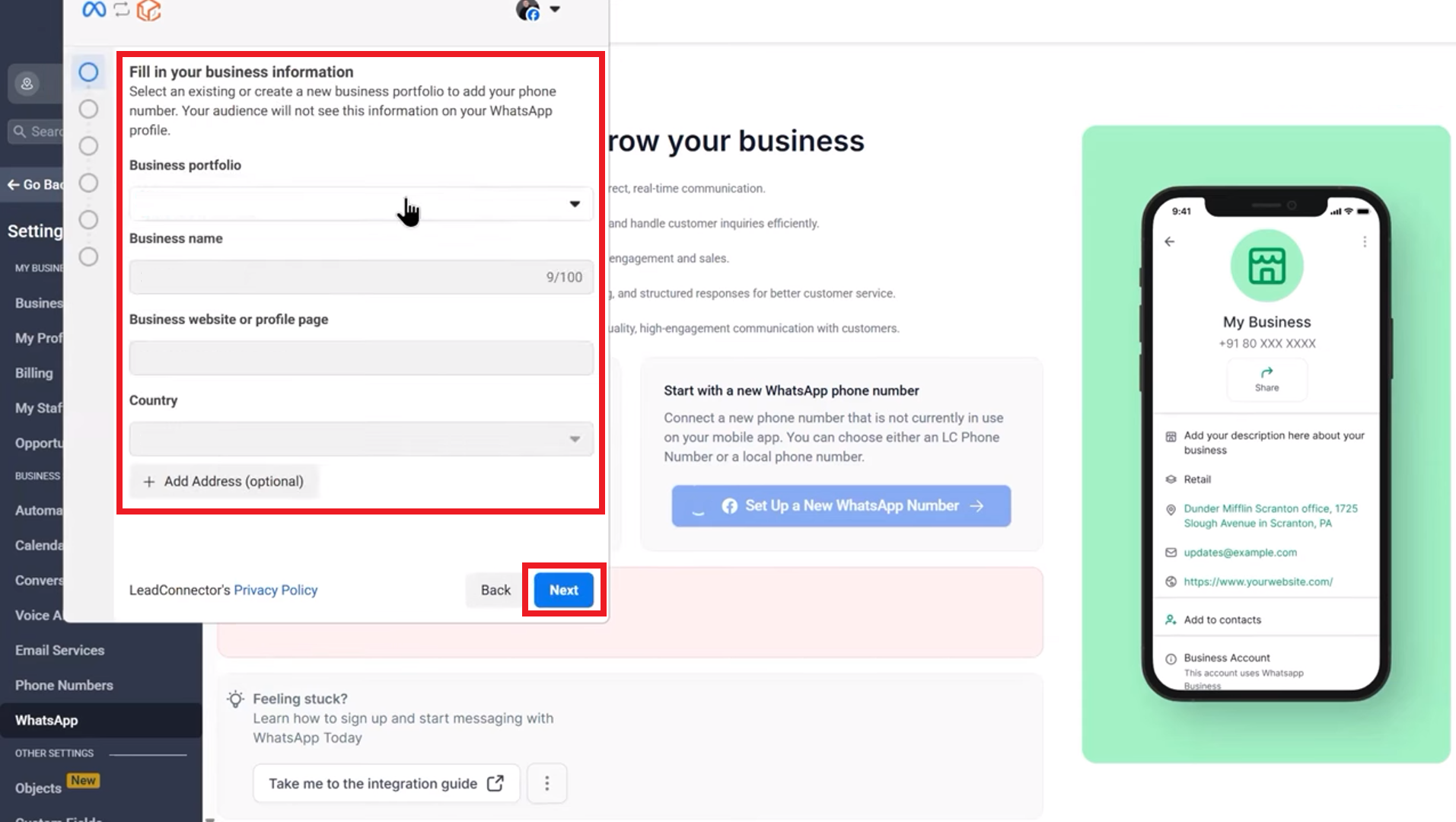
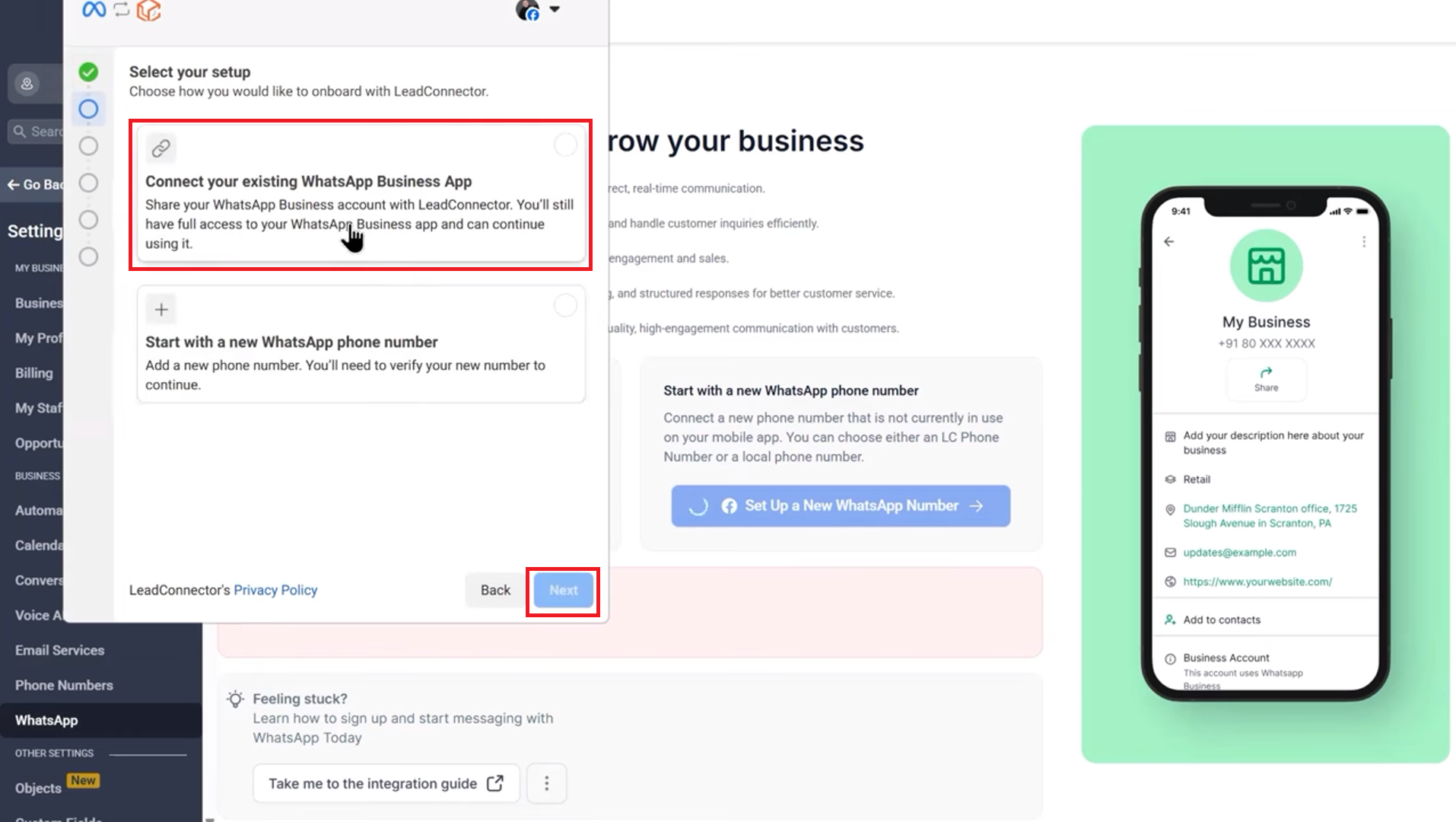
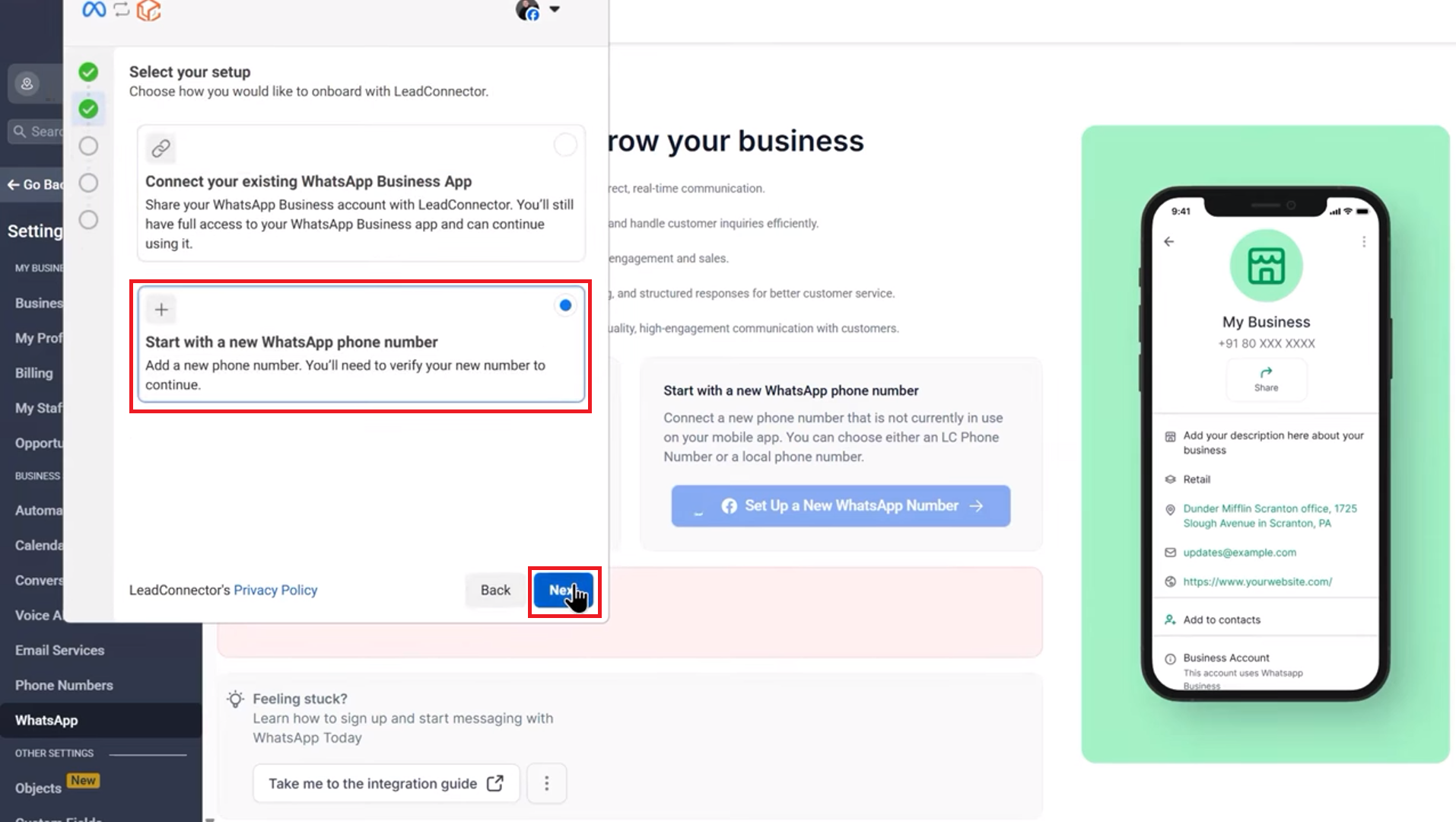
After submitting your information, Meta will present two options:
Connect your existing WhatsApp Business App
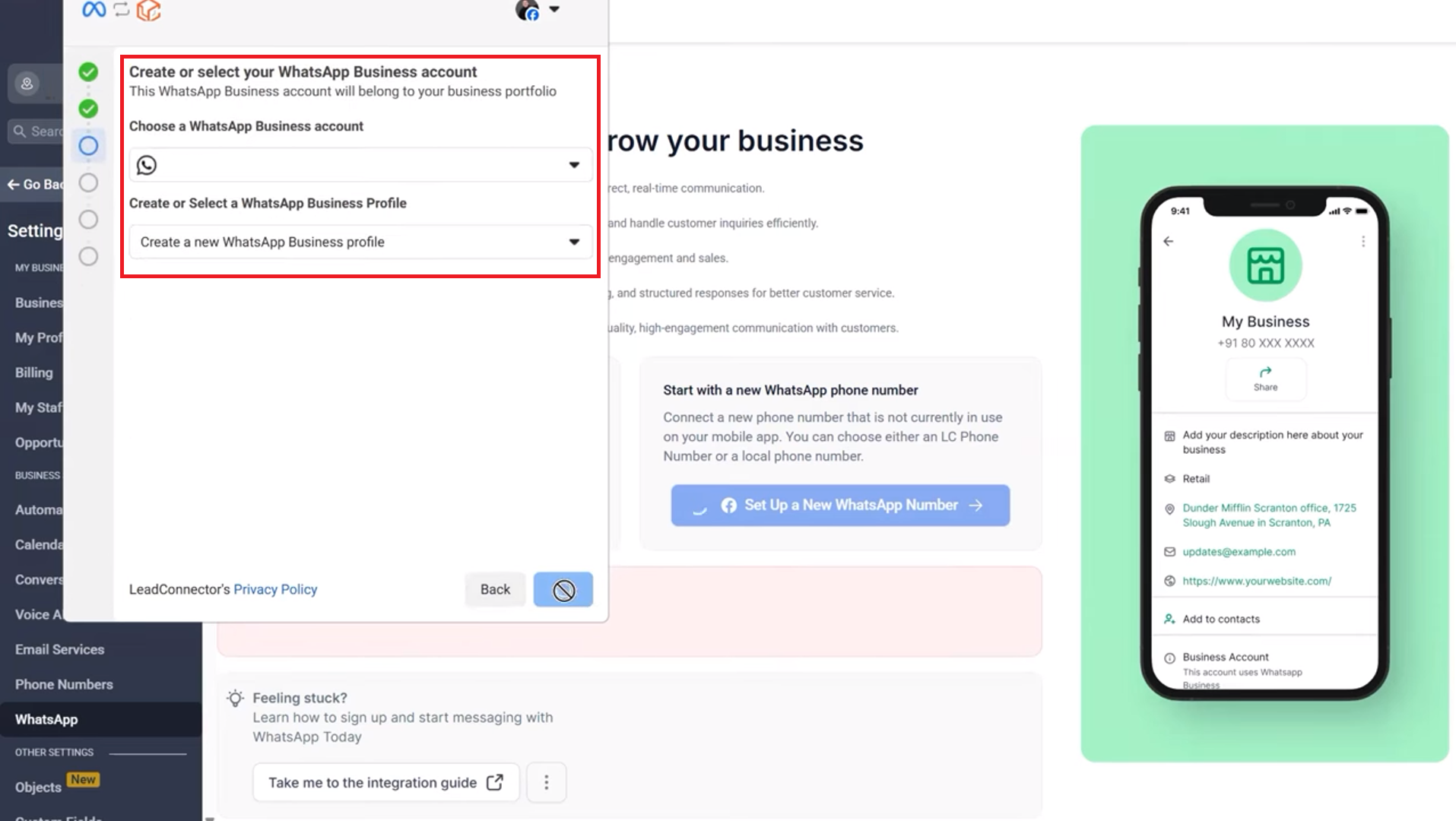
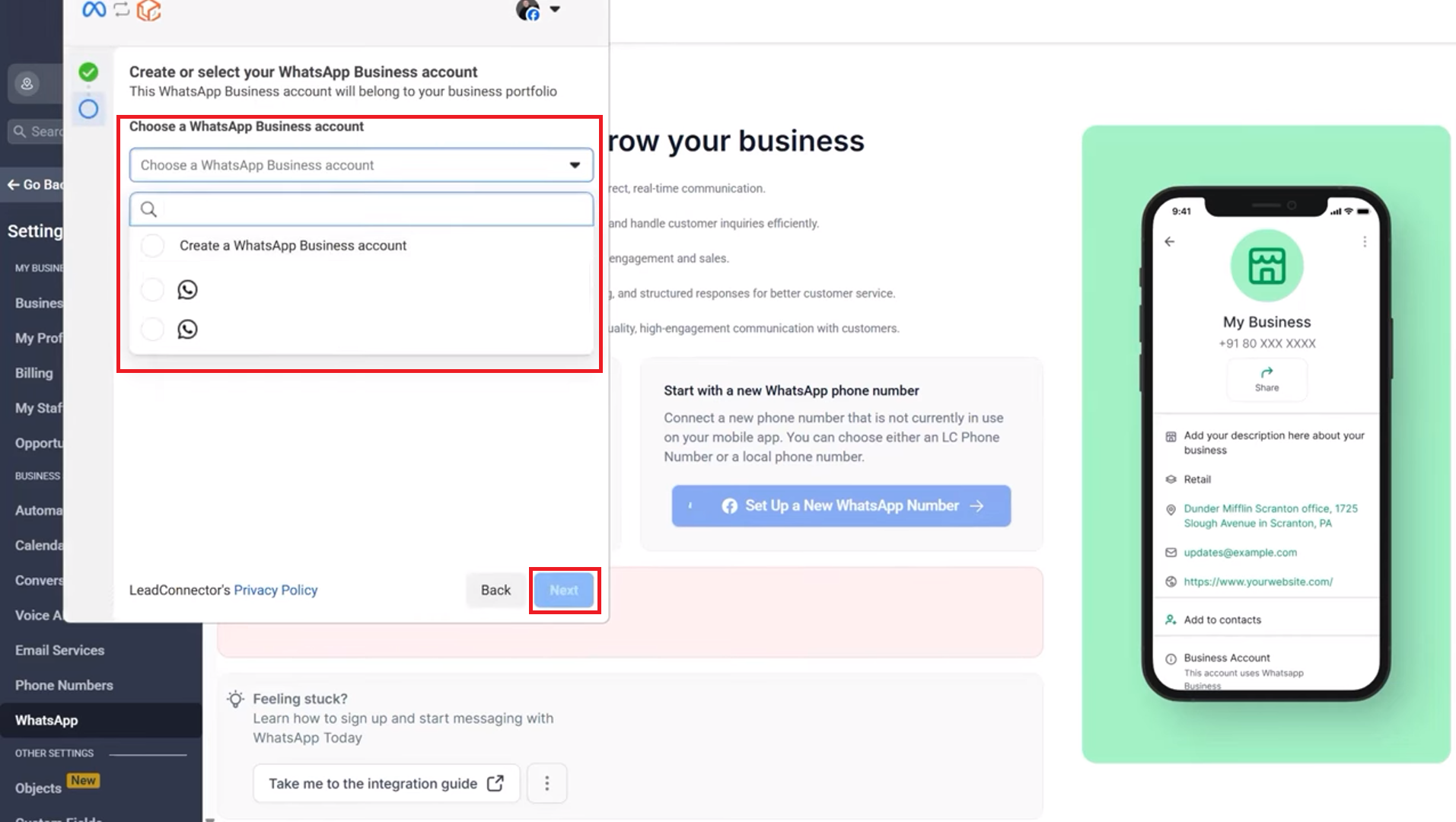
Create or select your WhatsApp Business account, then click Next.
Add a phone number for WhatsApp. Choose between Get a free WhatsApp number, or
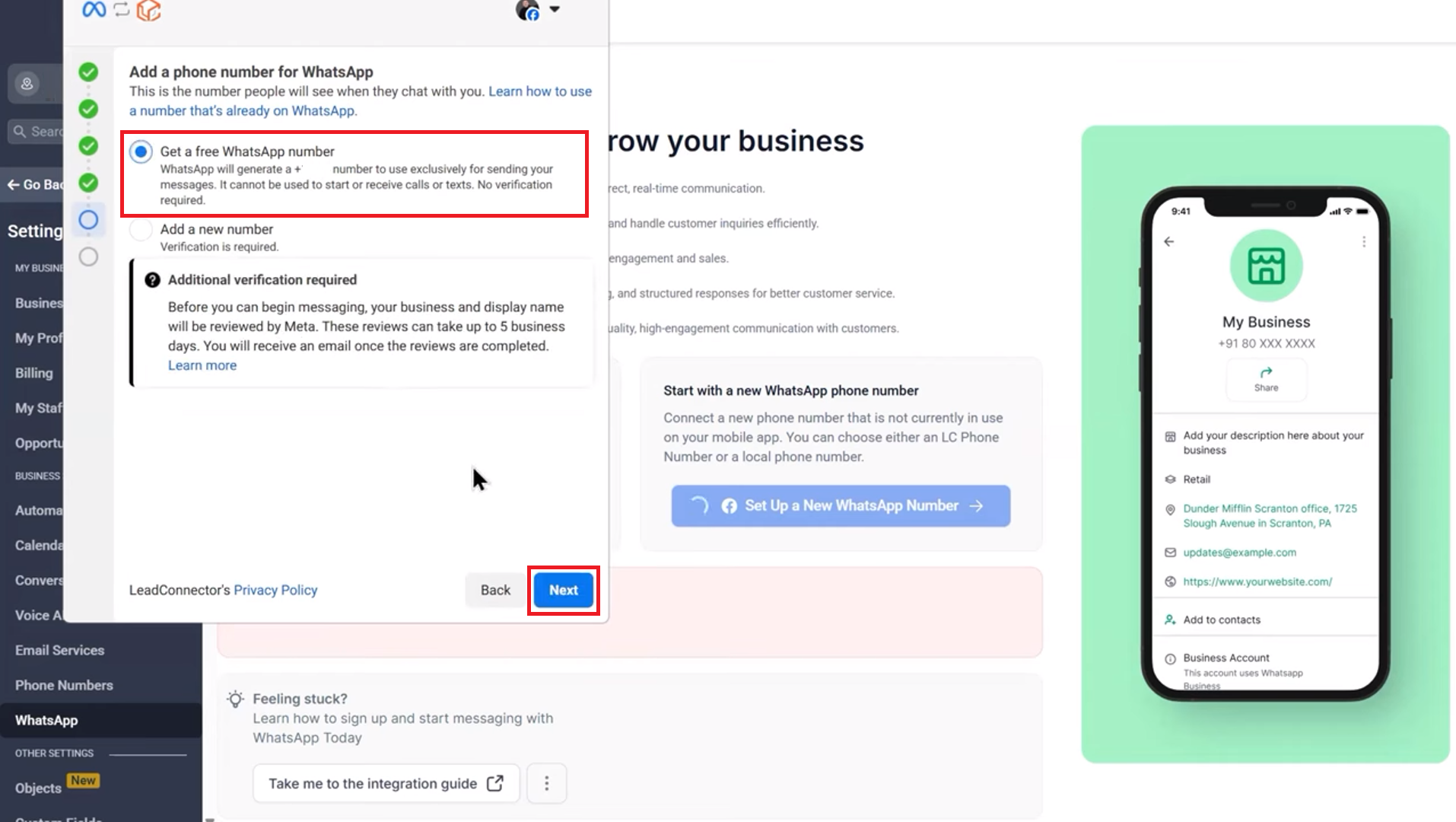
Add a new number
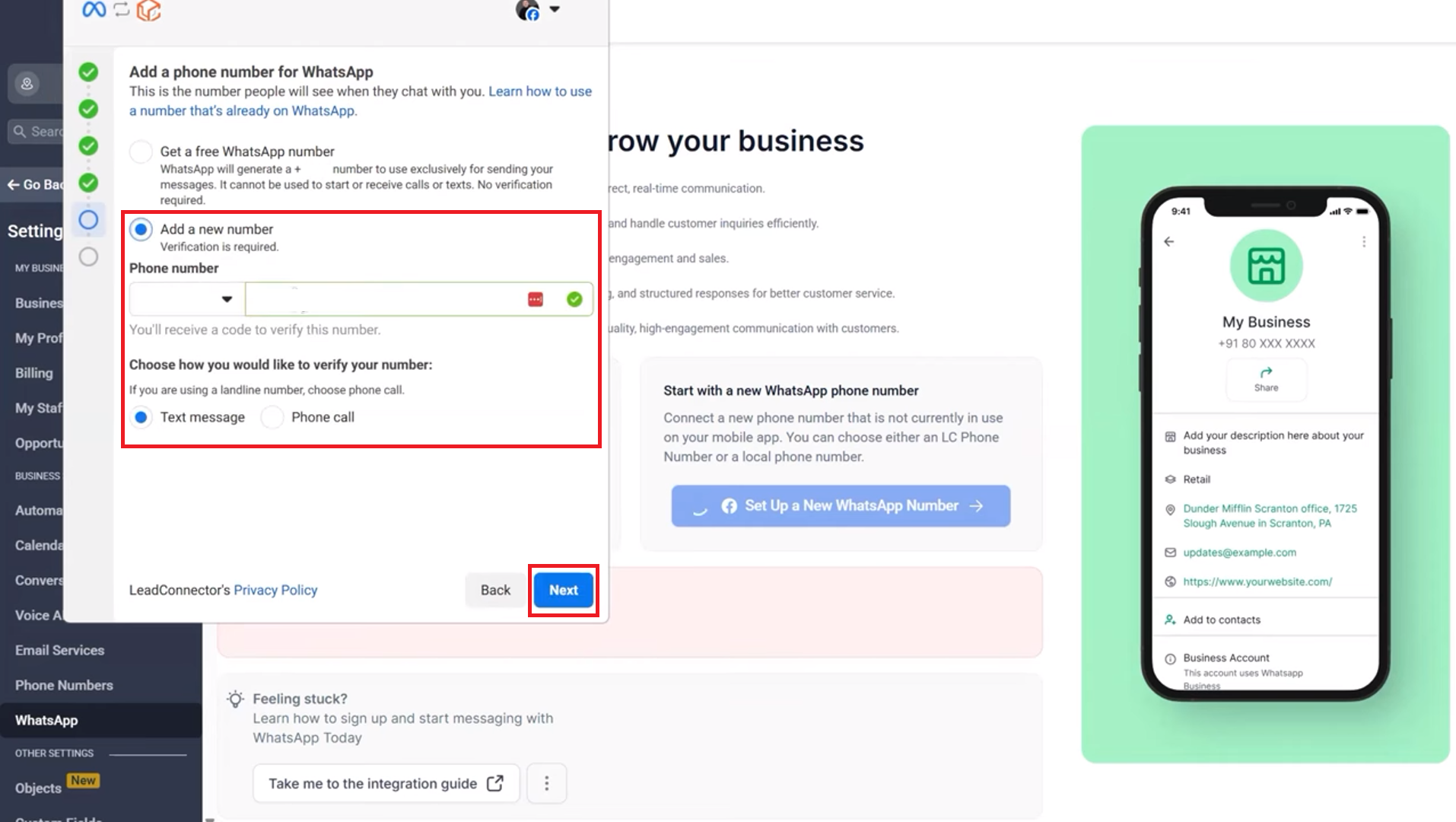
Note: The phone number must be your existing WhatsApp Business account.
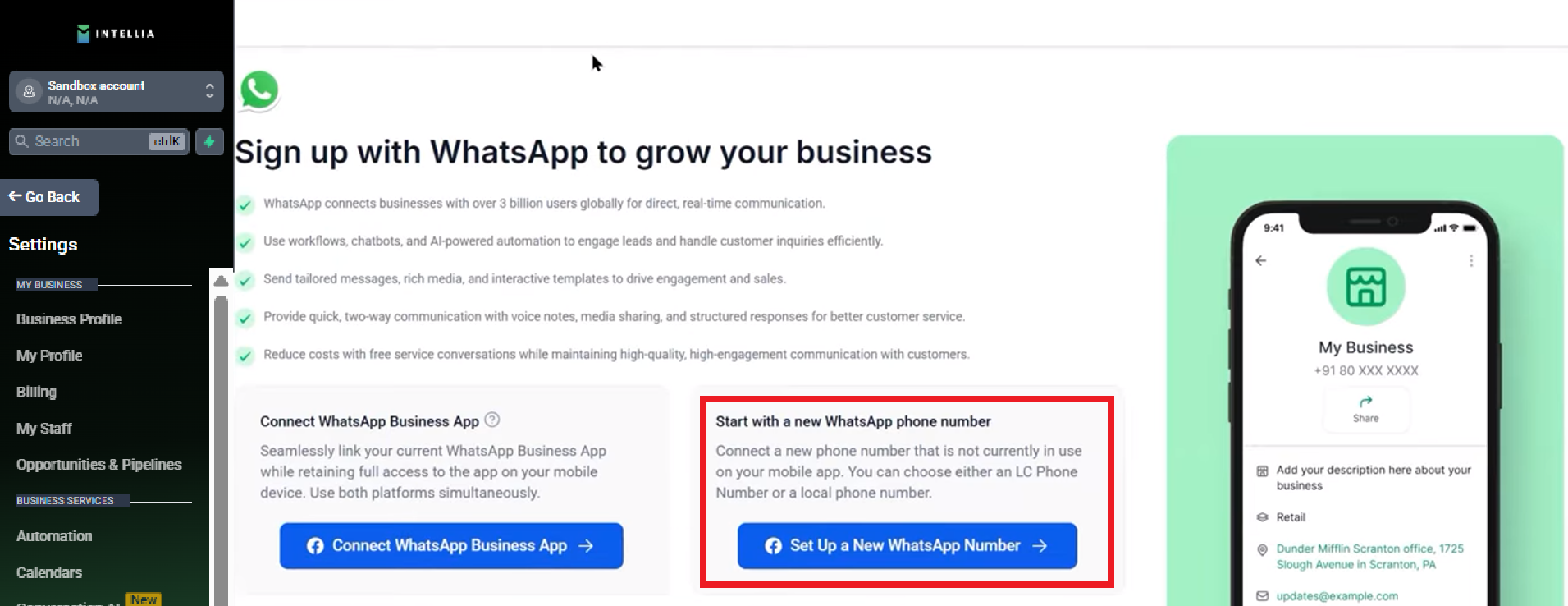
Start with a new WhatsApp phone number.
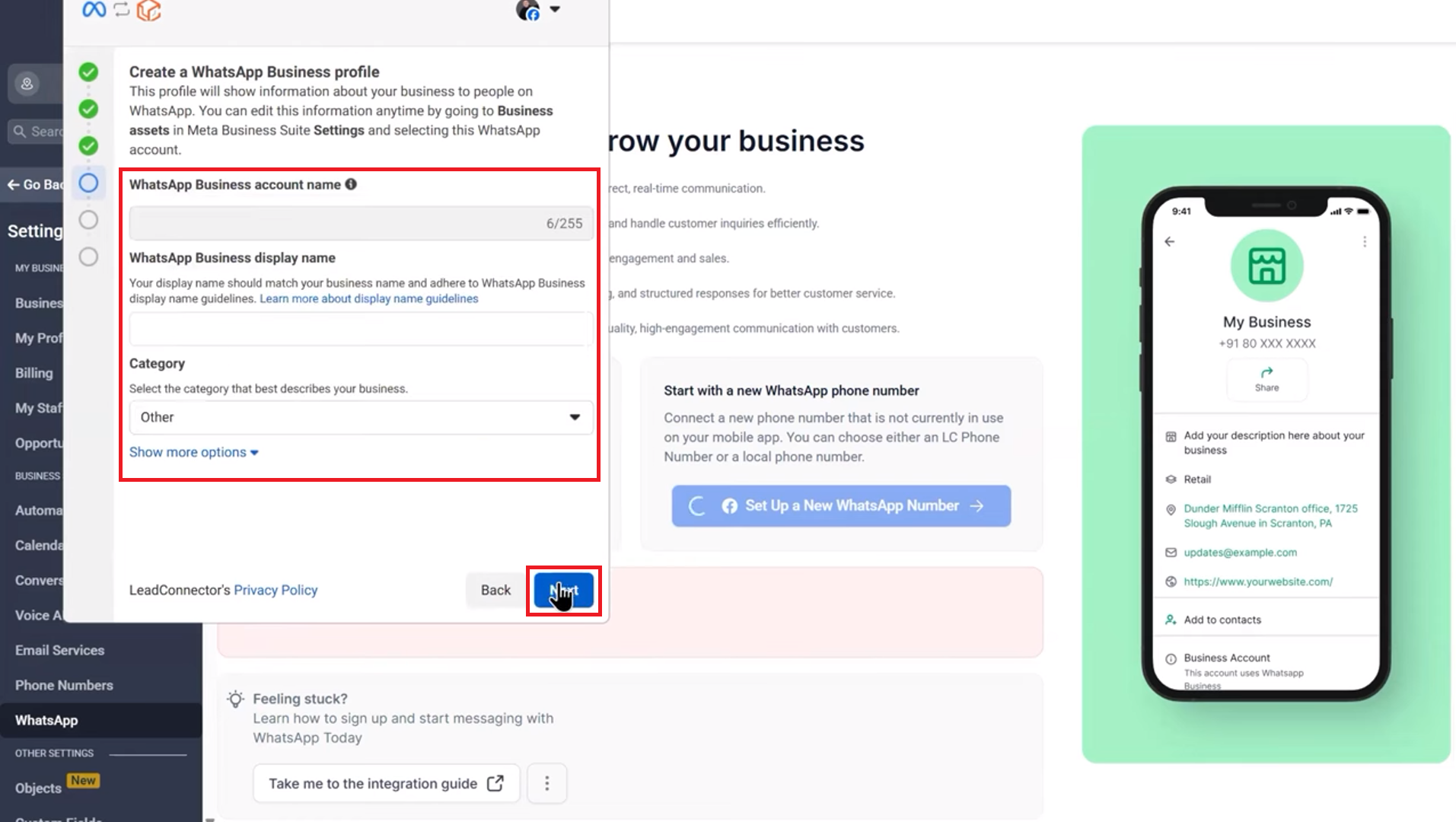
Select a business category, then click Next.
Choose whether to get a free WhatsApp number or add a new number.
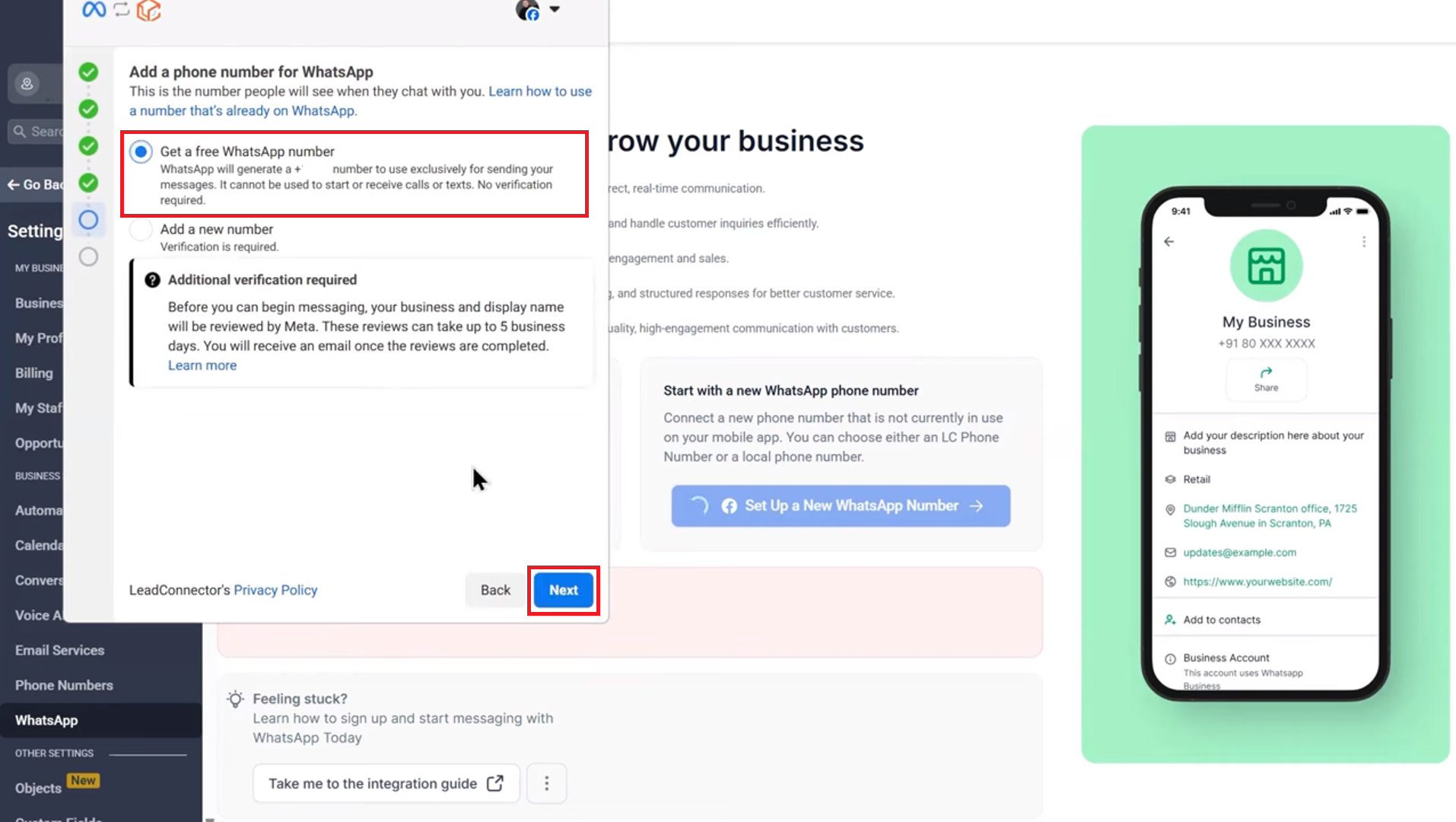
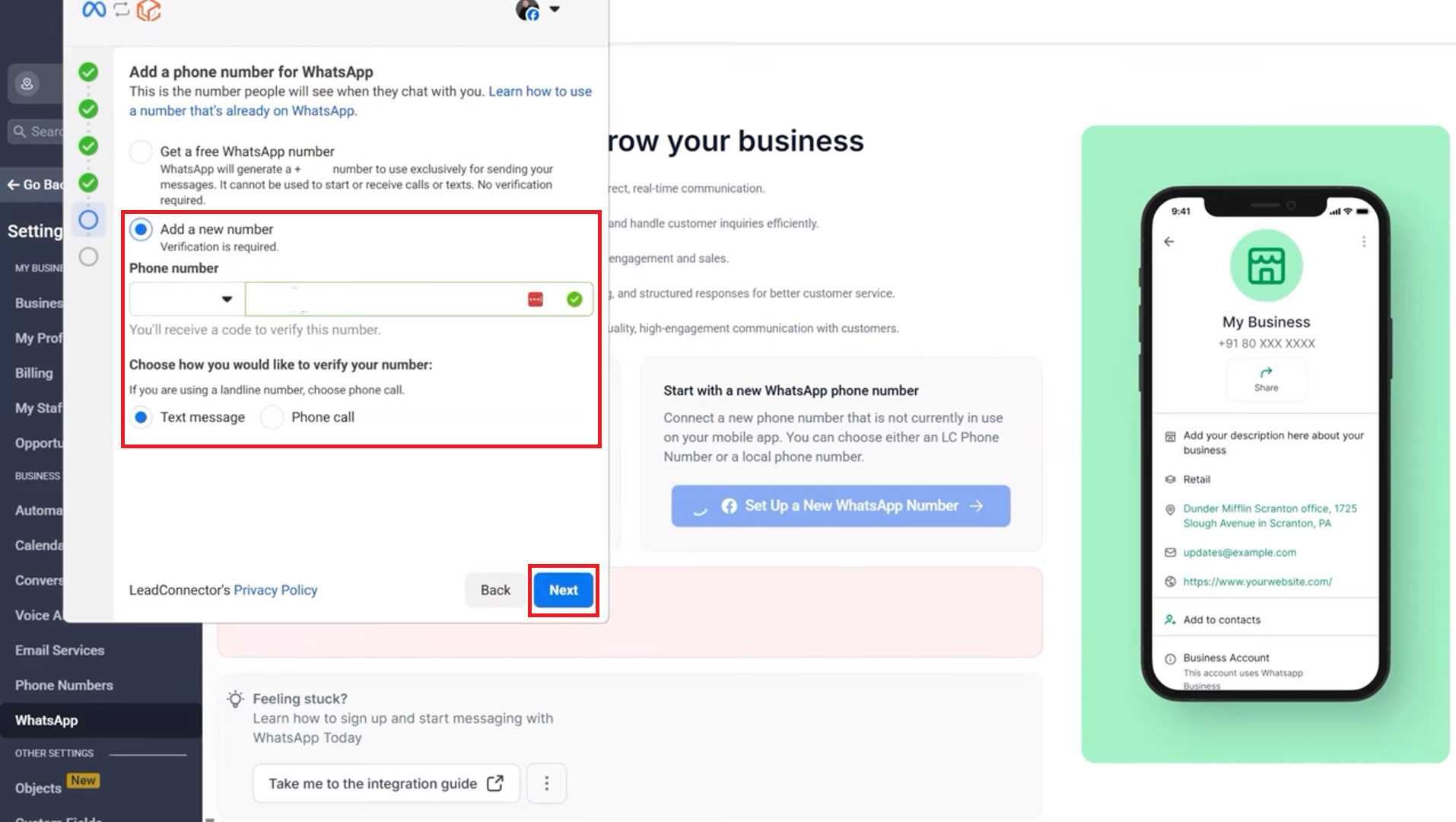
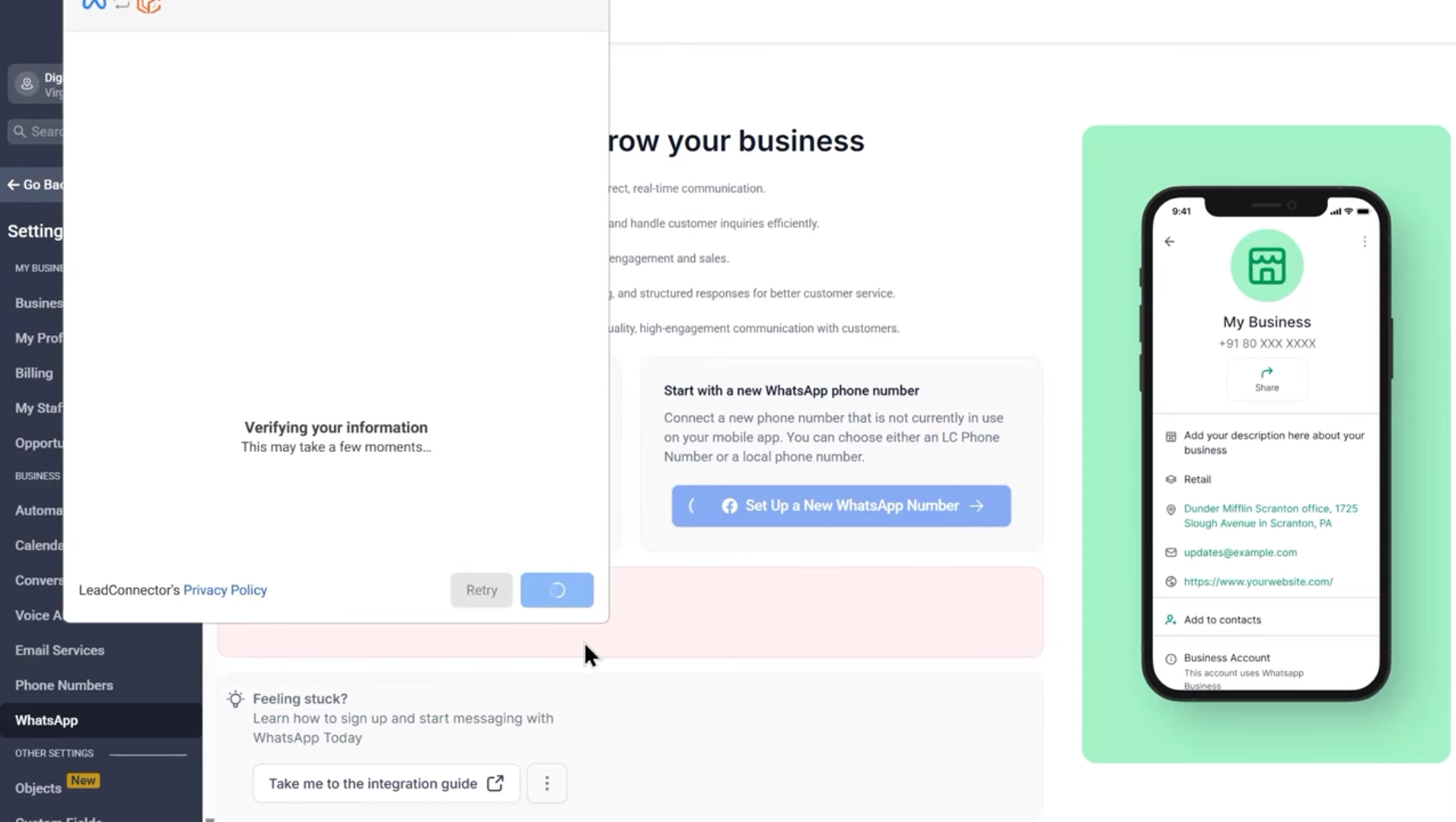
Verify the number to complete the setup.
Choose this if you want a fresh number dedicated to this workflow
Follow the onboarding prompts to complete the setup
Continue using your Facebook page or profile and get started.
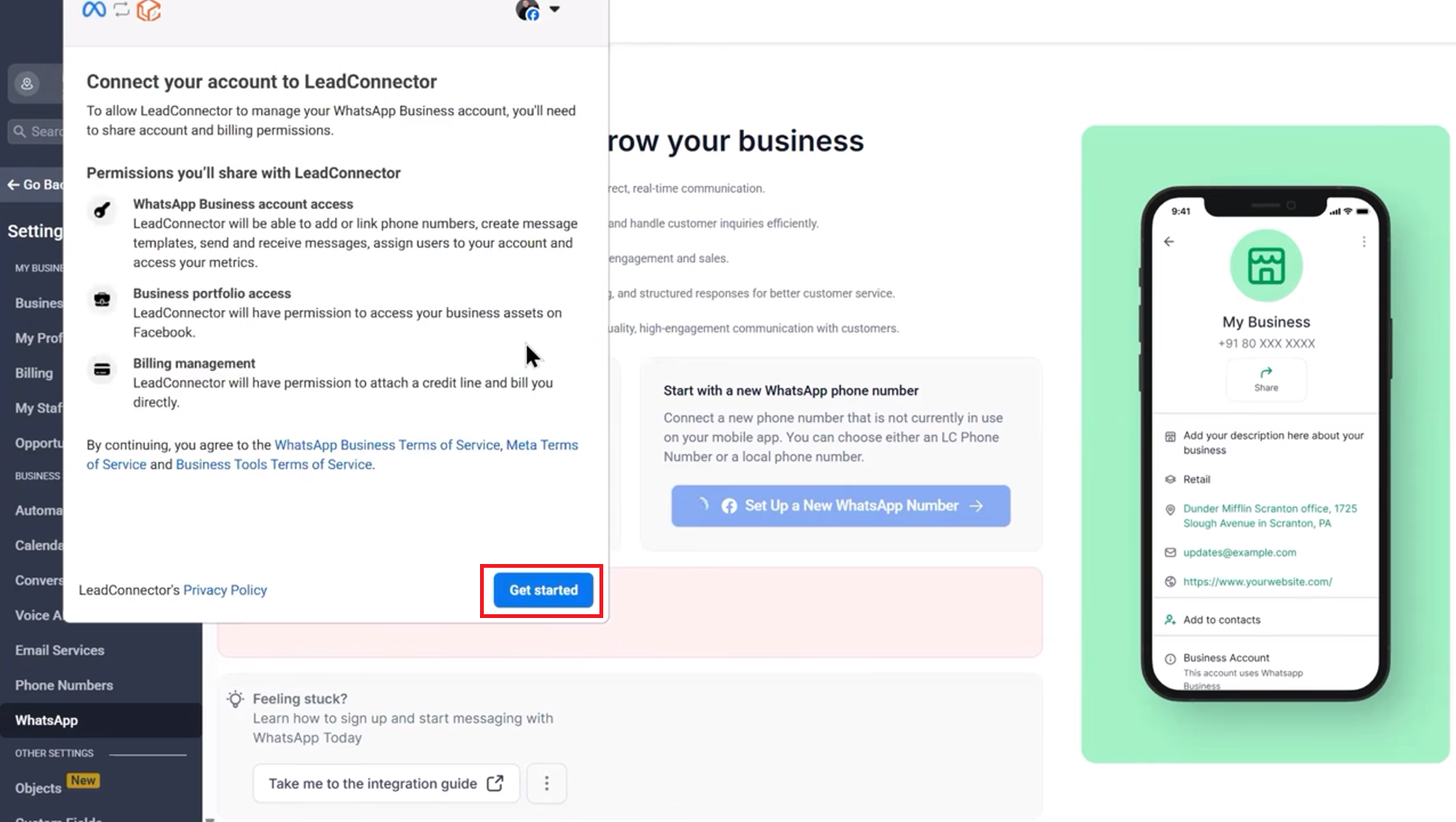
Fill in your business information.
Create or select your WhatsApp Business account, then click Next.
Verify the phone number.
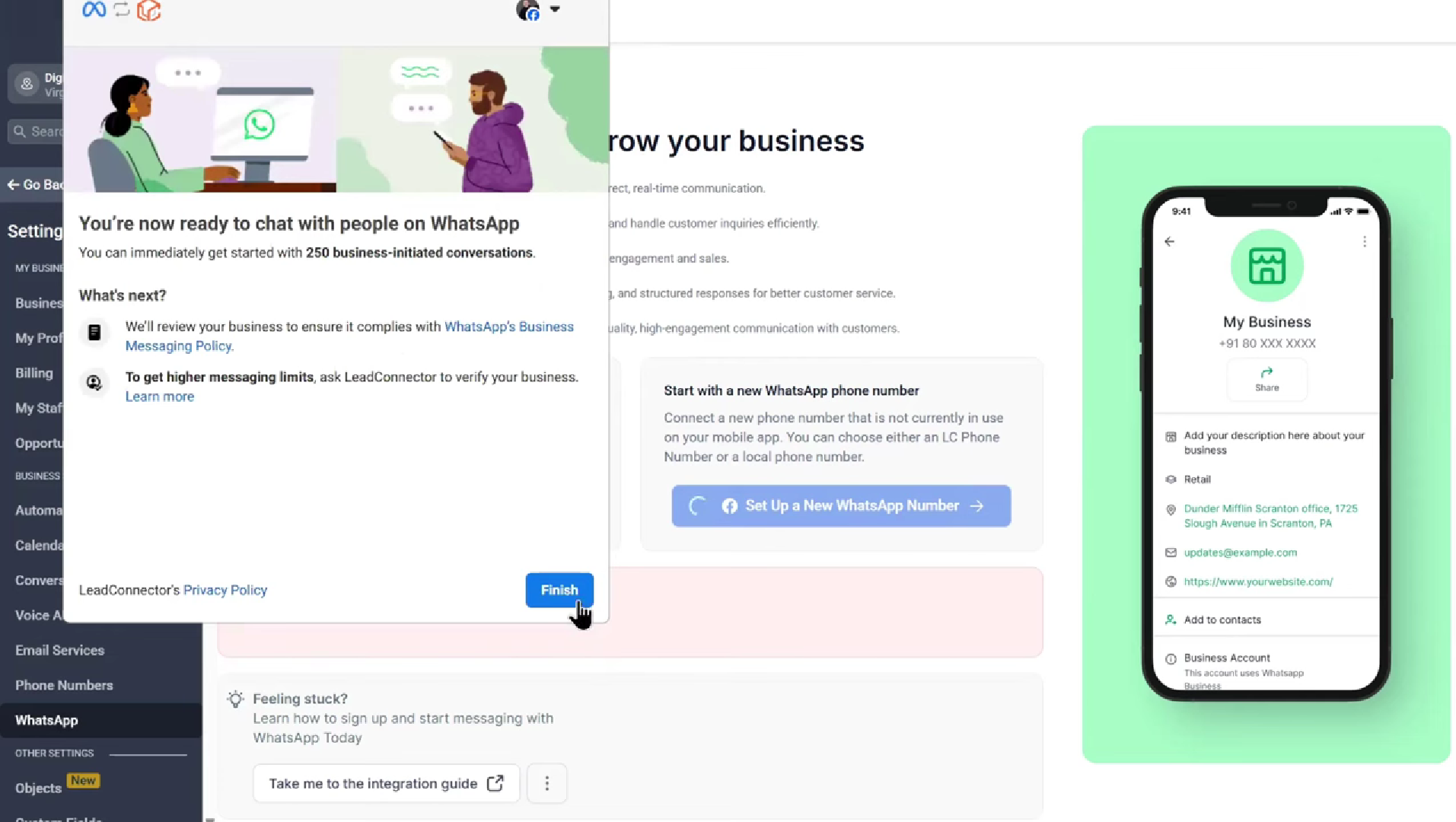
Complete the setup. Click Finish.
✅ Important:
For both options, the onboarding process will guide you. Make sure you complete the onboarding fully before moving to the next step.

