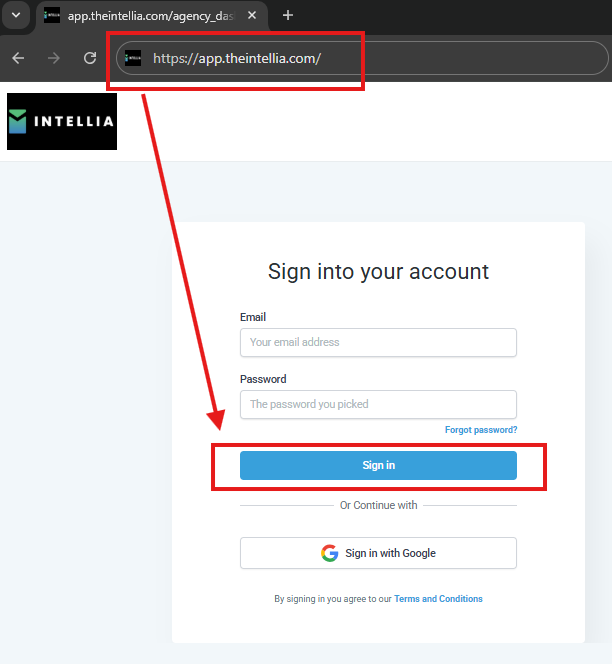
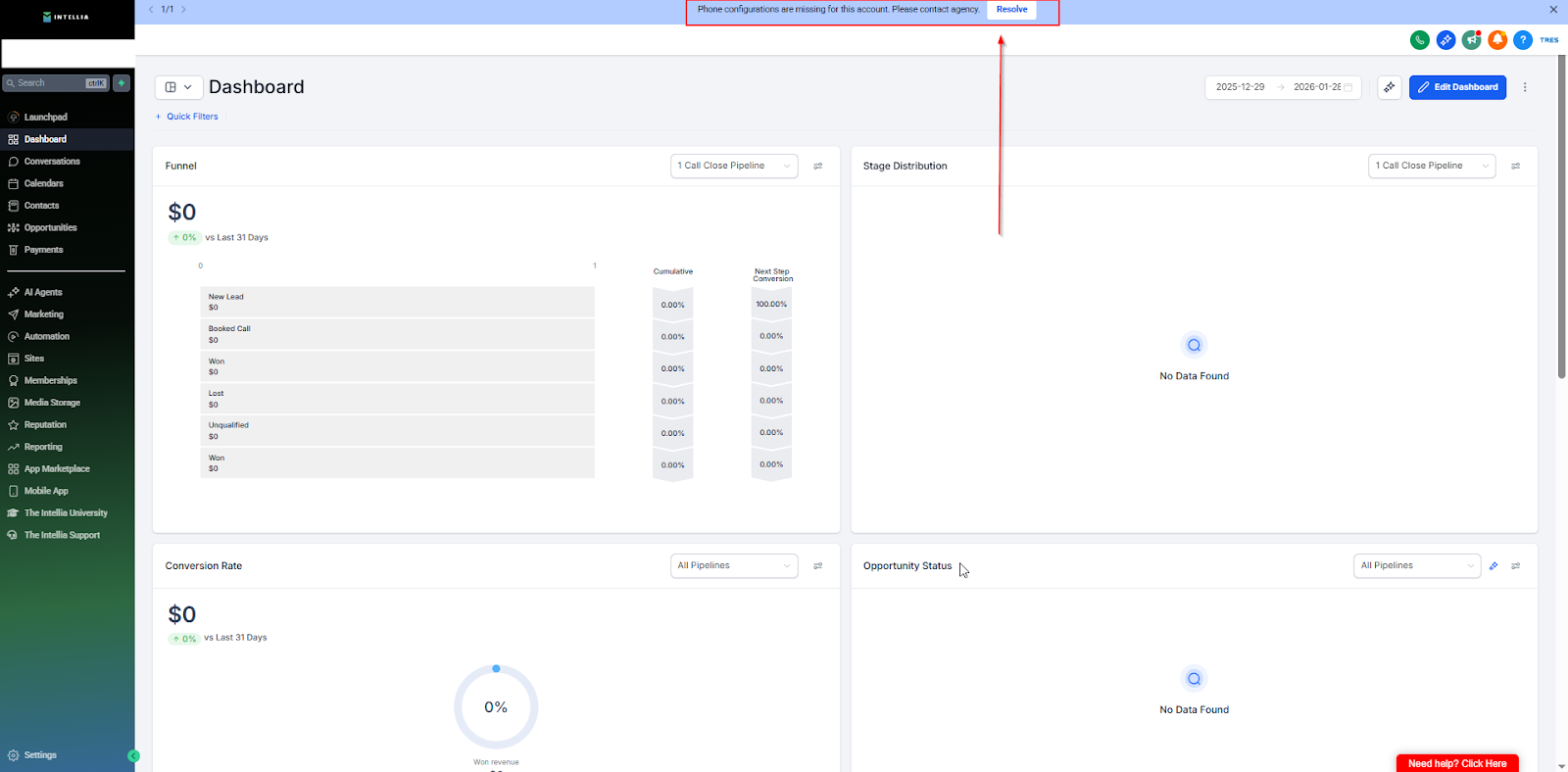
If you see a Blue bar at the top:
“Phone configurations are missing for this account. Please contact agency.”
✅ Click the Resolve button → Verify email + phone → Done.
If you don’t see the Blue bar:
✅ You’re activated. Your account will continue loading your purchased assets.
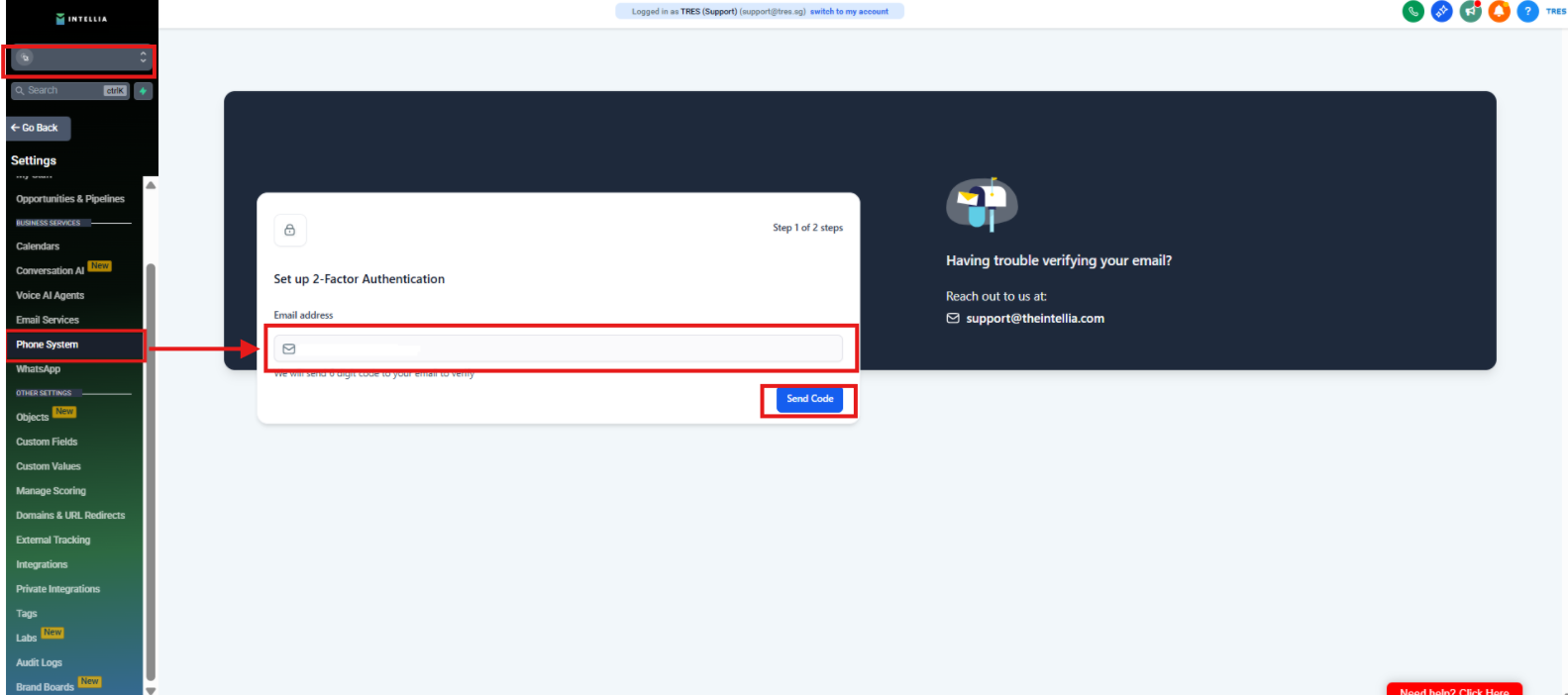
If needed (manual path):
Settings → Phone System → Verify Email & Phone
What does it mean to “activate” my Intellia account?
Activation means your account has completed the required email + phone verification, so you can access all features properly.
I see a blue bar that says “Phone configurations are missing for this account. Please contact agency.” What do I do?
Click Resolve on the blue bar, then verify your email + phone. Once completed, you’re done.
I don’t see the blue bar. Does that mean something is wrong?
No — if you don’t see the blue bar, it usually means you’re already activated. Your account may still be loading your purchased assets in the background.
I clicked Resolve but the verification page won’t load. What should I try first?
Refresh the page
Log out and log back in
Use an Incognito window
Try another browser (Chrome recommended)
Where can I manually verify if I can’t find the Resolve button?
Go to: Settings → Phone System → Verify Email & Phone
I verified, but the blue bar is still there. What now?
Refresh the page first. If it still appears after a refresh, go to the manual path:
Settings → Phone System → Verify Email & Phone
If it still persists, contact support with a screenshot.
I’m logged in but my account looks empty / missing assets. Is activation incomplete?
Not necessarily. If you don’t see the blue bar, your account is likely activated — it may just still be loading your purchased assets. Refresh and check again after a few minutes.
What if I don’t have an Intellia account yet?
You’ll need to purchase a plan first at:
https://theintellia.com/plans
Then log in at:
https://app.theintellia.com/
What details should I send support if I’m stuck?
The email you used to log in
A screenshot of the blue bar / error
What step you got stuck on (Log in / Resolve / Manual verification)

