Log in to Intellia
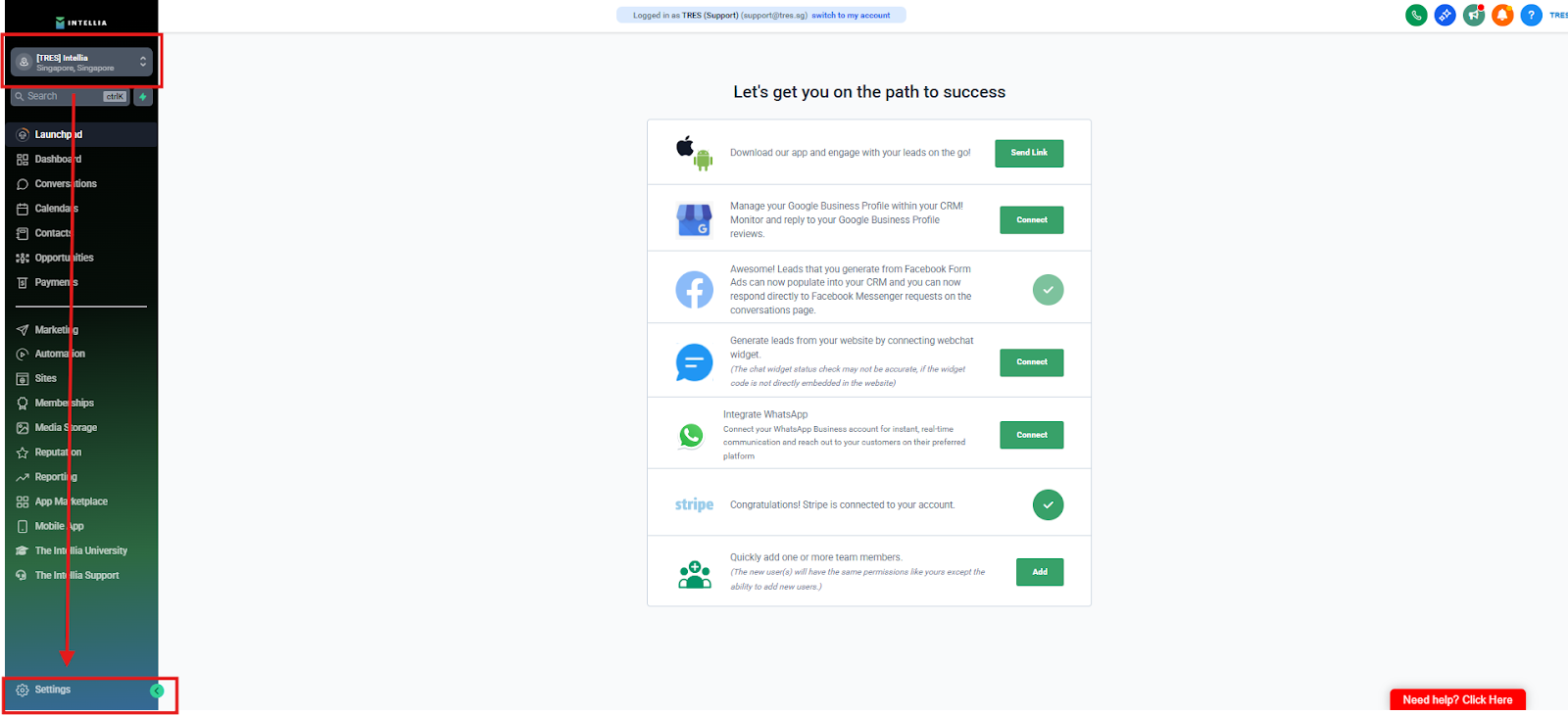
Left sidebar → Settings
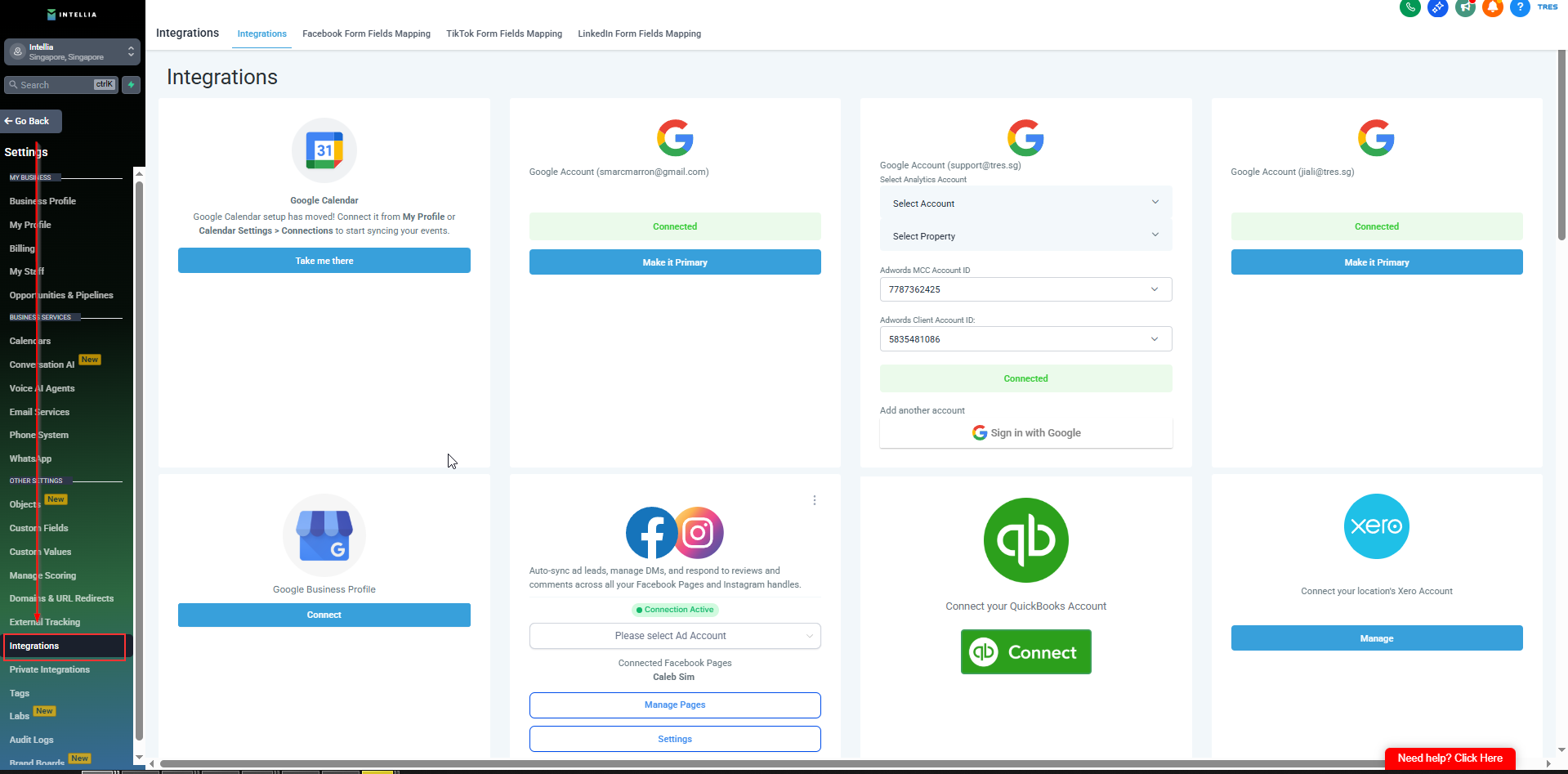
Inside Settings → Integrations
Find the Google section / Google icon
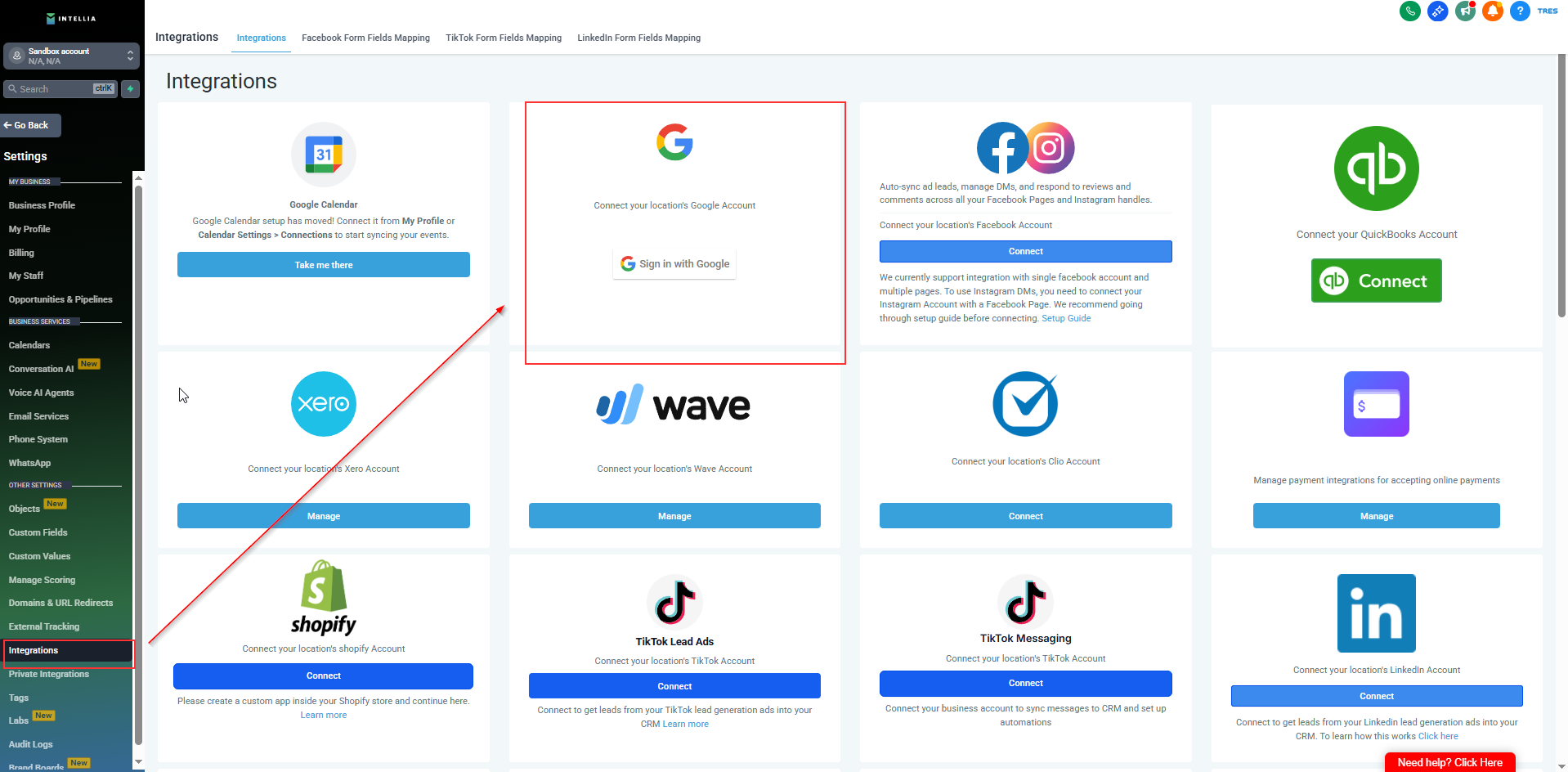
Click Sign in with Google
A Google sign-in window opens
Select the correct Google account
If you don’t see it → click Use another account
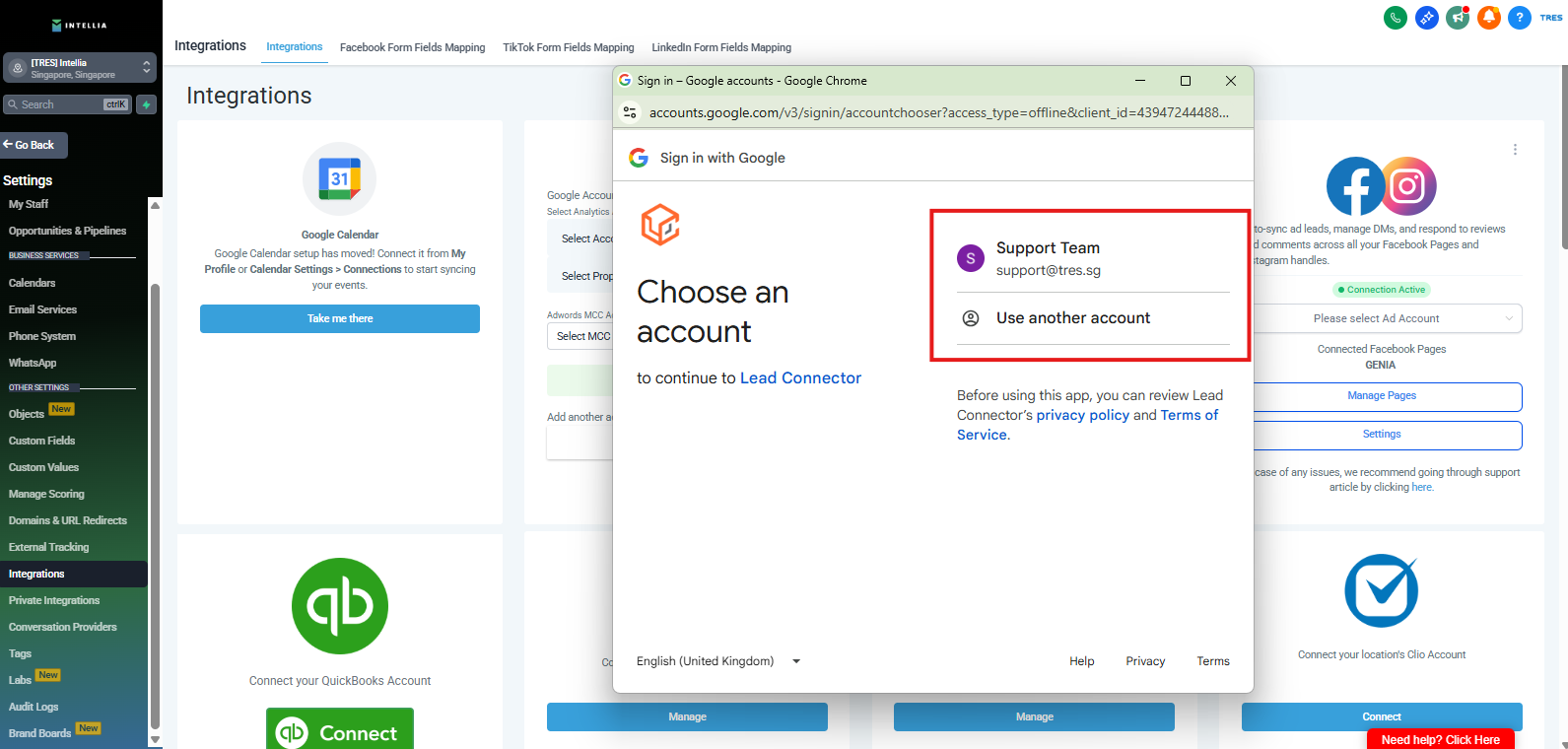
✅ Success looks like: You’re signed in and Intellia is ready for calendar sync.
Why do I need to integrate my Google account?
So Intellia can sync your calendar availability (and create meetings properly if your workflow uses scheduling).
Where exactly do I go to connect Google?
Log in → Left sidebar → Settings → Integrations → find the Google section → click Sign in with Google.
I clicked “Sign in with Google” but nothing happened. What do I do?
Most likely your browser is blocking pop-ups:
Allow pop-ups for Intellia
Refresh and click again
Try Incognito mode
Try Chrome (recommended)
Which Google account should I choose?
Choose the Google account that owns the calendar you want to use for bookings (the one connected to your business schedule).
I don’t see the Google account I want in the sign-in window.
Click Use another account and log in with the correct one.
Google is asking for permission. Should I click “Allow”?
Yes — you must click Allow for Intellia to connect and sync calendars properly.
I clicked Allow but I’m not sure if it worked. What does success look like?
Success looks like:
You return to Intellia
Your Google integration shows as Connected / Signed in
Intellia is ready for calendar sync
I connected the wrong Google account. How do I change it?
Go back to Settings → Integrations, disconnect/remove the current Google connection (if available), then click Sign in with Google again and choose the correct account.
Do I need Google integration if I’m not using calendar booking?
If your workflow includes appointment booking (AI booking, calendars), yes. If not, you may not need it yet — but most booking workflows require it.
What should I send support if it still won’t connect?
Send:
Screenshot of the Integrations page
What happens after clicking “Sign in with Google”
Browser name (Chrome/Safari/etc.)
Whether pop-ups are allowed

