Log in using the Facebook profile that will “own” the business
Open Meta Business Suite - Go to business.facebook.com
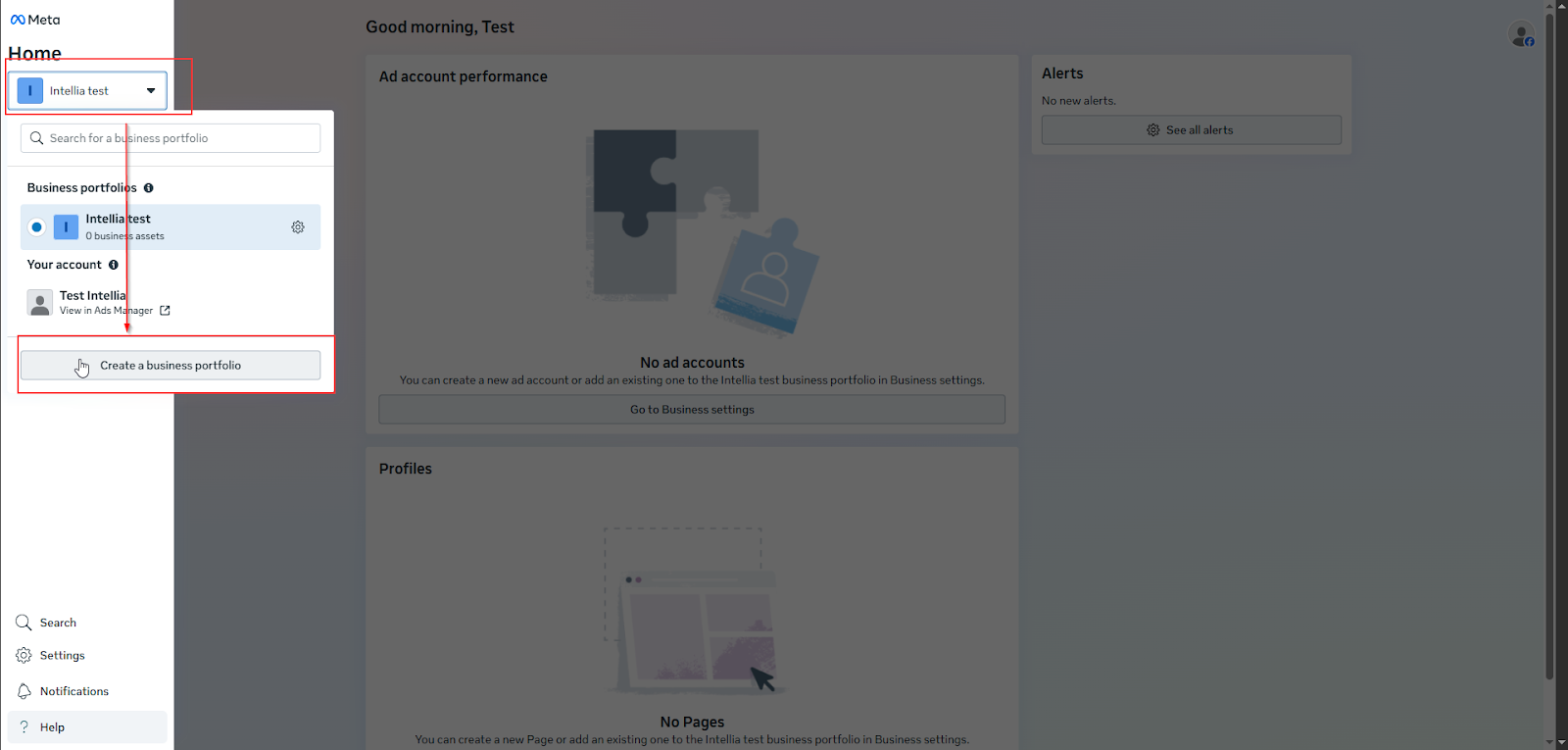
Top-left dropdown (business name / “All tools”) → click it
✅ If you already have a Business Portfolio: select the correct one first.
Top-left dropdown → click Create (or “Create a business portfolio”)
Fill in:
Business name
Your name
Business email
Click Create / Submit
Confirm the email Meta sends you
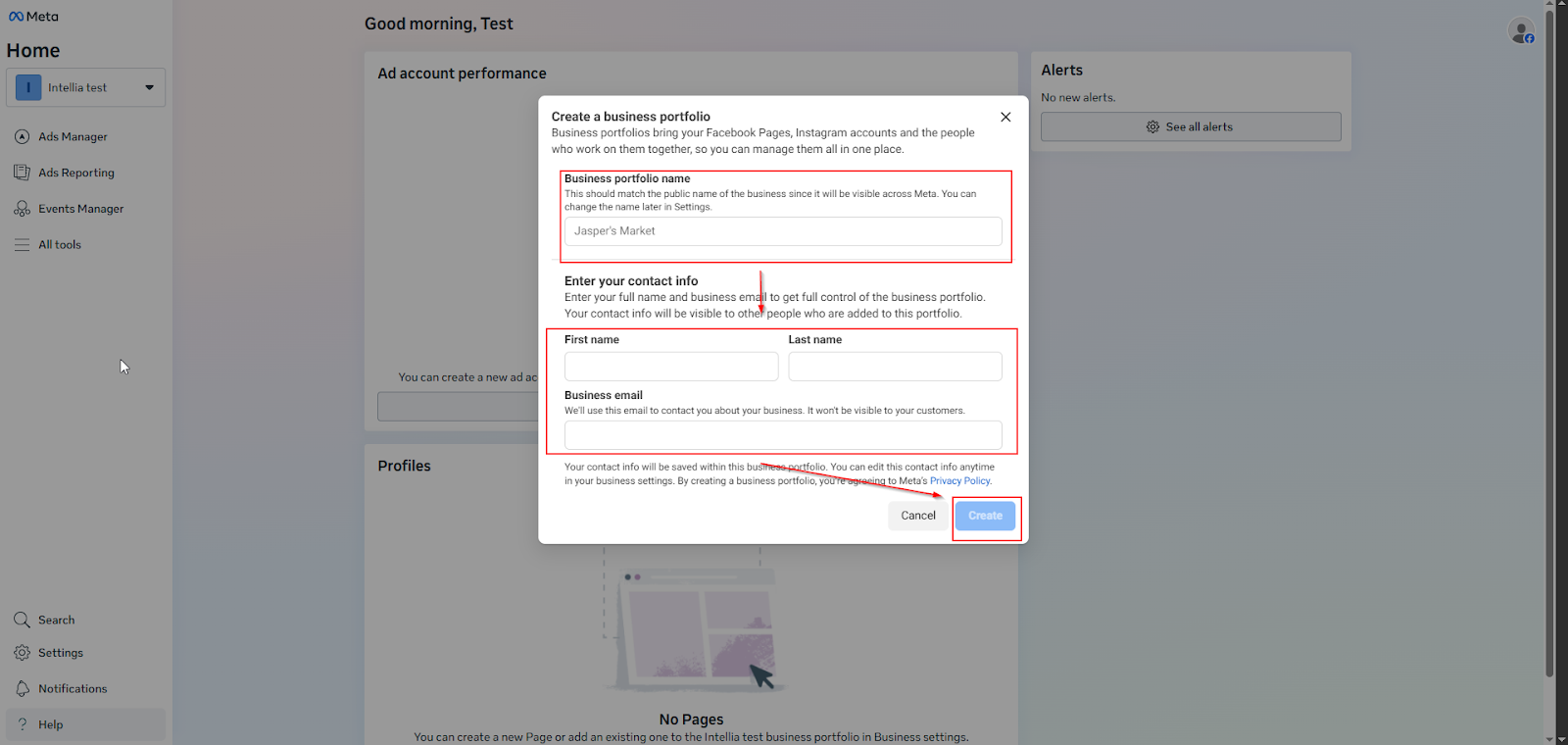
Note: Enter a name for the business portfolio. This should match the public name of your business or organization because it will be visible across Meta. The name of your business portfolio cannot contain special characters.
Path 1 (common): Left menu → Settings → Business settings
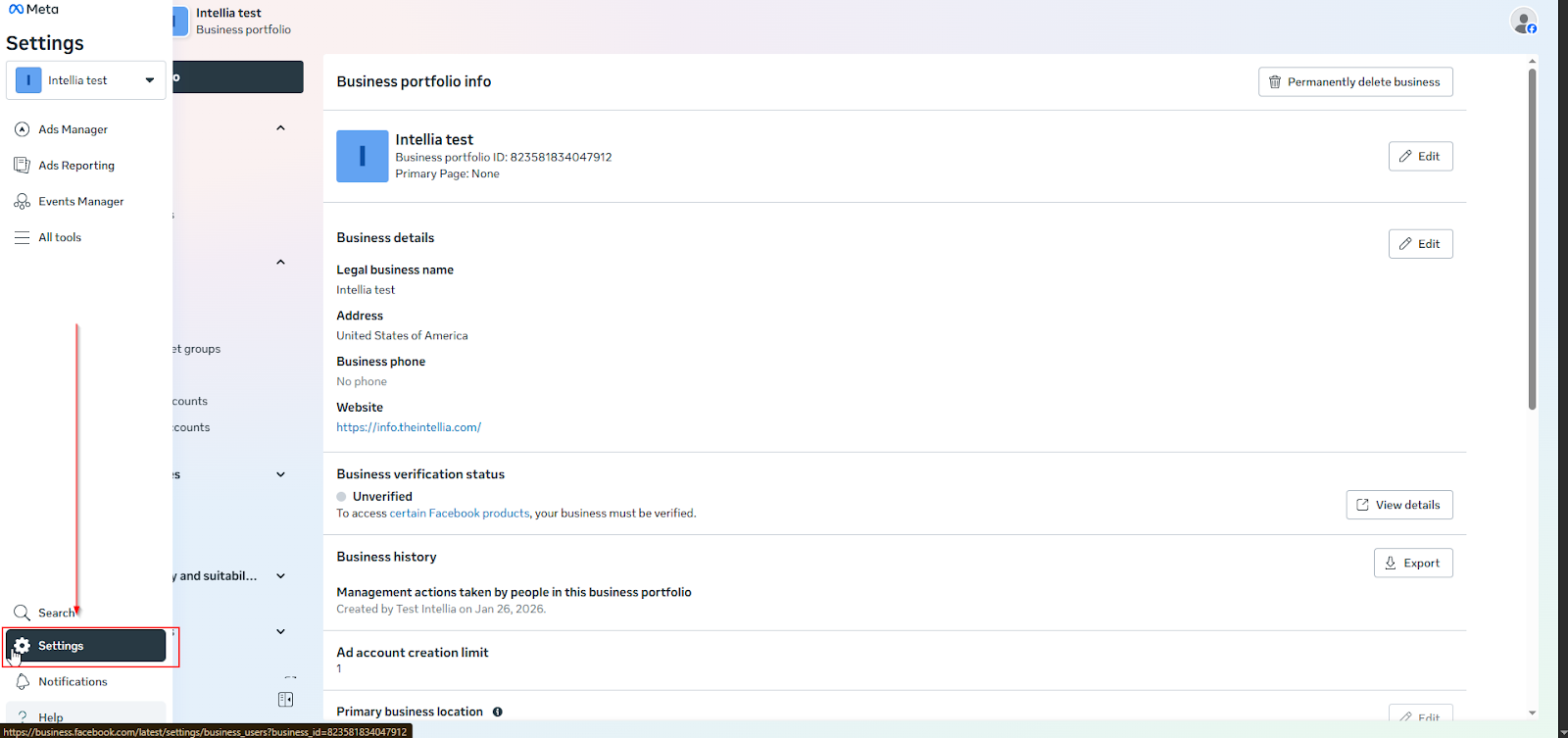
Path 2 (alternate): Business Suite → All tools → Business settings
Find Security Center:
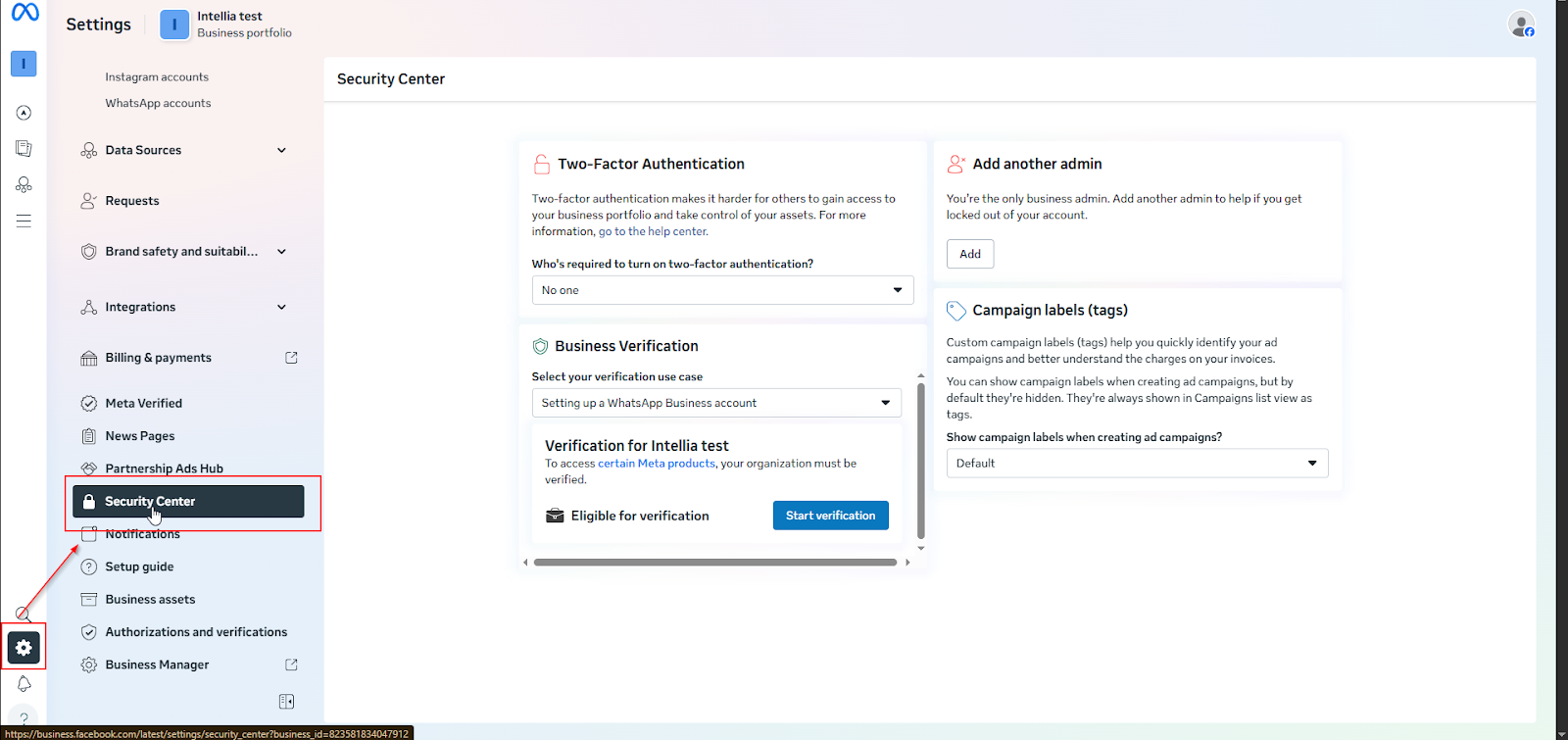
Business Settings → Security Center → Two-factor authentication
Set requirement: Everyone (best) or at least admins
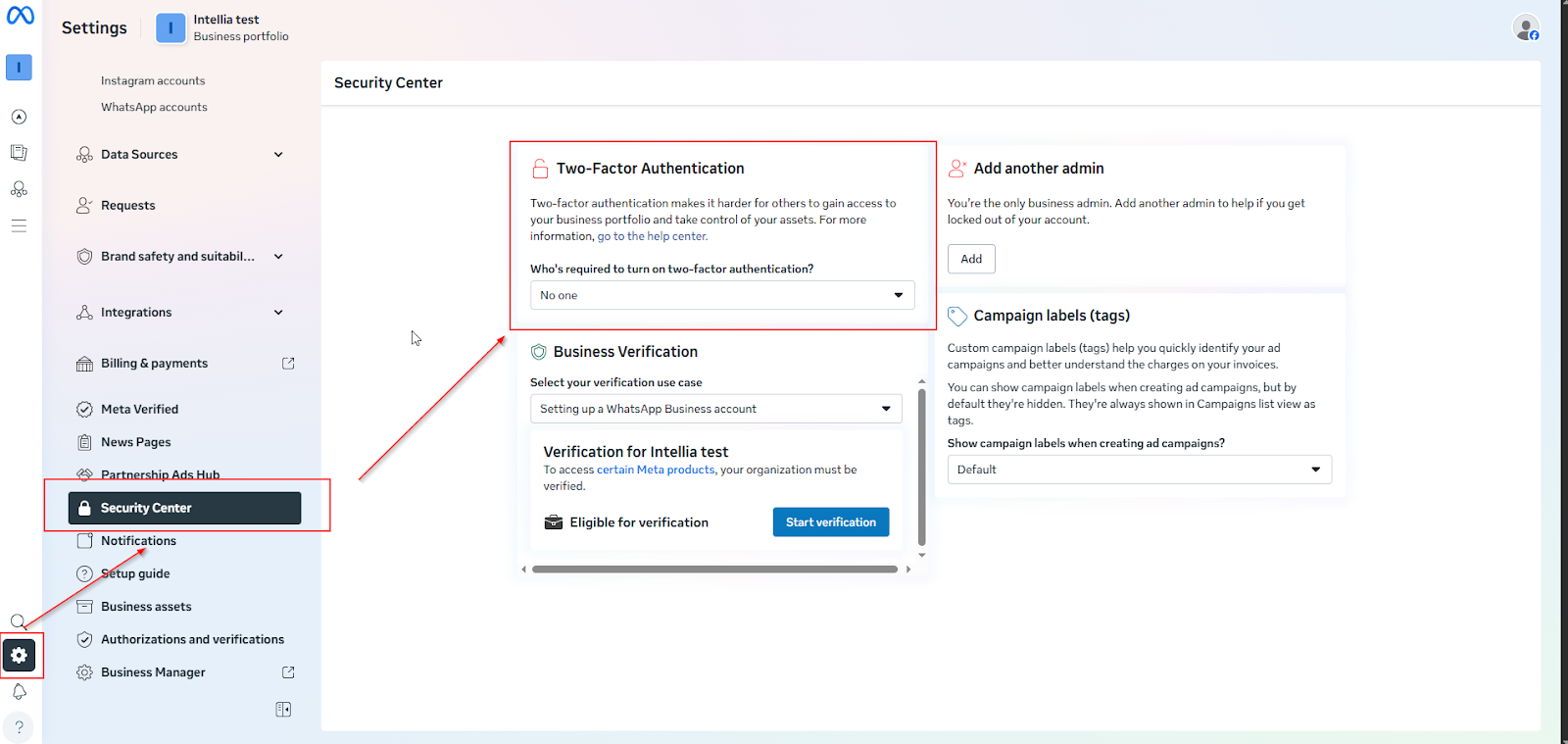
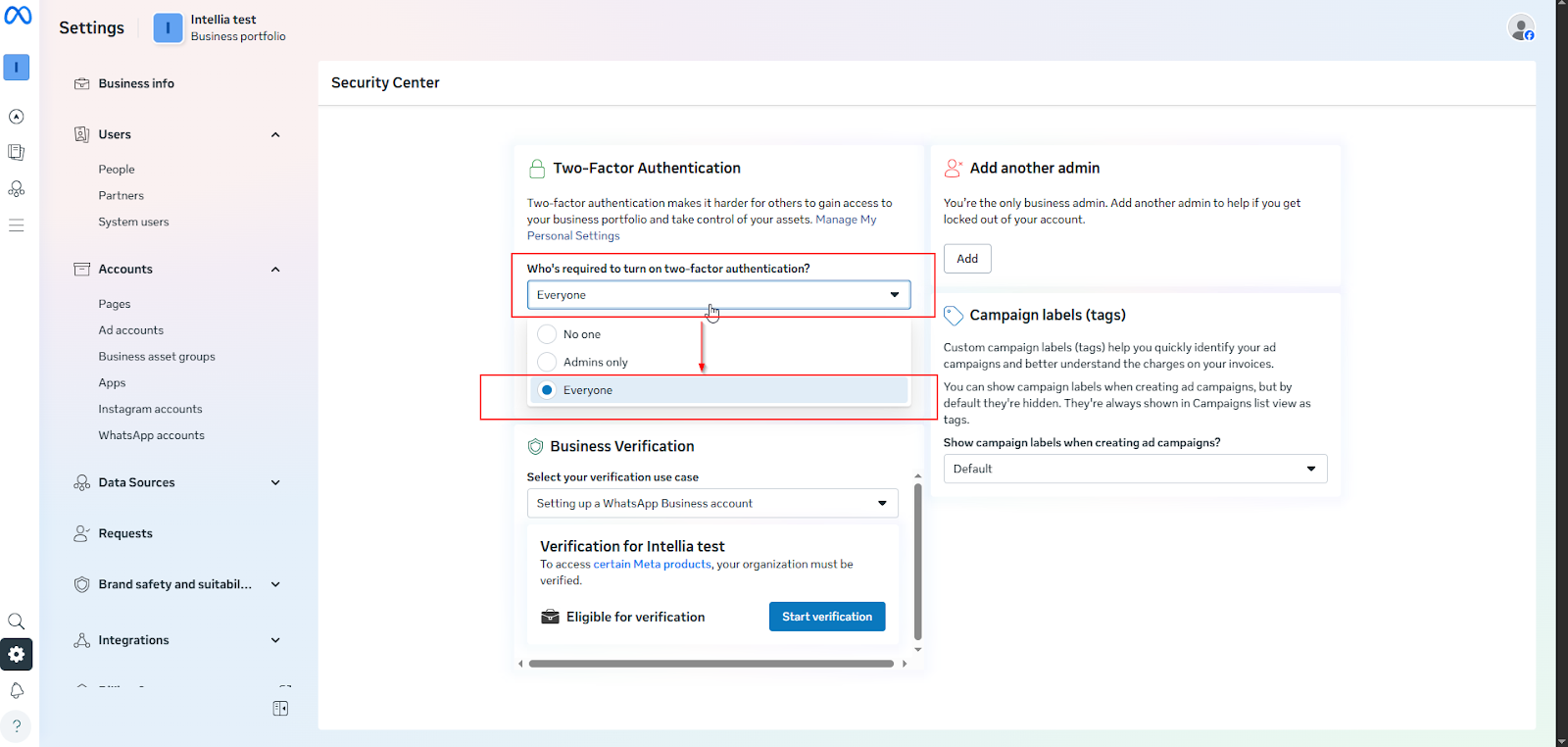
Path: Business Settings → Security Center → Business Verification → Start verification
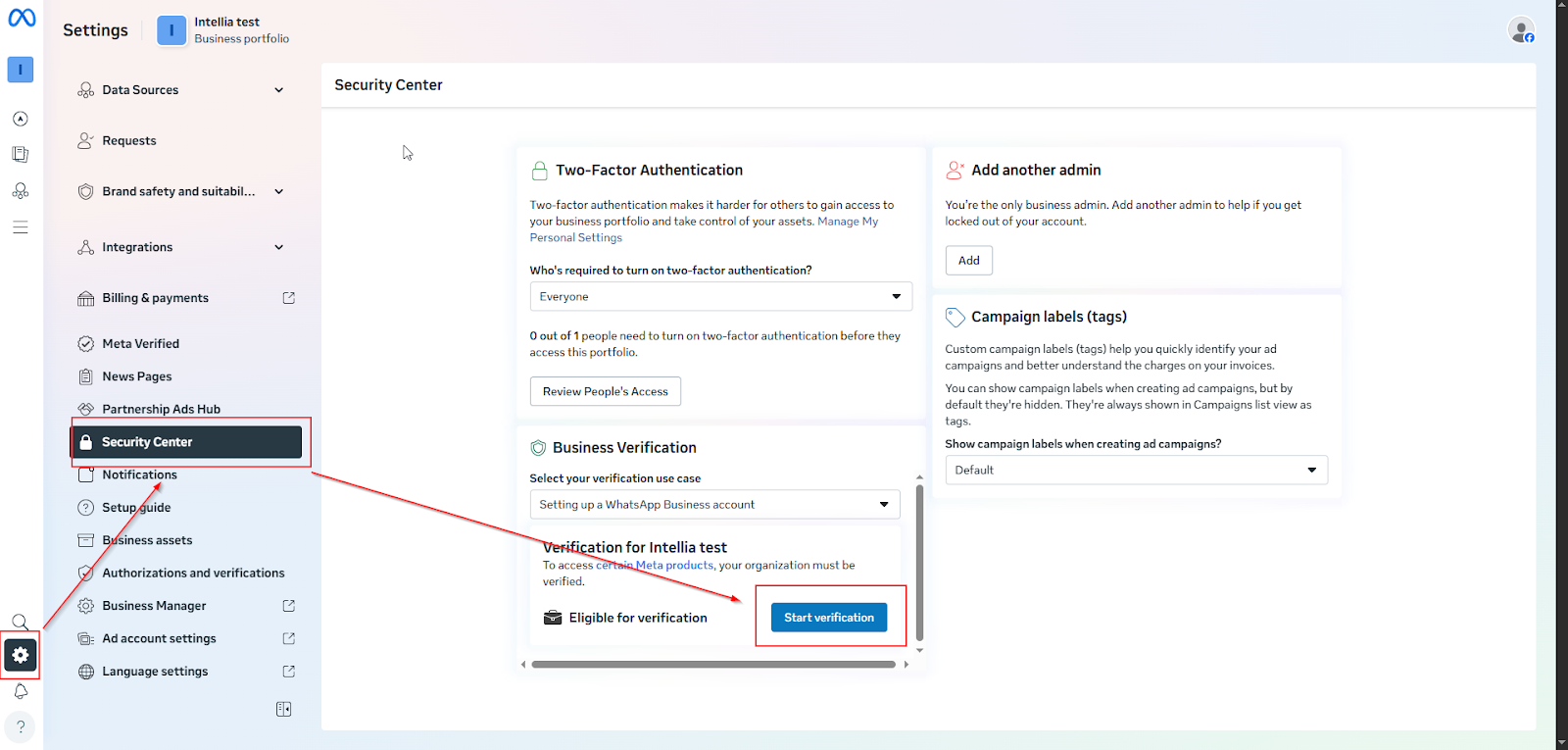
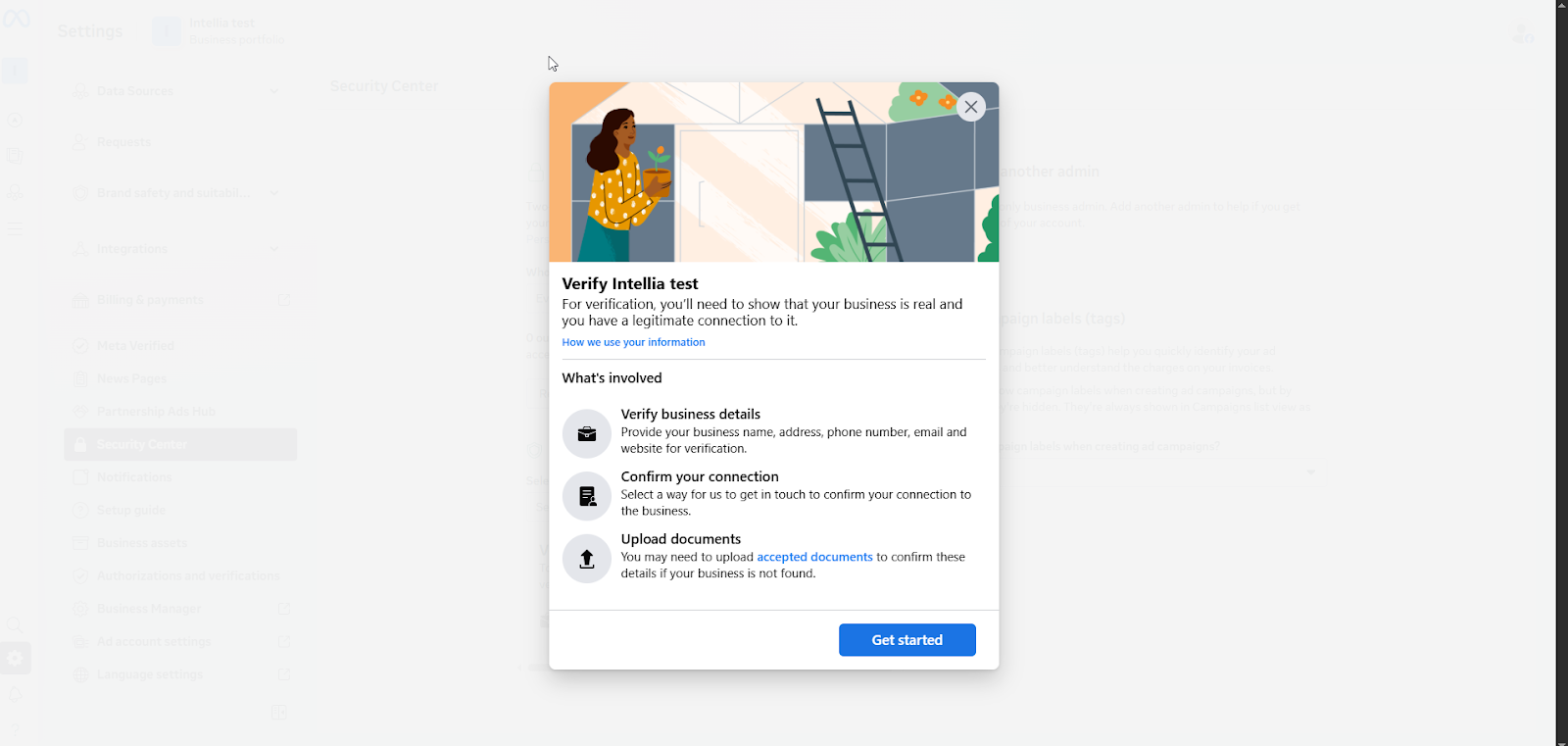
Verification Flow (what they’ll see in Meta)
Click Get started
Select a country
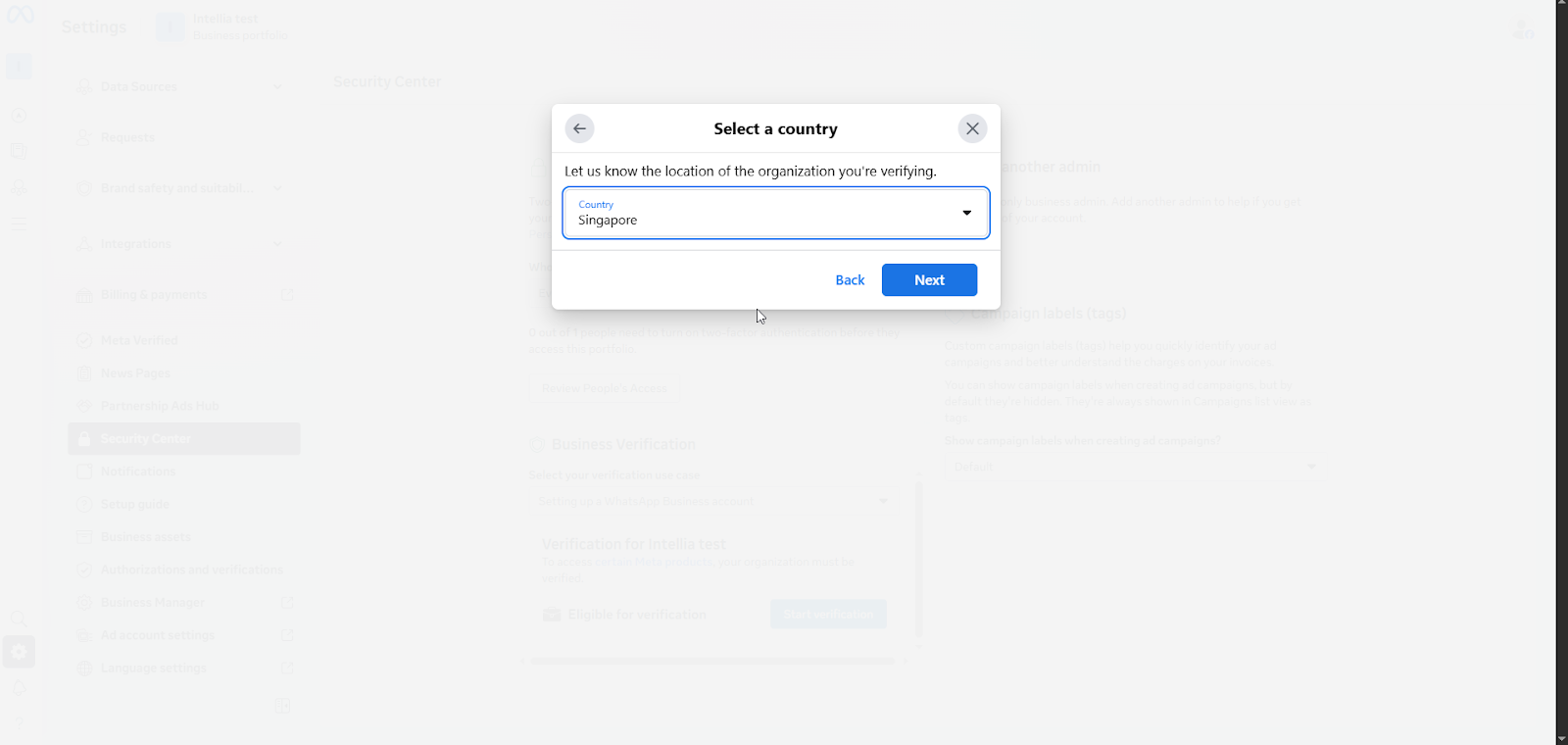
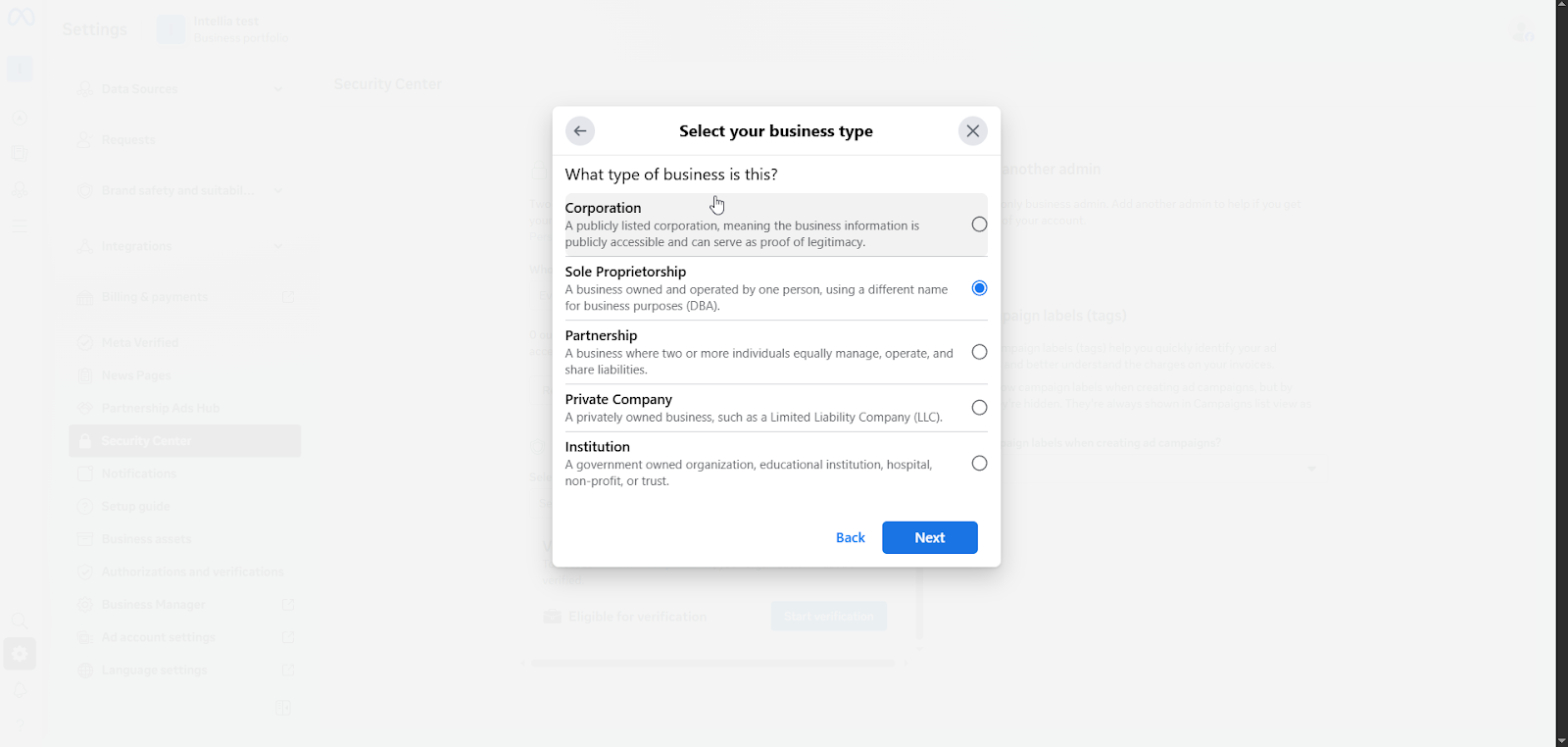
Select your business type:
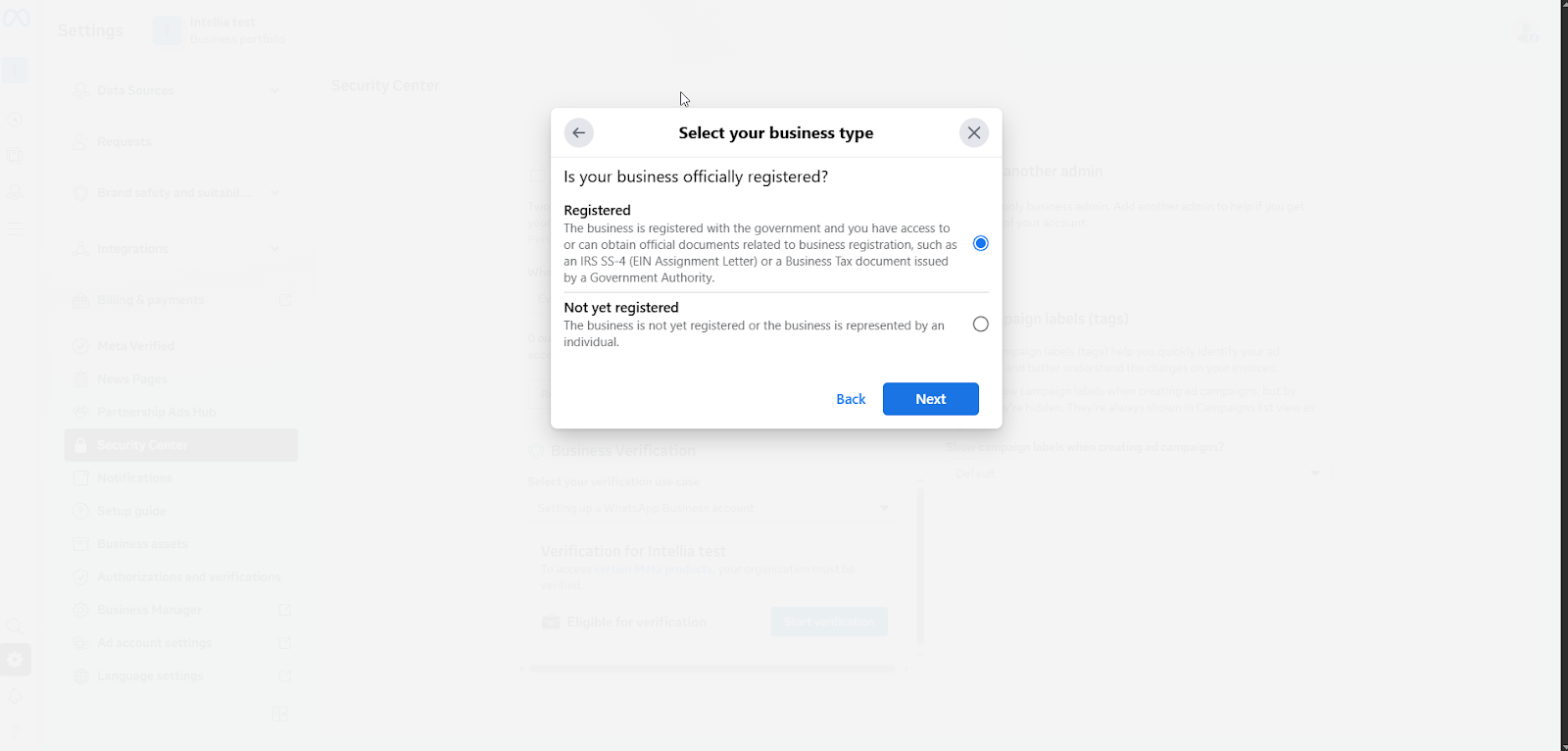
Registered business, or Not yet registered
Add business details (Meta will prompt for info like legal name, address, phone, website if requested)
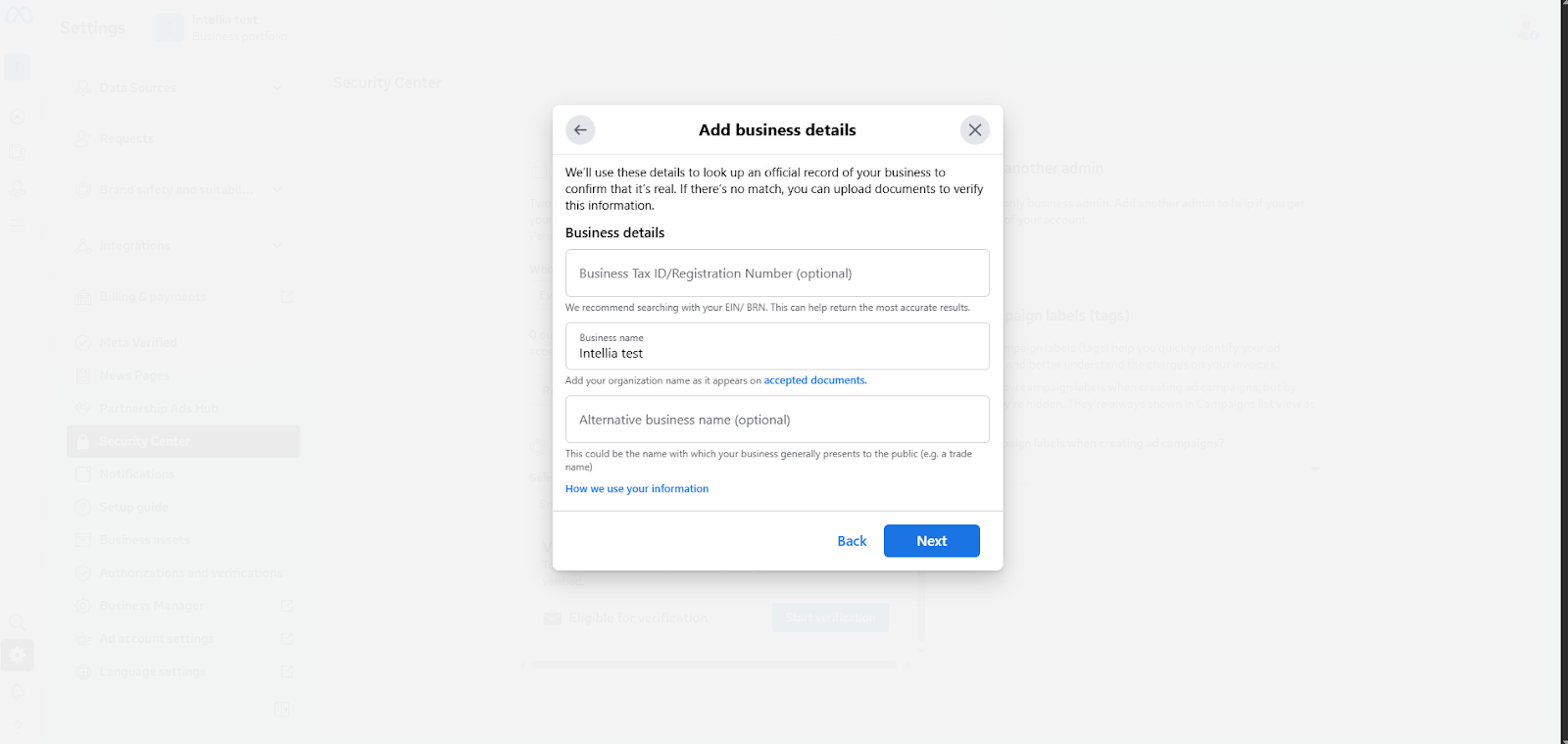
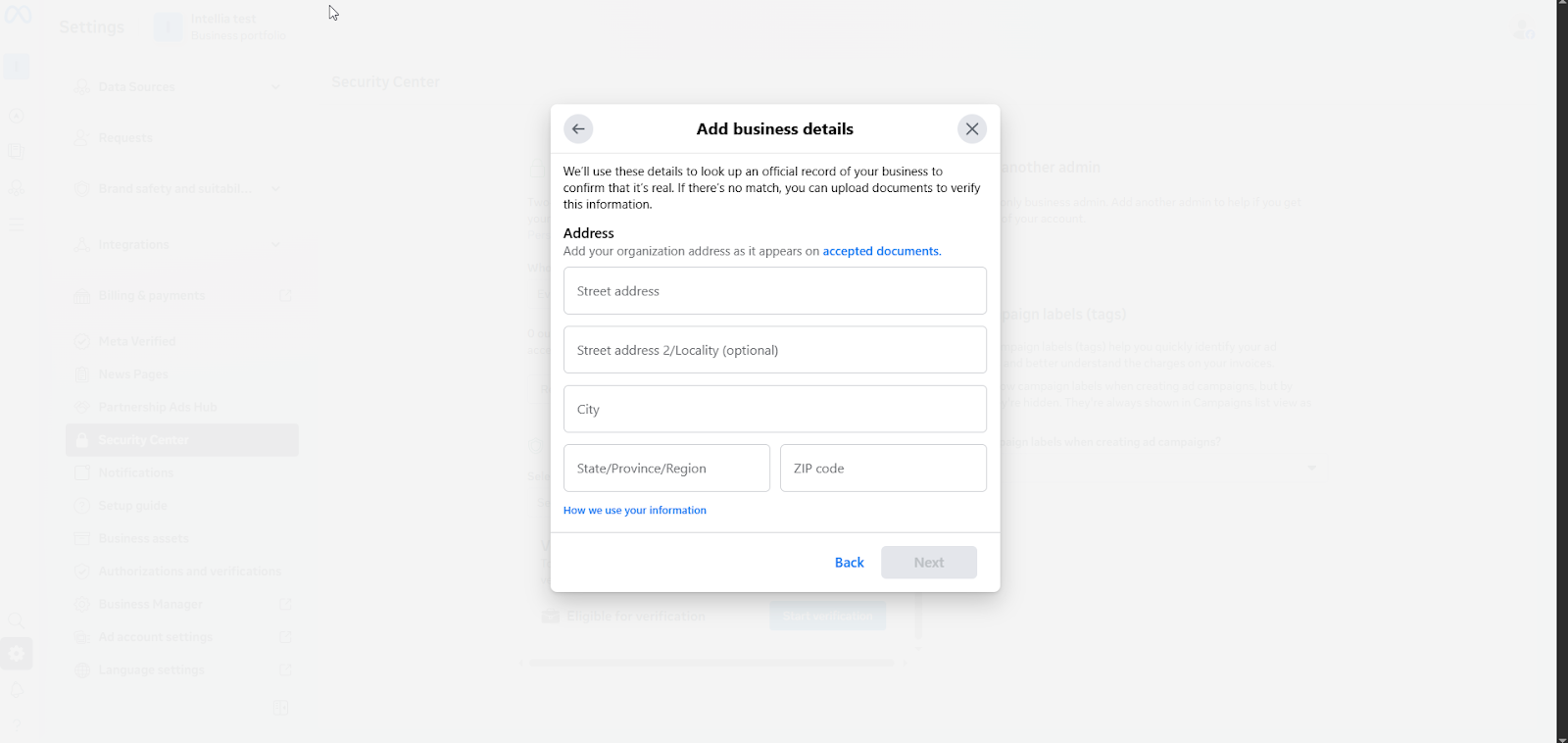
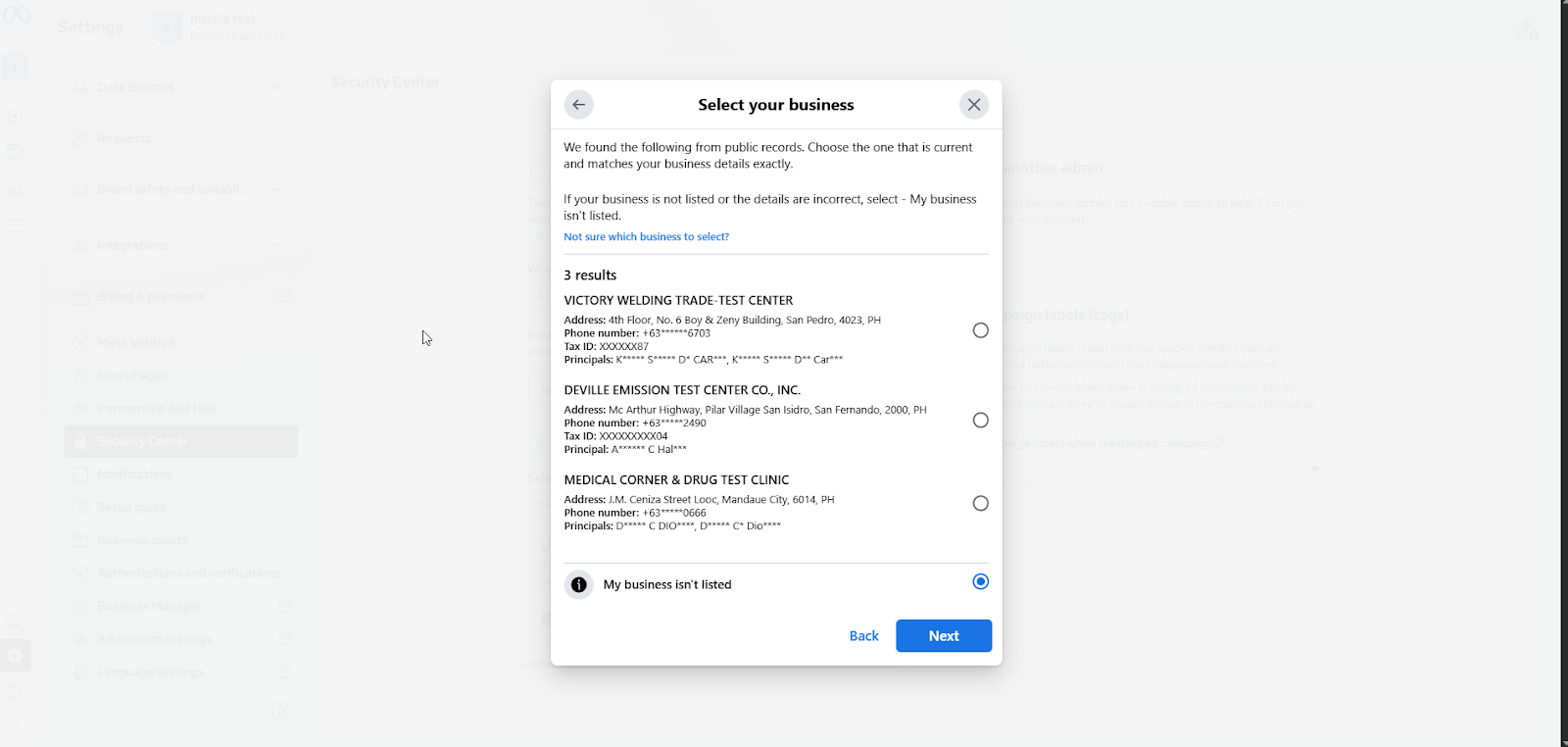
Meta will try to find your business in public records
If it’s not found, choose: “My business isn’t listed”
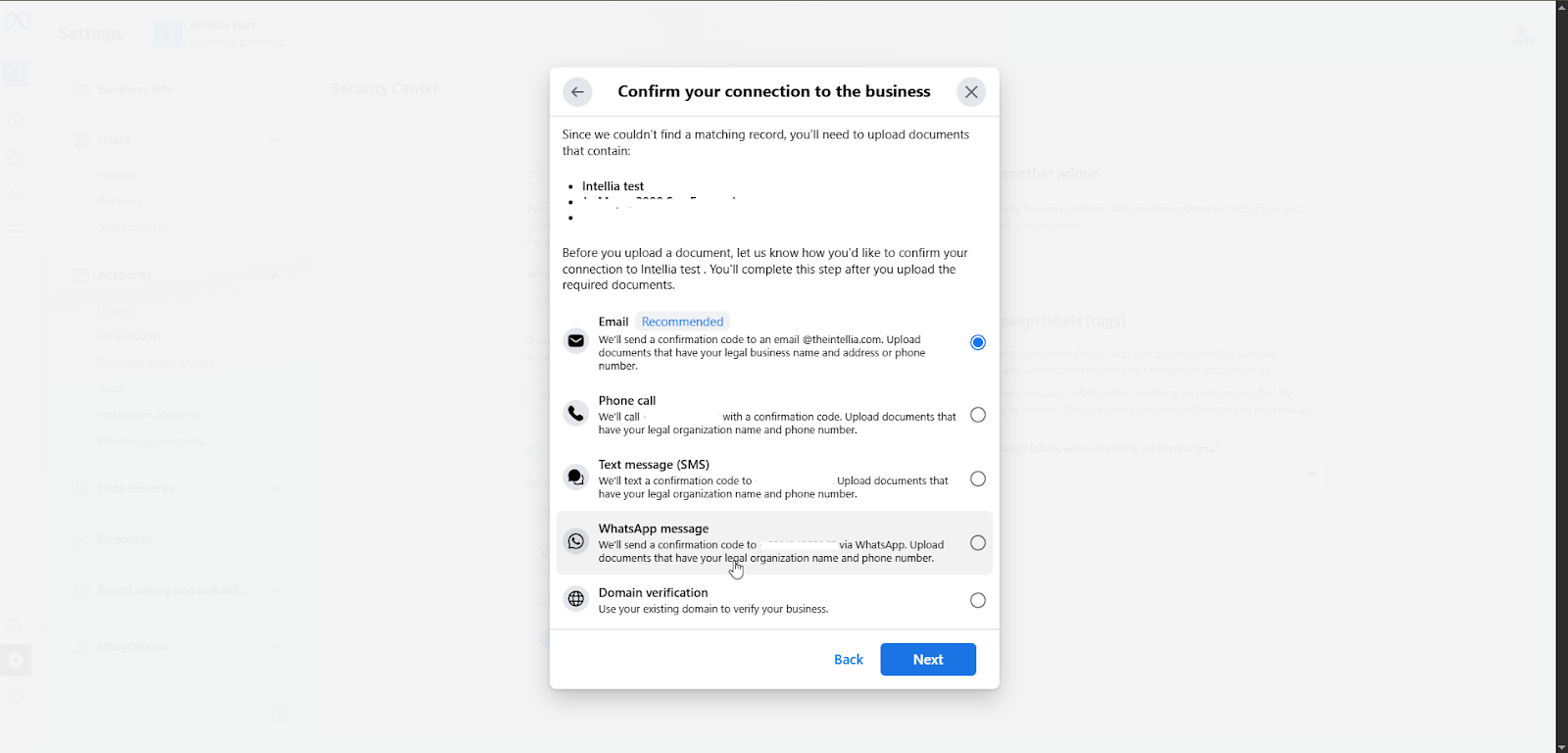
If Meta still can’t find a matching record, choose an option to upload business documents (to verify your business)
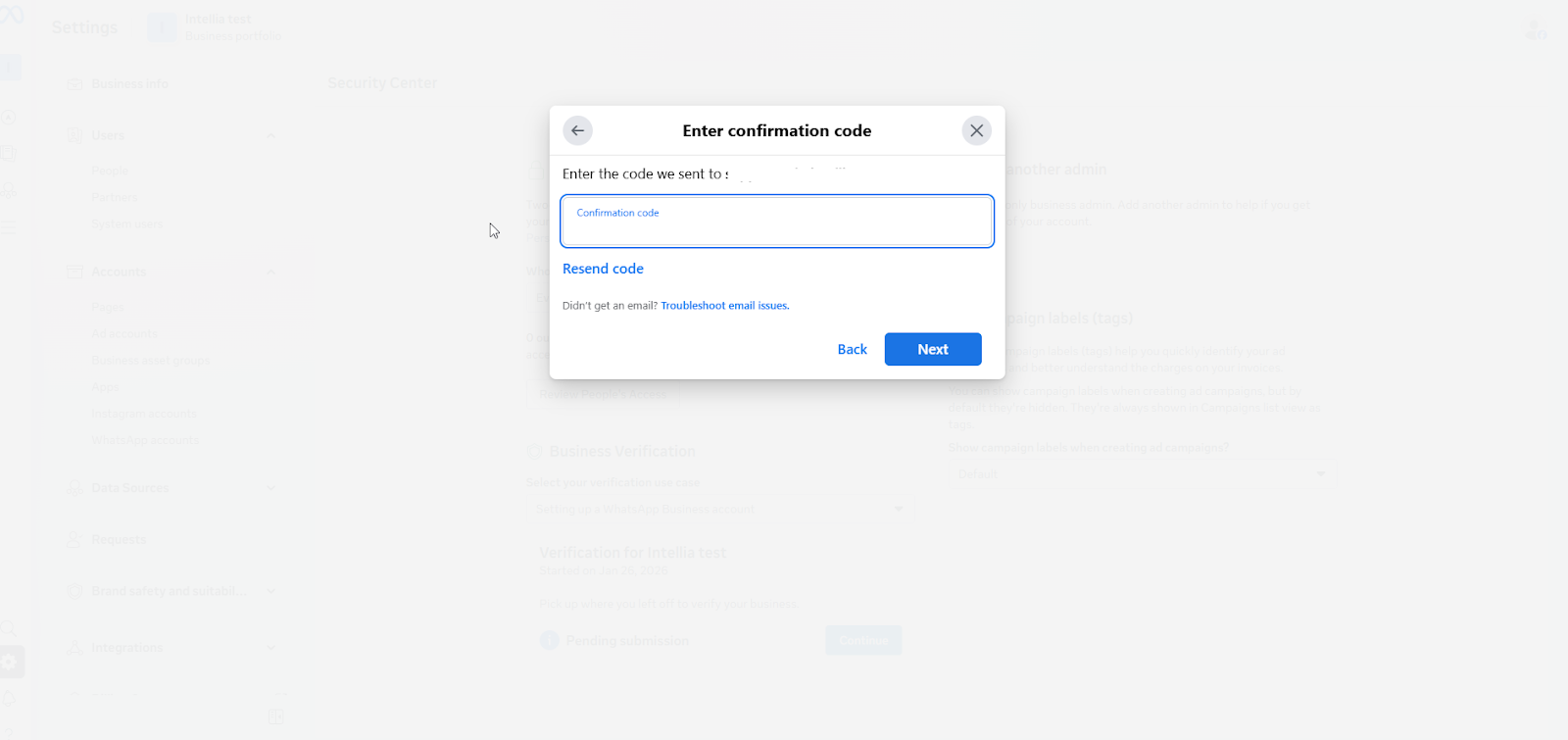
Enter the confirmation code, then click Next
Submit the verification
Review usually takes ~2 business days
Meta will update your verification status after the review is completed
Trainer line (simple):
“If you’re not ready to verify today, that’s okay — but expect Meta might require it later when you scale messaging or add more assets.”
Do I need a Meta Business Portfolio to use WhatsApp + automations in Intellia?
Yes — a Business Portfolio is usually required so Meta can manage your business assets properly (WhatsApp, Pages, ad accounts, verification, etc.).
Which Facebook profile should I use to create or manage the Business Portfolio?
Use the Facebook profile that will own and administer the business long-term (ideally the business owner or main admin). Avoid using temporary staff accounts.
I already have a Business Portfolio. Should I create a new one?
Not necessarily. If you already have one, select the correct existing portfolio first from the top-left dropdown. Only create a new one if you don’t have one, or the existing one is for a different business.
Why does Meta say the Business Portfolio name can’t contain special characters?
Meta requires the Business Portfolio name to match a public-facing business name and it must not include special characters. Keep it clean (letters/numbers/spaces only).
What’s the purpose of enabling Two-Factor Authentication (2FA) in the Security Center?
2FA protects your business assets. Meta may also require 2FA before allowing access to certain features like messaging, verification, or adding more assets.
What if Meta can’t find my business in public records during verification?
Choose “My business isn’t listed” and follow the upload path. Meta will prompt you to upload business documents to verify your business.
How long does Business Verification usually take?
Typically around 2 business days after submission. Meta will update your verification status once the review is completed.
Can I skip Business Verification for now?
Yes, you can proceed if you’re not ready — but Meta may require verification later when you scale WhatsApp messaging or add more assets.

