

Step 1.1 — Find the template folder
Log in to Intellia
Go to Sites/Funnels (depending on setup)
Find folder:
1CallClose™ Templates → [TEMPLATE ONLY DO NOT EDIT - CLONE TO USE]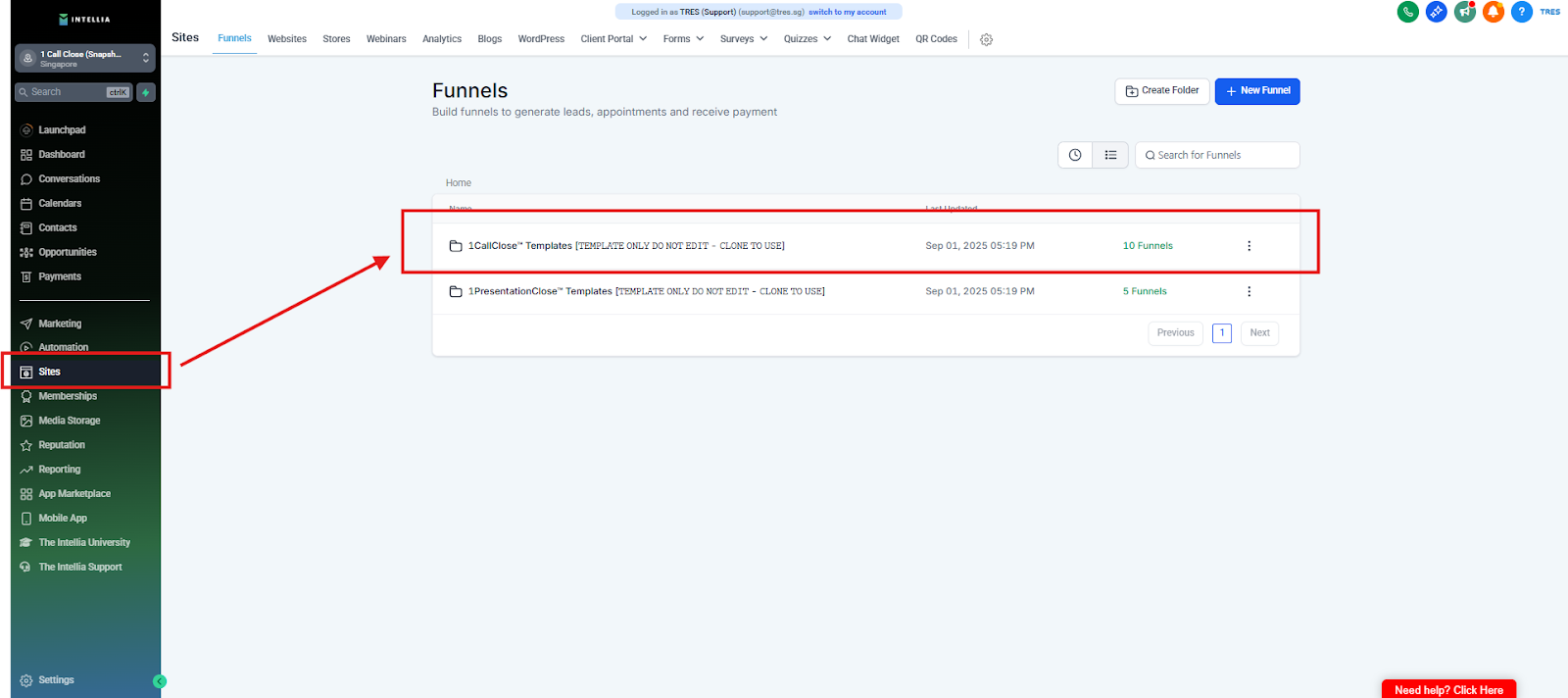
Open:
1CallClose™ Signature Template [TEMPLATE ONLY DO NOT EDIT - CLONE TO USE]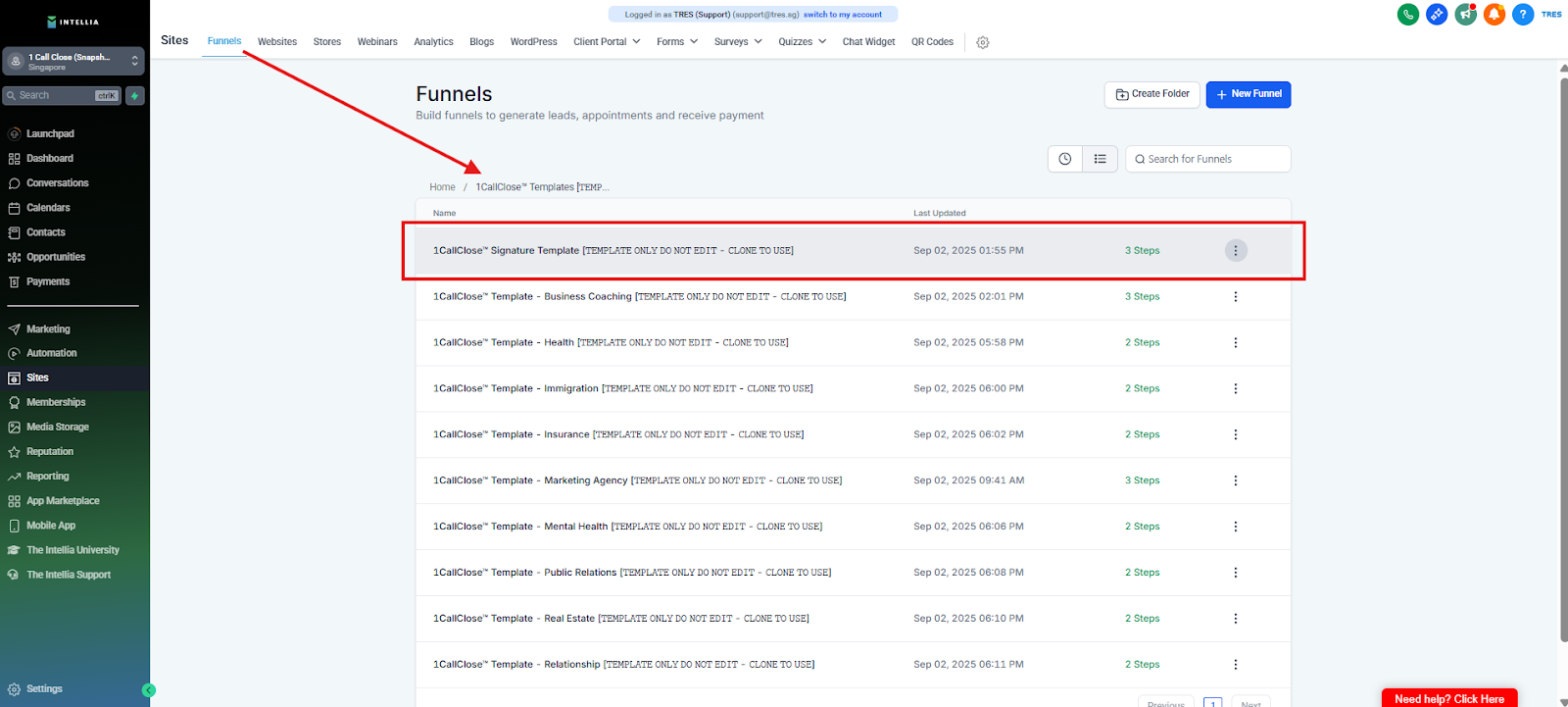
✅ Reason: Master template stays clean forever.
Frequently Asked Questions
Why can’t I edit the original template?
The master template is the “clean source.” If you edit it, you can break the base version for future use and accidentally publish the wrong page.Where do I find the template inside Intellia?
Log in → go to Sites or Funnels (depends on your setup) → open the folder:
1CallClose™ Templates → [TEMPLATE ONLY DO NOT EDIT - CLONE TO USE]Which template exactly should I open?
Open: 1CallClose™ Signature Template [TEMPLATE ONLY DO NOT EDIT - CLONE TO USE]I don’t see the “1CallClose™ Templates” folder. What should I do?
This usually means you’re in the wrong section (Sites vs Funnels) or the assets haven’t fully loaded yet. Try:
Check both Sites and Funnels
Refresh the page
Wait a few minutes for assets to load
If still missing, contact support with a screenshot.How do I know if I accidentally edited the original template?
If the template name still includes [TEMPLATE ONLY DO NOT EDIT] and you made changes inside it, you edited the master. Stop and clone a fresh copy first.What’s the correct next step after opening the template?
Clone/Duplicate the template and only edit the cloned version.