

Goal
Create a safe test workflow you can edit without affecting templates or real leads.
Step 2.1 — Go to Automations / Workflows
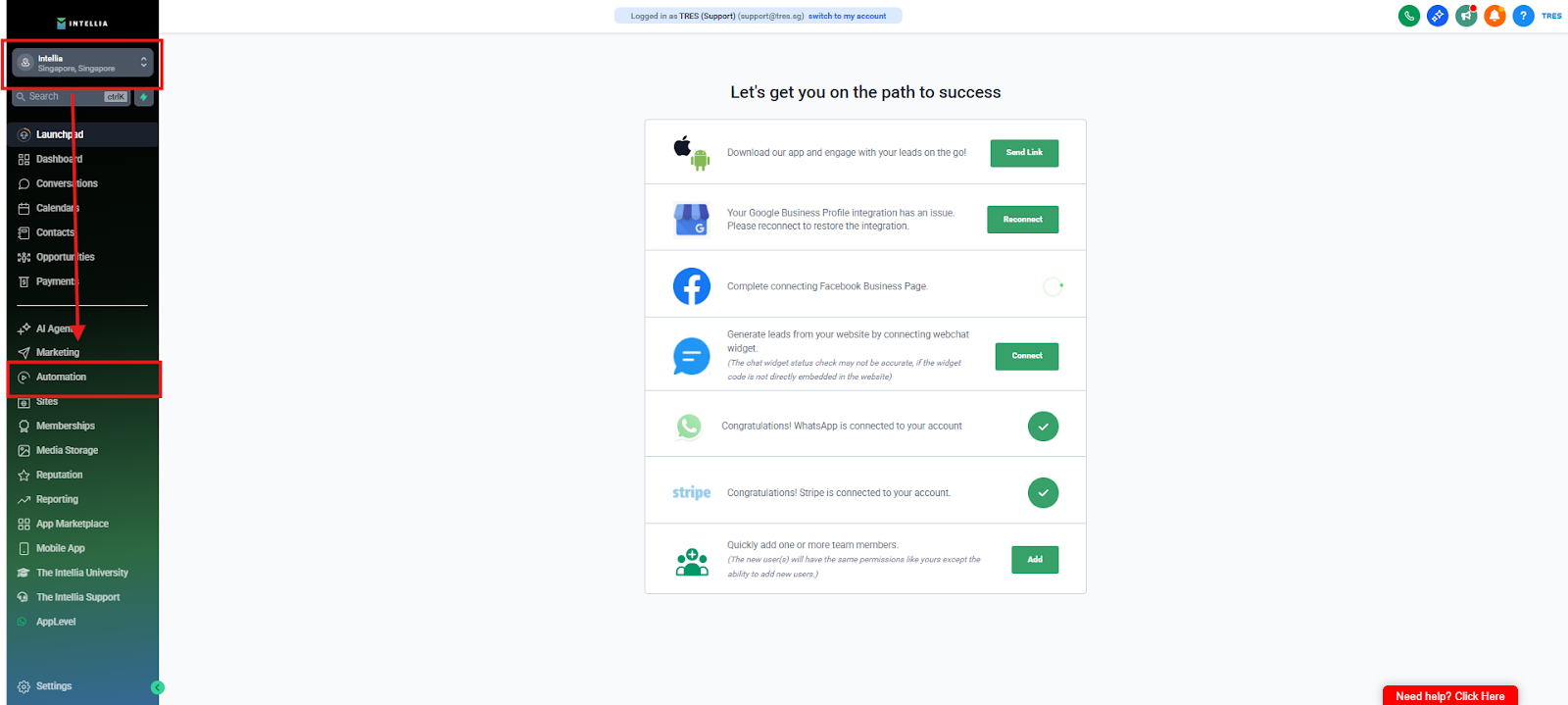
Log in to Intellia
Left sidebar → Automations
Step 2.2 — Locate the TEST template
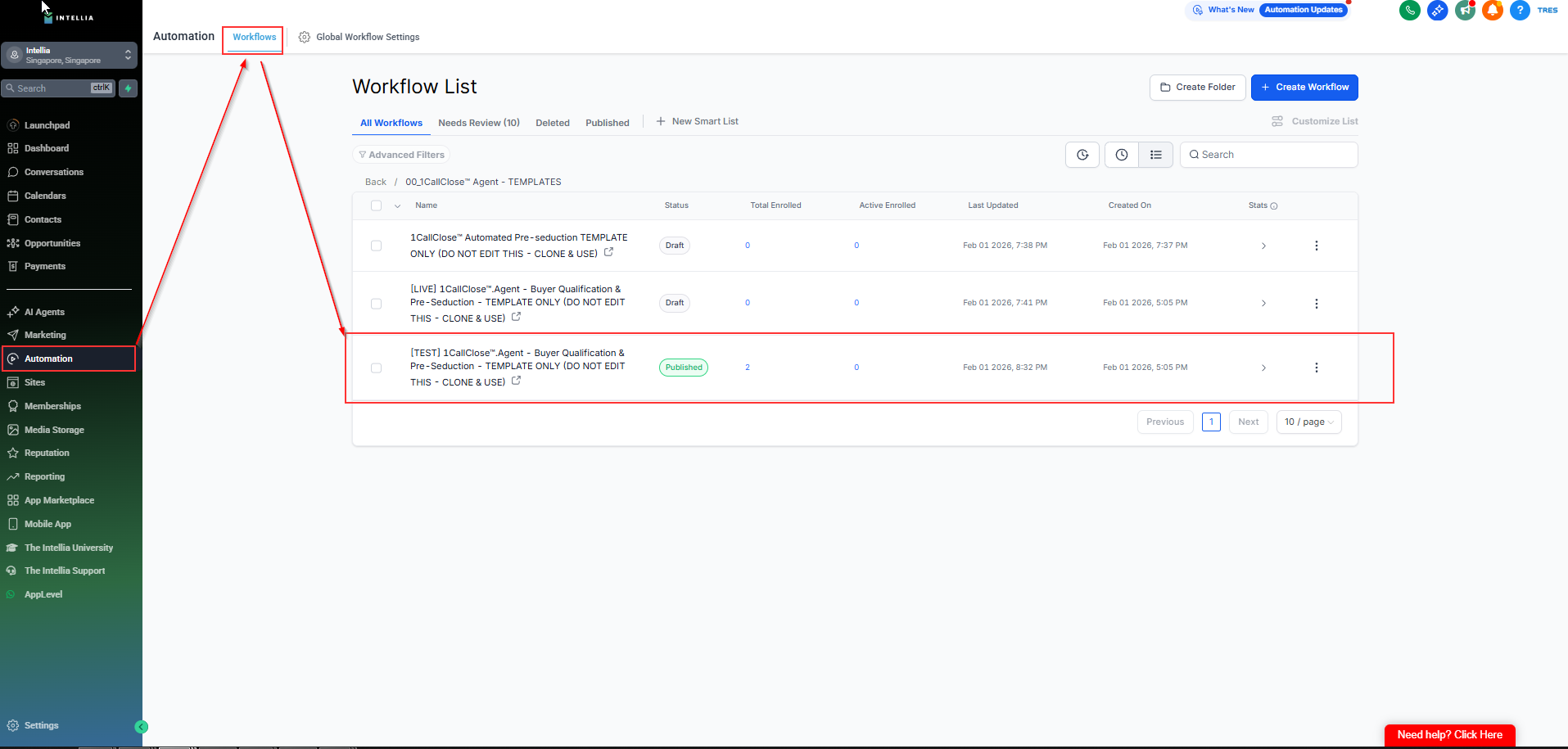
Search for the workflow named:
[TEST] 1CallClose™.Agent - Buyer Qualification & Pre-Seduction - TEMPLATE ONLY (DO NOT EDIT THIS - CLONE & USE)
Step 2.3 — Duplicate
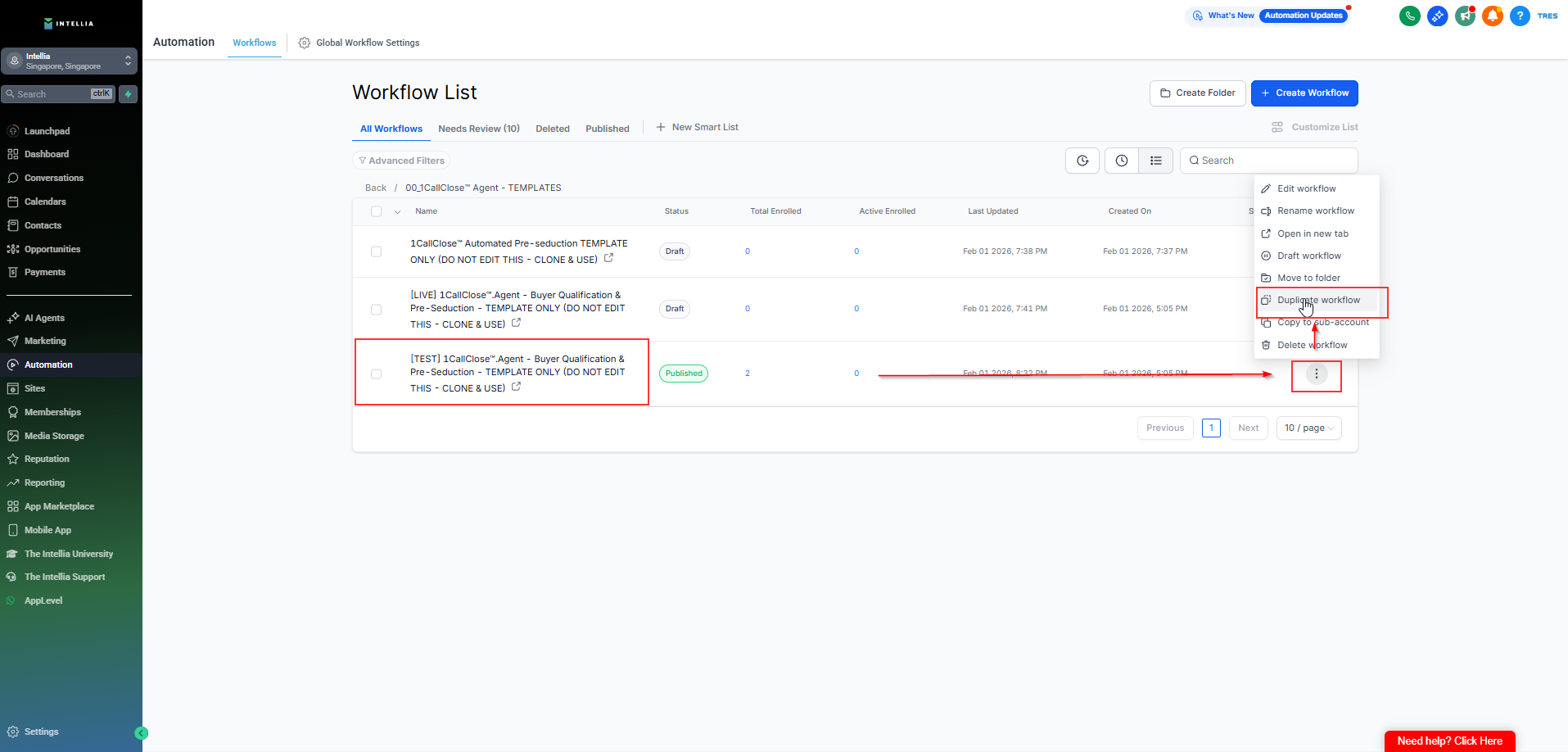
Click ⋮ (three dots) / Actions
Click Duplicate
Step 2.4 — Rename your duplicated TEST workflow
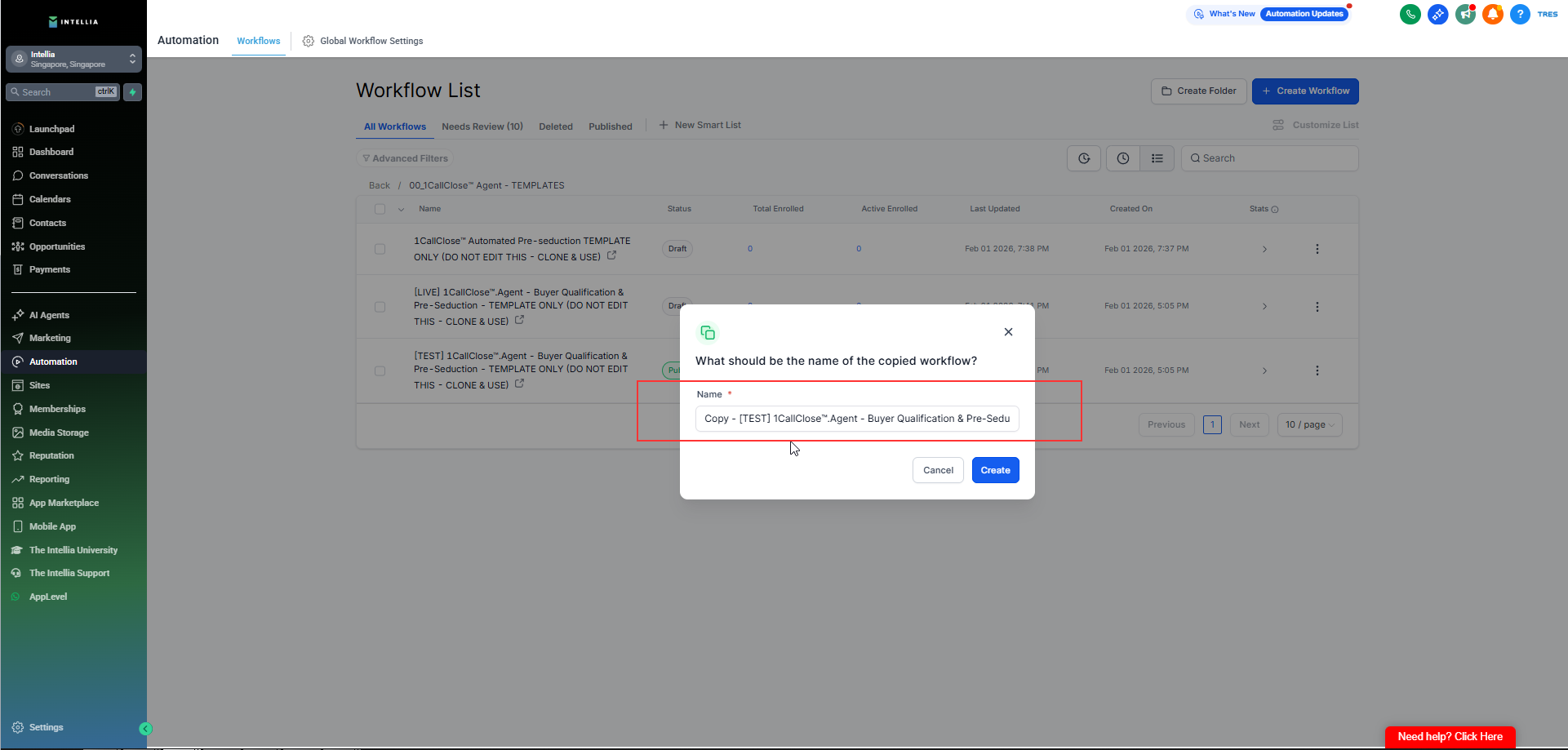
Rename clearly (examples):
[TEST] Buyer Qualification & Pre-Seduction — {{Your Name}}
[TEST] Buyer Qualification & Pre-Seduction — {{Business/brand}}
✅ Checkpoint: You should now have a duplicated workflow that is NOT the template.