Goal:
Set up the automation that sends:
a confirmation message after a lead opts in, and
a follow-up message after a lead successfully books an appointment.
This ensures every lead gets the right message at the right time — automatically.
Go to Automation → Workflows
Search workflow name:
1CallClose™ Automated Pre-Seduction TEMPLATE ONLY (DO NOT EDIT THIS - CLONE & USE)
Click ⋮ (three dots) → Duplicate
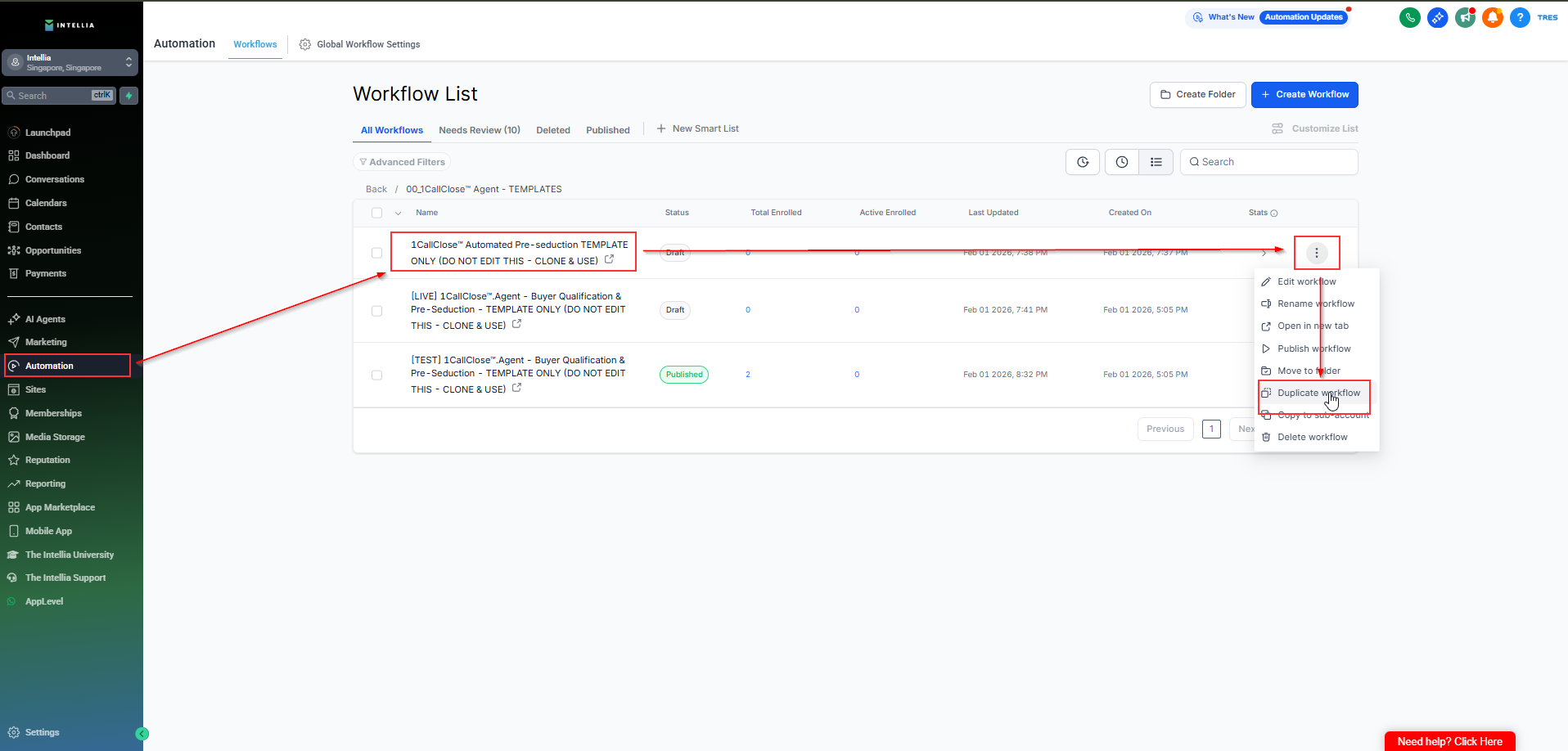
✅ Reason: The master template stays clean forever.
Rename your duplicated workflow to something clear, like:
[your Business/brand] – Confirmation + Booked Follow-Up – v1
✅ Rule: The name must clearly indicate this workflow is for confirmation + follow-up (so you don’t edit the wrong workflow later).
This workflow should have 2 triggers:
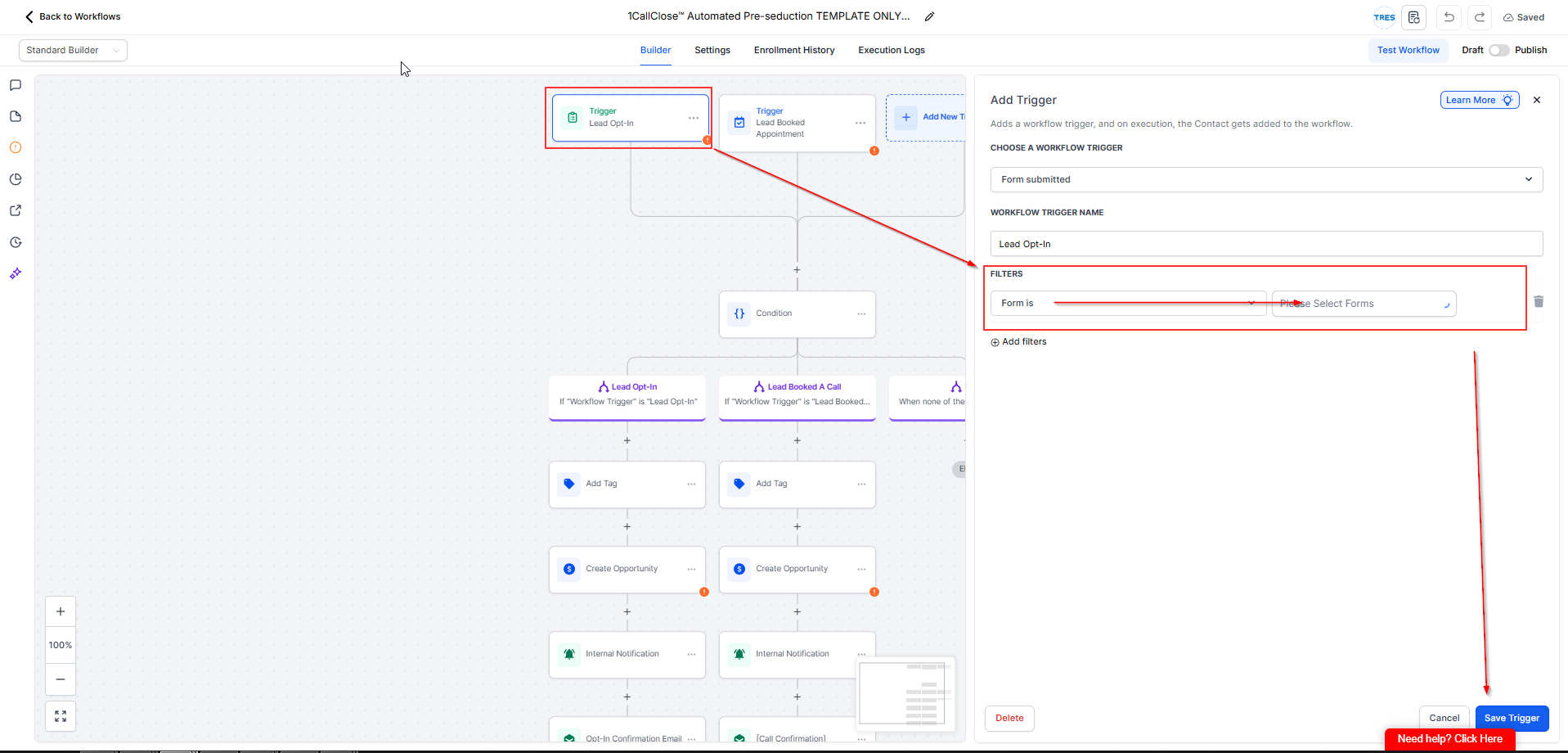
Purpose: Once the lead submits your real opt-in form, they receive a confirmation message.
What to edit:
Trigger: Form Submitted (Lead Opt-In)
Filter:
Form is → [YOUR REAL OPT-IN FORM]
✅ Do NOT use the test form
Save the Trigger
Purpose: Once the lead books a call, they receive the booked confirmation and any reminders if included.
What to edit:
Trigger: Customer Booked Appointment (Lead Booked Appointment)
Filter:
In calendar → Select the same calendar used in:
1CallClose™.Agent – Buyer Qualification & Booking action
Save the Trigger
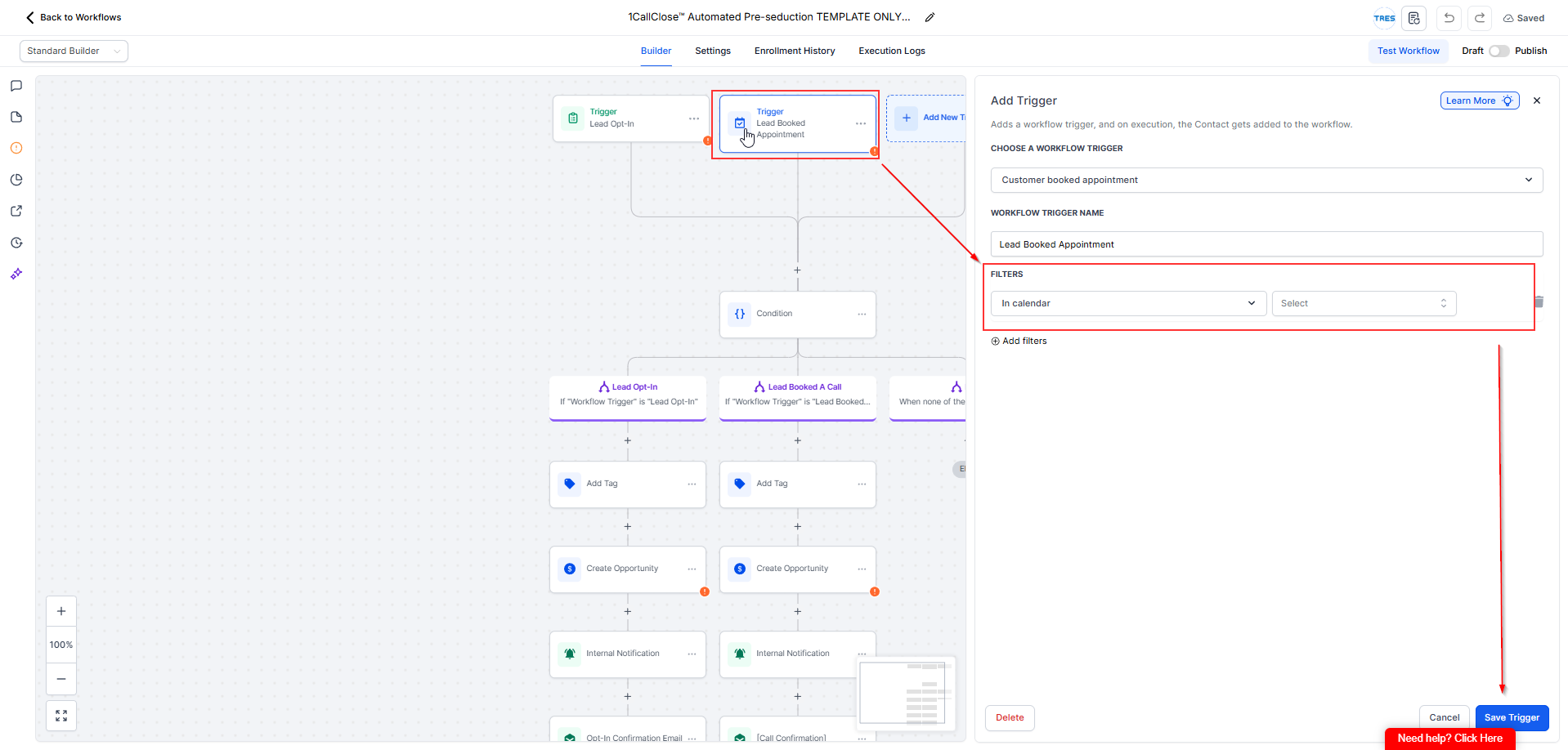
✅ Rule: The calendar filter must match the calendar your AI uses for booking — otherwise booked leads won’t trigger this automation.
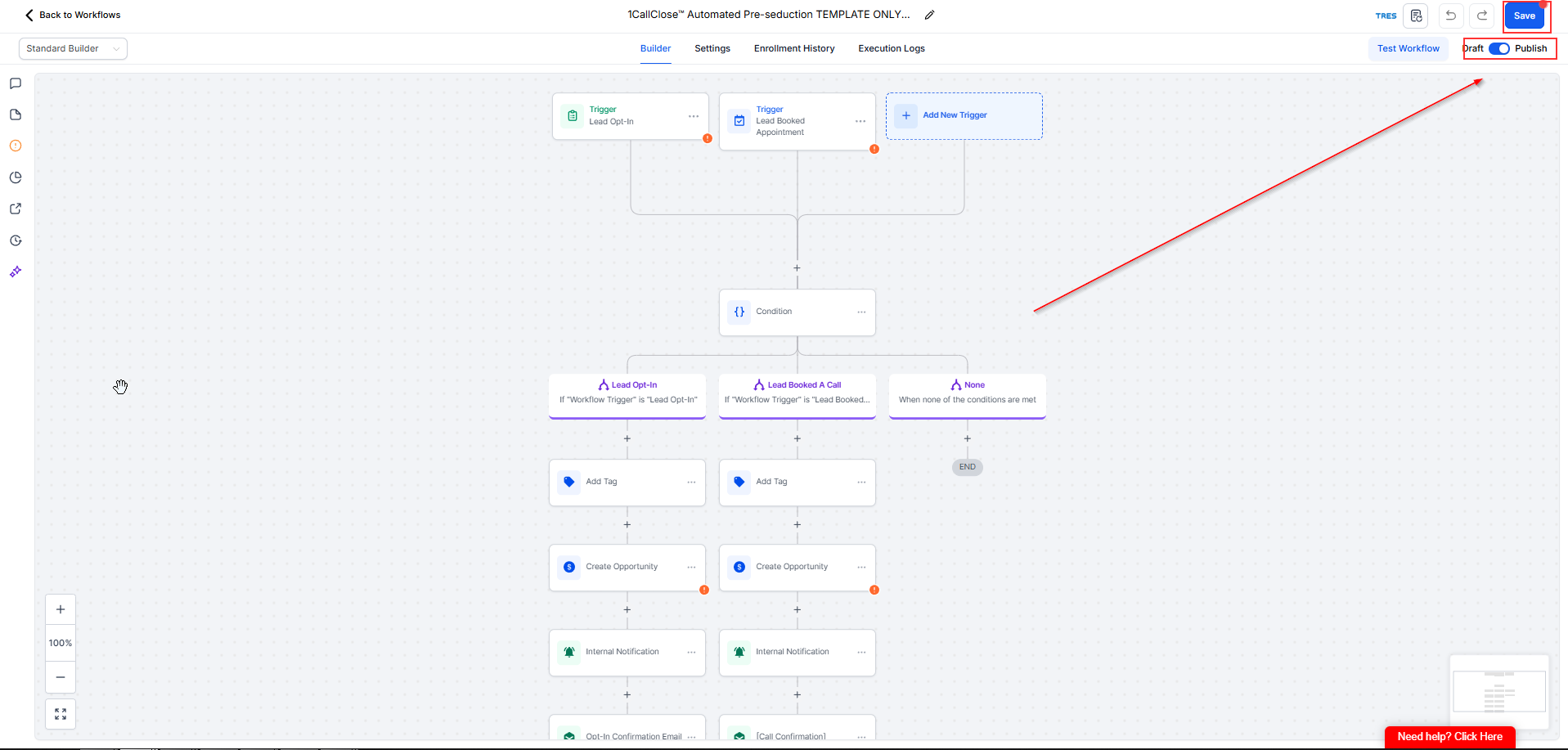
Publish and Save the Workflow.
1) Do I need this step for the AI to work?
Yes. This step ensures leads receive confirmation messages after opting in and booking, preventing confusion and drop-offs.
2) Can I reuse the same workflow as my Buyer Qualification workflow?
No. Always duplicate the template and keep this as a separate confirmation + follow-up workflow.
3) What happens if I select the wrong form or calendar?
The automation won’t fire. Leads may opt in or book but receive no confirmation message.
4) Can I test this before going live?
Yes — submit the real opt-in form and book a test appointment on the selected calendar to confirm messages are sent.
5) Will this send messages even if Meta verification is still in review?
Yes. This workflow uses email only, so it will continue sending confirmation and appointment follow-up emails as long as your triggers are set correctly and email is enabled. Meta/WhatsApp verification does not affect this workflow.

