✅ Download any invoices/receipts you need for accounting.
✅ Export anything important (contacts, opportunities, reports) if you want a backup.
✅ Make sure you’re logged into the correct sub-account.
Log in normally and make sure you’re inside the account you want to cancel.
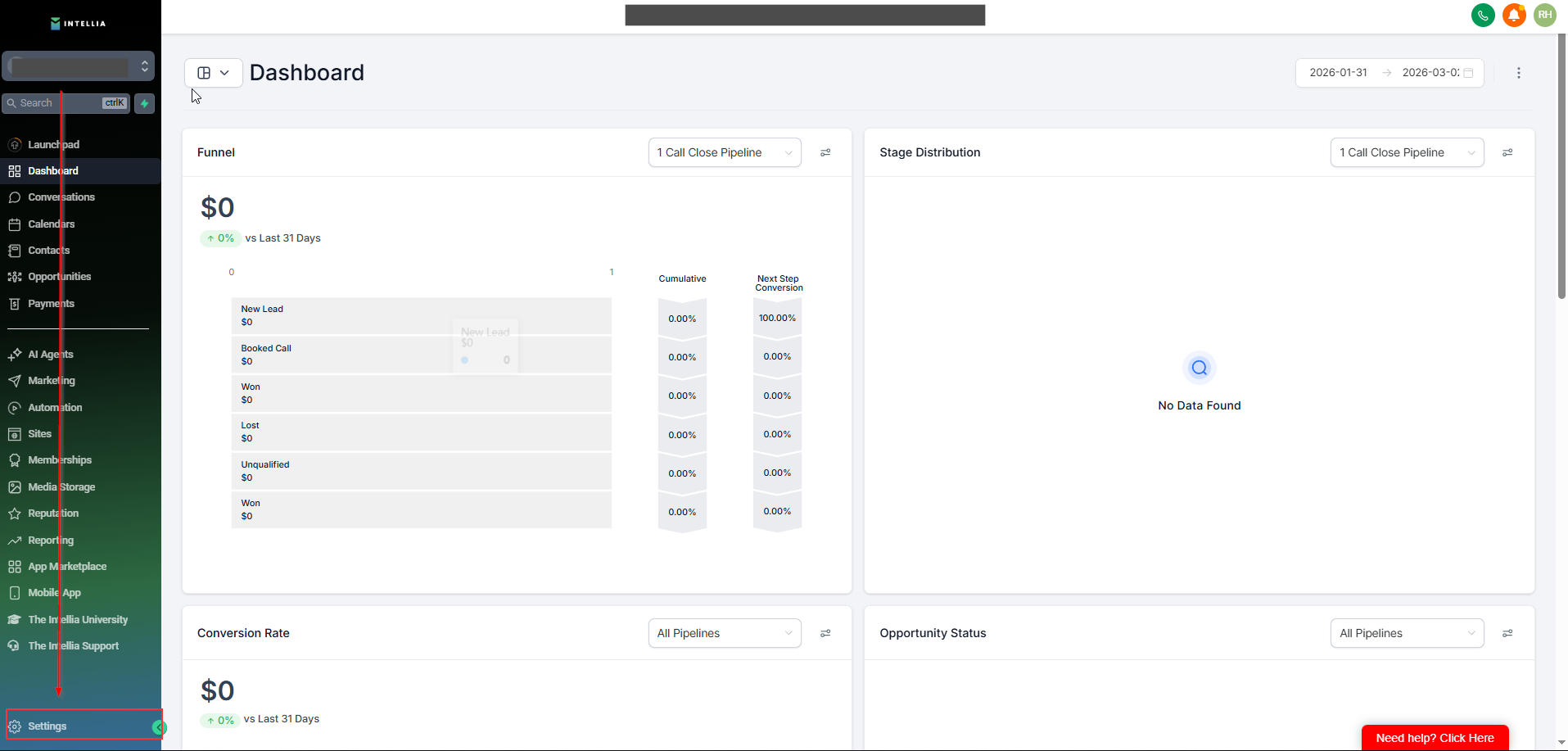
On the left sidebar, scroll down and click Settings (bottom-left).
Inside Settings, click Billing from the left menu.
In the Billing page, look for a section or tab
Subscription
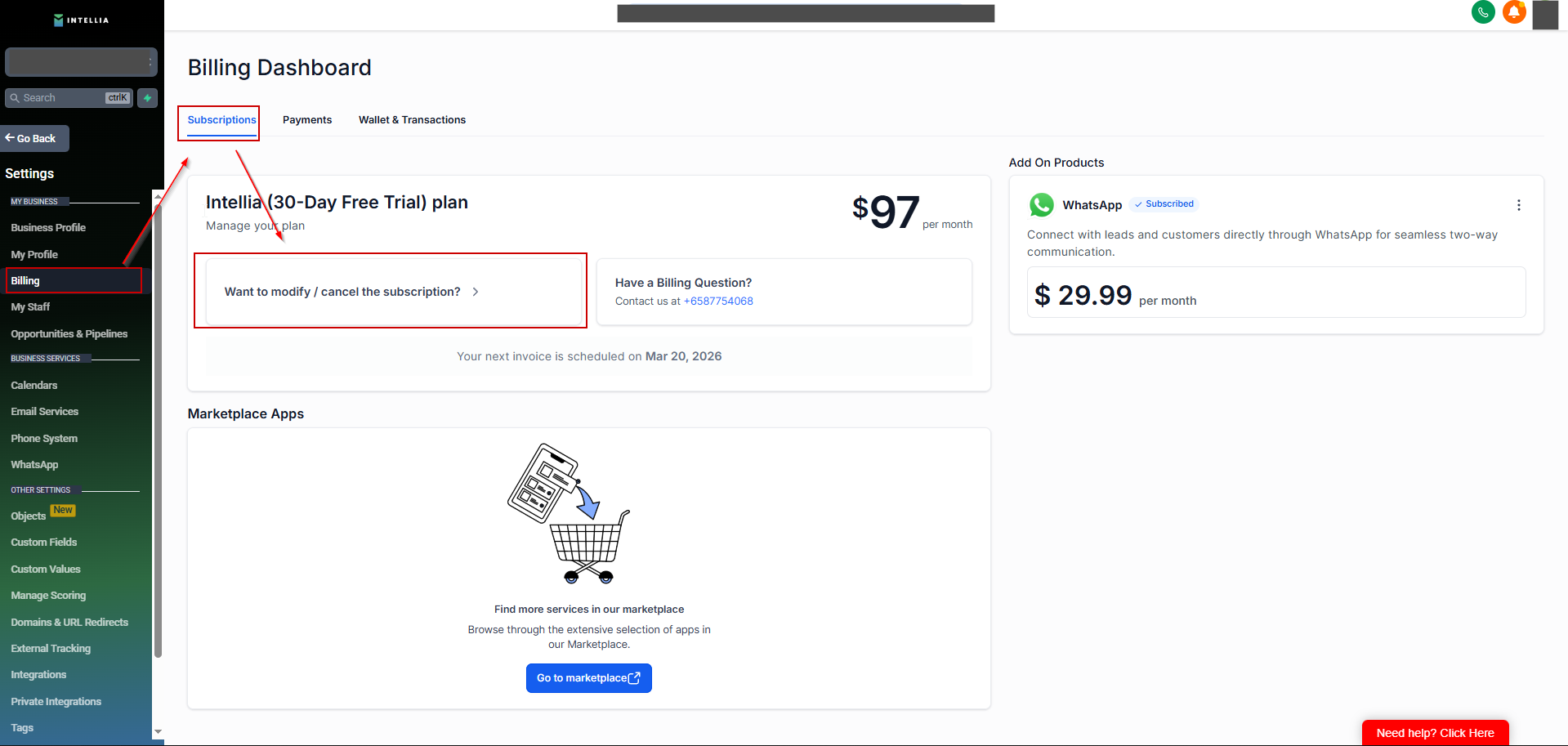
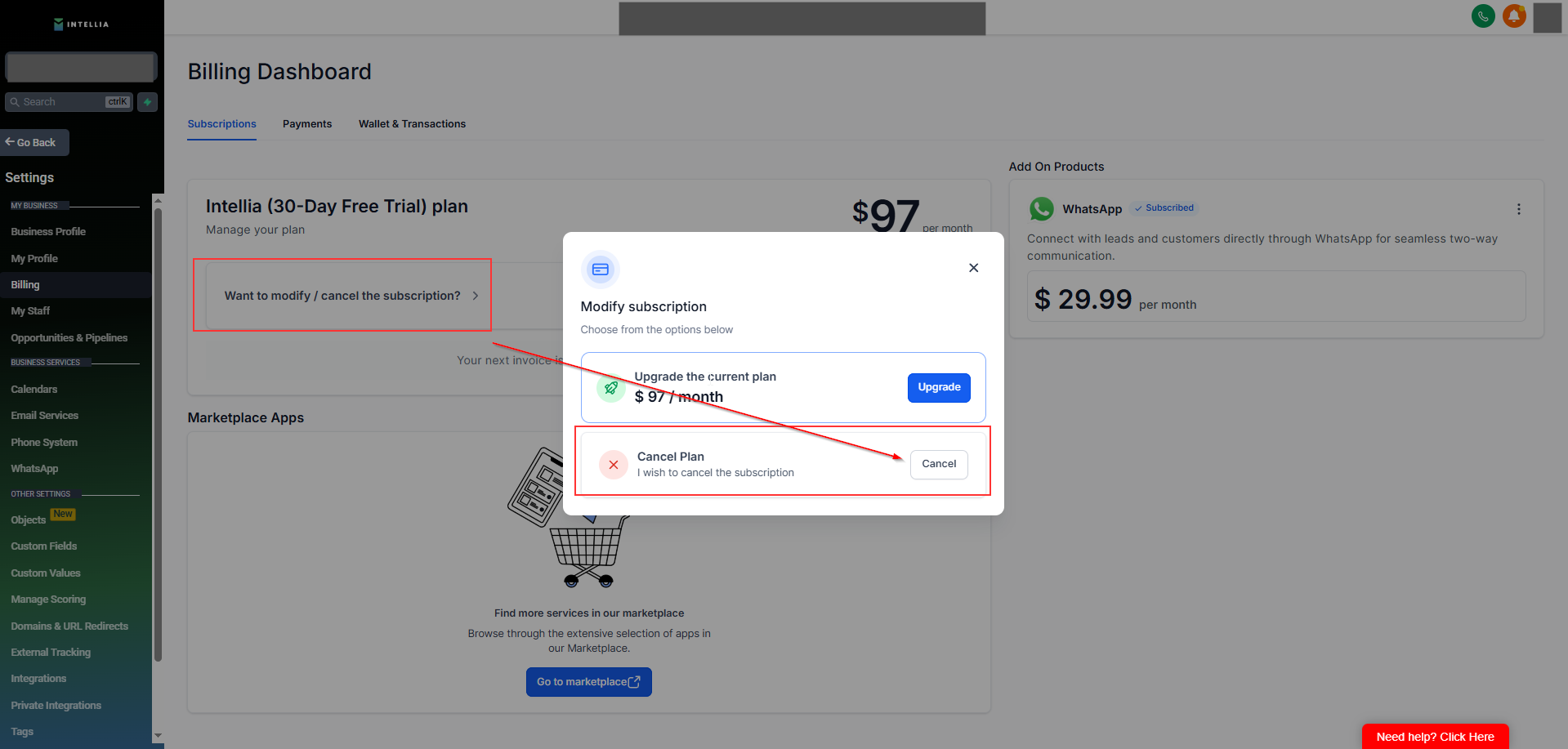
Select Cancel Subscription (or Cancel Plan) and follow the prompts.
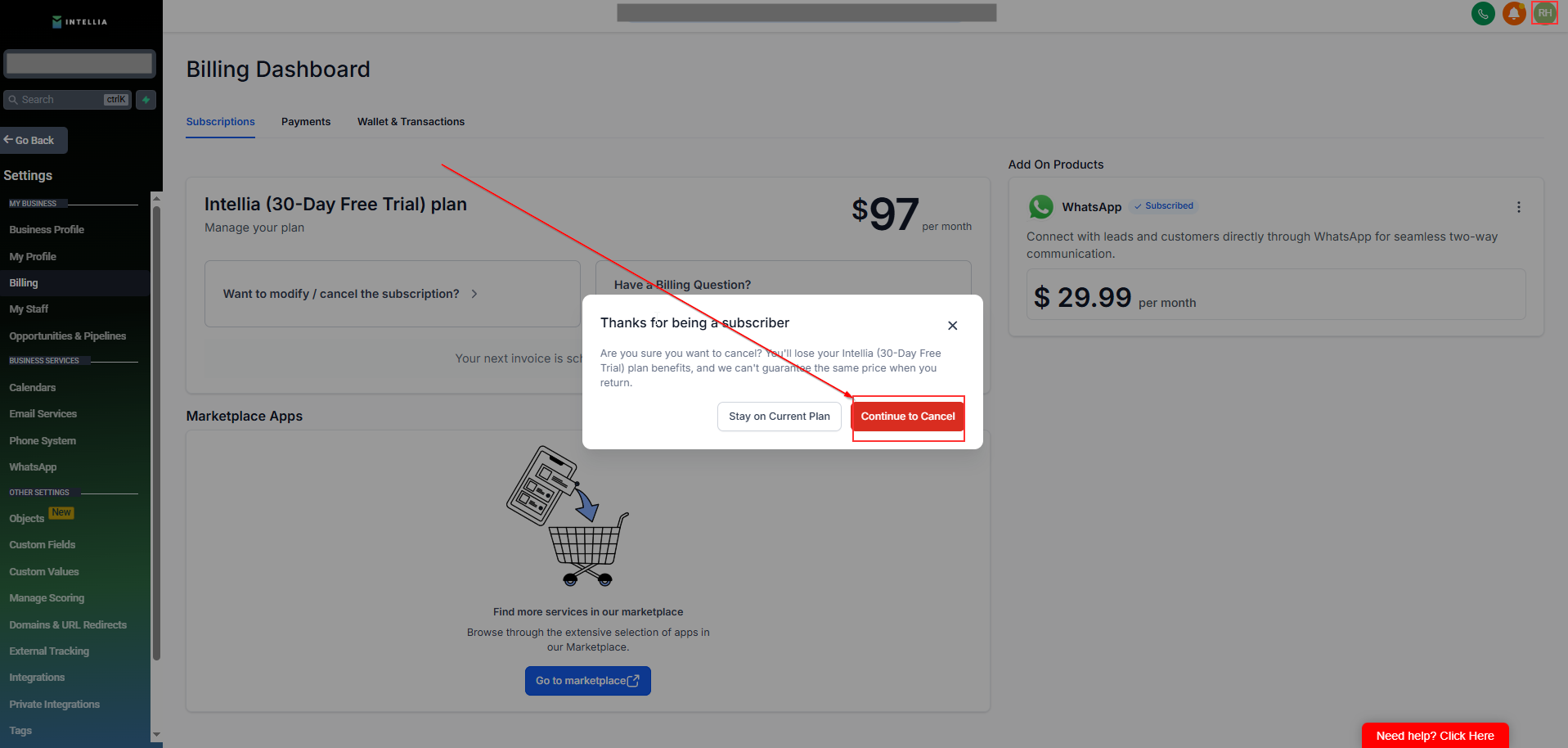
You’ll be asked to confirm. Once confirmed, your Billing page should show your updated status (e.g., Cancelled or Cancels at end of period).
Your subscription status will update in the Billing page.
You’ll typically continue to have access until the end of your current billing period (the exact date is shown in Billing).
After the period ends, access may be restricted based on the subscription status.
This usually means one of these:
You’re not logged in as the Owner/Admin of the sub-account
Your user permissions don’t allow billing actions
You’re in the wrong account / wrong workspace
✅ Fix: Log in with the Owner email for that sub-account, then try again.

