

Locate the first message action
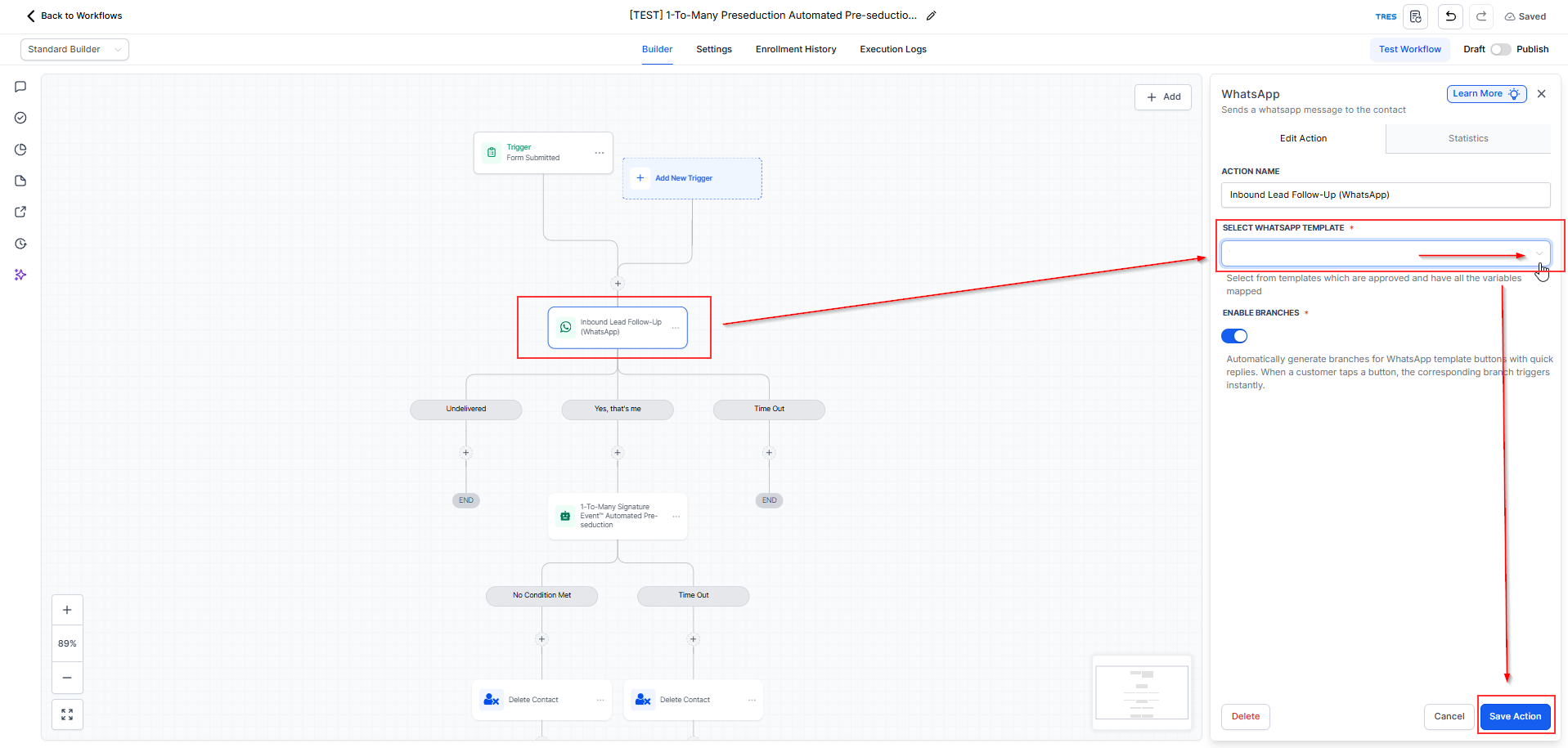
Inside your duplicated TEST workflow, find the action: Inbound Lead Follow-Up (WhatsApp)
Select WhatsApp template (this should be the template you created earlier for initial message)
After that, click Save to save the workflow.
✅ Checkpoint: First message reads like a human assistant from your brand.
FAQ
1. When should I complete this step?
Complete this step only after your initial WhatsApp message template has been approved. If the template is still pending or rejected, it will not be available for selection inside the workflow.
2. Why can’t I see my WhatsApp template in the workflow?
Your template may not appear yet if it has not been approved, if the correct WhatsApp number is not connected, or if the WhatsApp setup is not fully configured in your account.