Landing Page & Website AI is Intellia's AI-powered page creation experience for building landing pages and website pages from prompts, guided inputs, URLs, and images. It helps you generate layouts, copy, visuals, and page structure more quickly while still keeping builder controls available for manual refinement. This gives both beginners and experienced builders a faster way to launch polished pages without starting from scratch.
Landing Page & Website AI includes multiple creation paths and editing tools so you can choose the workflow that fits your needs:
Path / Feature
Description
Assist | Helps you generate pages with guided presets and structured inputs such as business niche, goal, audience, tone, and layout preferences. |
Build | Gives you more creative freedom by letting you describe exactly what you want the AI to create. |
Chat-based editing | Makes it easier to update copy, sections, layout ideas, and design direction in real time while working inside the page builder. |
Ask AI + Settings Side-by-Side | Keeps AI assistance and builder controls close together so you can refine content and styling without constantly switching views. |
Import from a Link or Image | Helps you create pages inspired by a public URL or image reference. |
SEO Support | Helps generate page titles, descriptions, and content suggestions that support stronger page optimisation. |
Landing Page & Website AI is designed to help you create better pages in less time, with fewer revisions and less design guesswork.
Faster page creation: Generate page structure, copy, visuals, and layout direction in minutes instead of building everything manually.
Guided or flexible workflows: Start with structured inputs in Assist, or use Build when you already know exactly what you want.
Easier real-time editing: Make changes through AI chat while still having traditional builder settings available nearby.
More polished results: Improved design quality, spacing, structure, and overall visual consistency.
Less manual cleanup: Stronger layout rules and more consistent styling help reduce broken sections and unexpected formatting issues.
Better publishing readiness: AI-assisted SEO suggestions and cleaner page generation help you prepare pages faster before launch.
Landing Page & Website AI gives you two primary ways to create a landing page, depending on how much guidance or control you want. Choosing the right path at the start helps generate more relevant results and makes the building process smoother. Both paths are available directly inside the Ask AI panel.
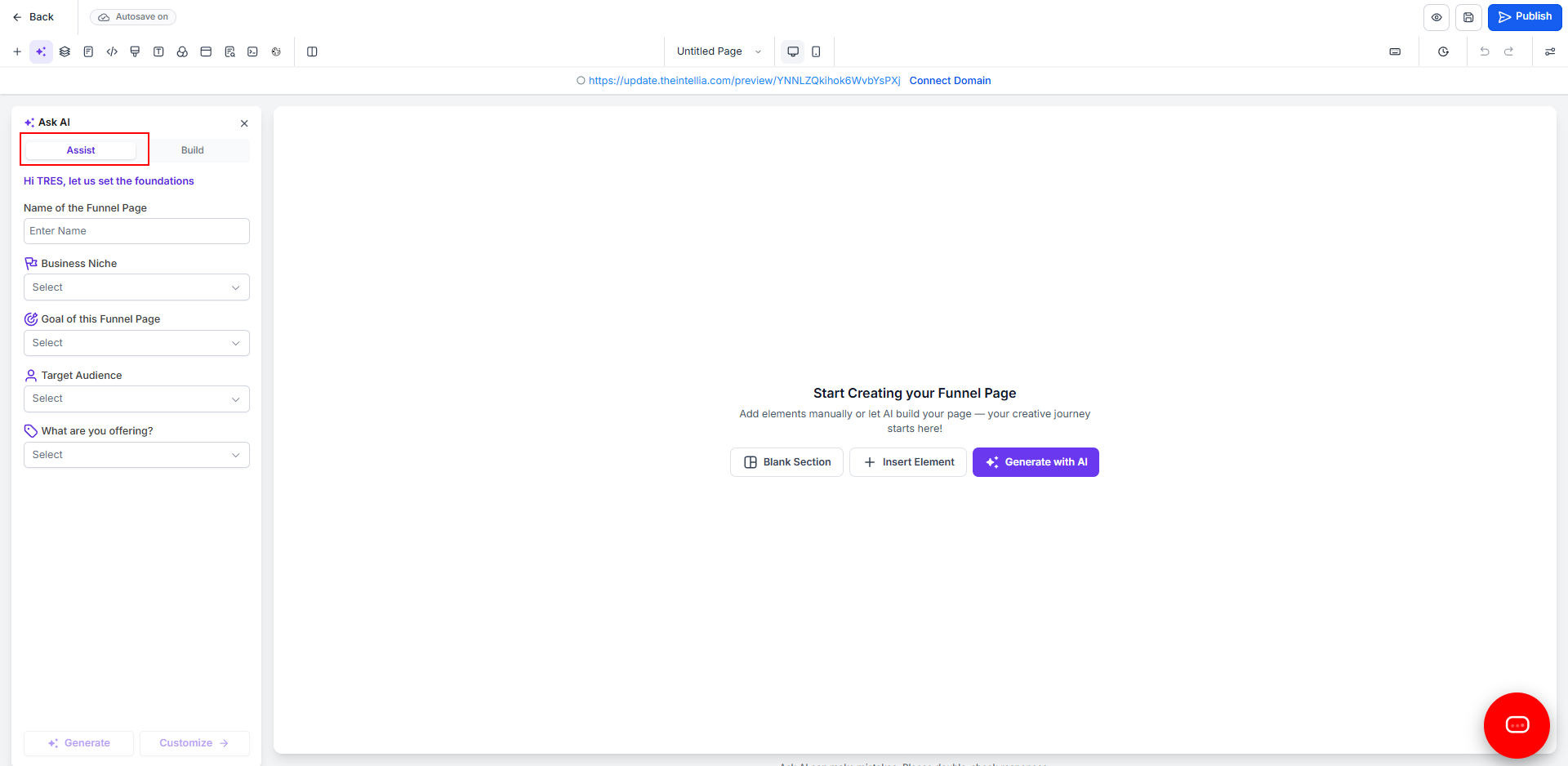
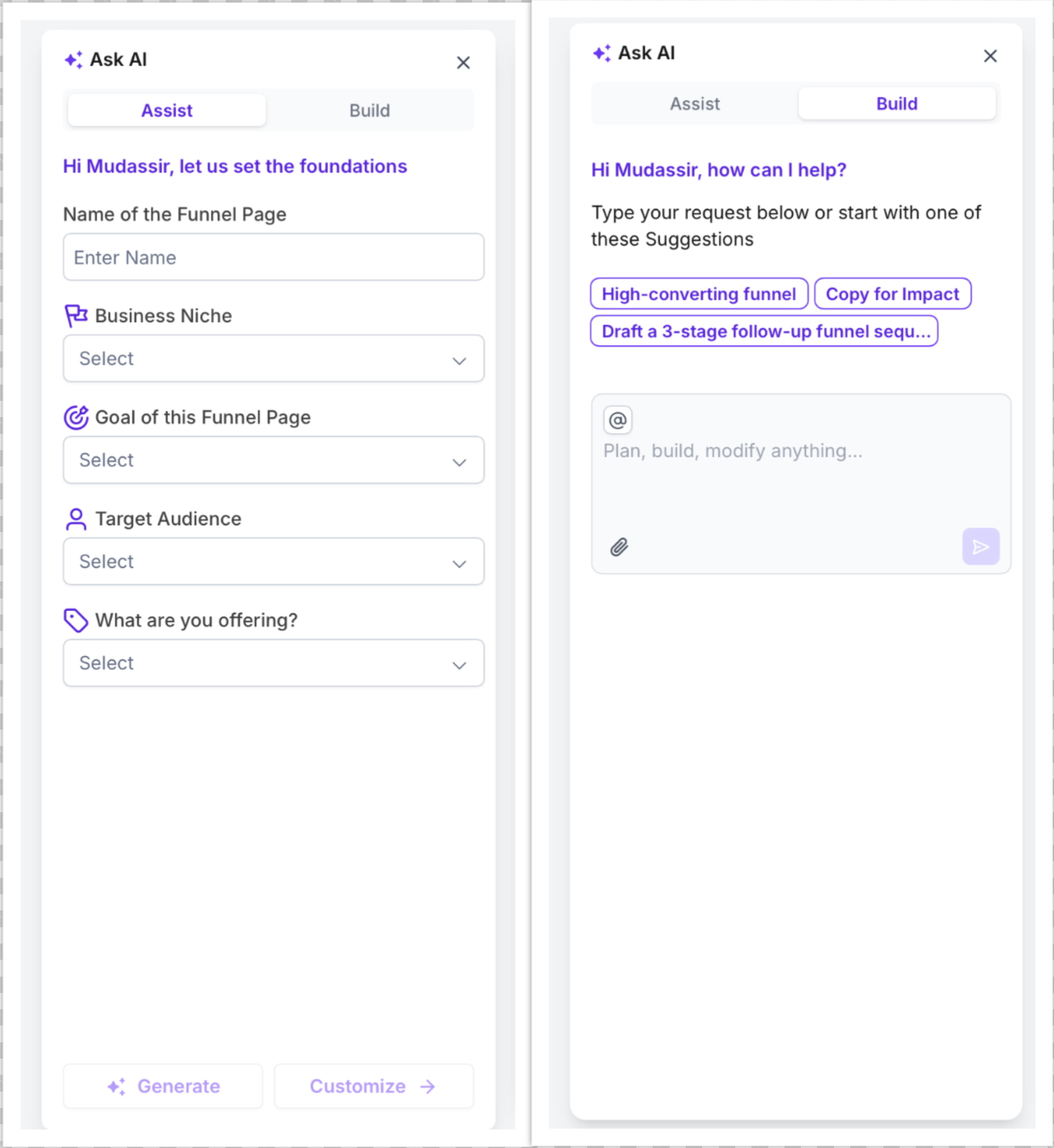
Assist is the guided path for users who want help shaping the page before generation. It uses structured inputs like the landing page name, business niche, page goal, target audience, and offer details to create a more tailored starting point. This option is especially helpful when you want direction, want to move quickly, or aren't sure how to phrase a detailed prompt yourself.
You can fill in fields such as:
Name of the landing page
Business niche
Goal of the landing page
Target audience
What is being offered
Once those details are entered, you can generate the page directly or continue customising before generation.
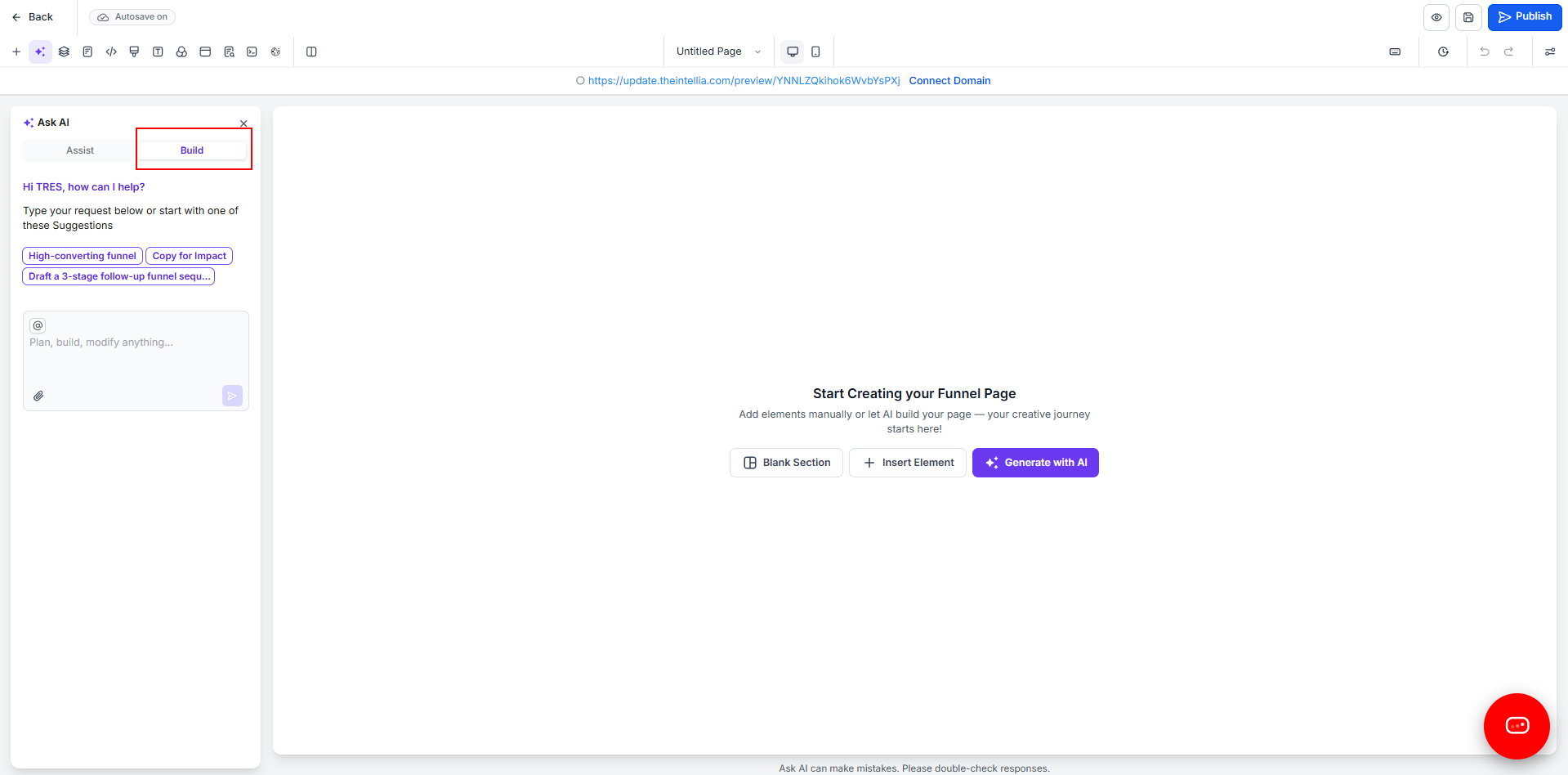
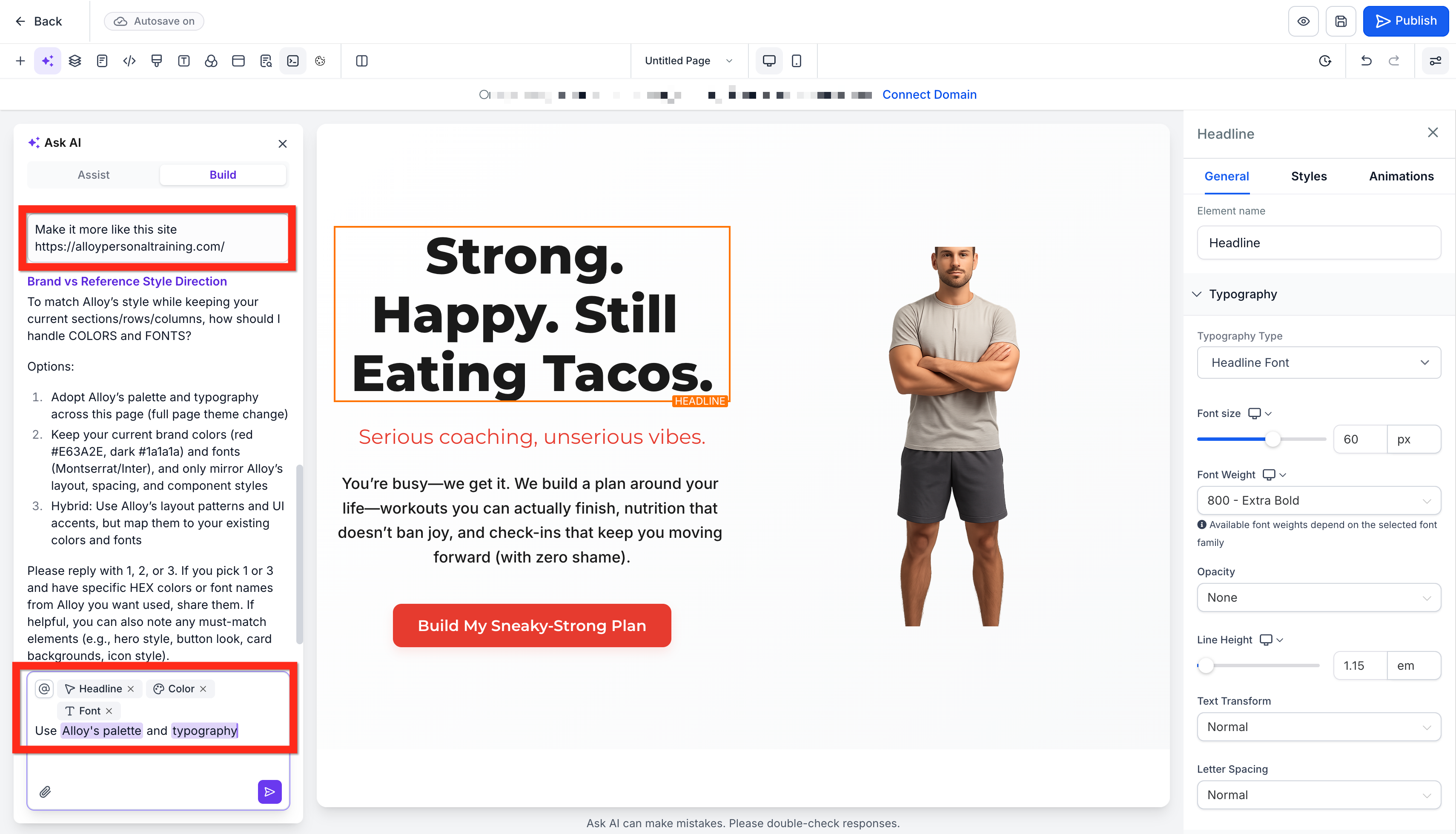
Build is the flexible path for users who already have a clear vision for the page. Instead of following guided fields, you can type a direct request and ask the AI to plan, build, or modify the page based on your instructions. This is ideal when you want more creative freedom, have a specific campaign structure in mind, or want to describe copy and design direction in your own words.
Build also includes suggested prompt starters to help you move faster, such as creating a high-converting landing page or improving copy for impact.
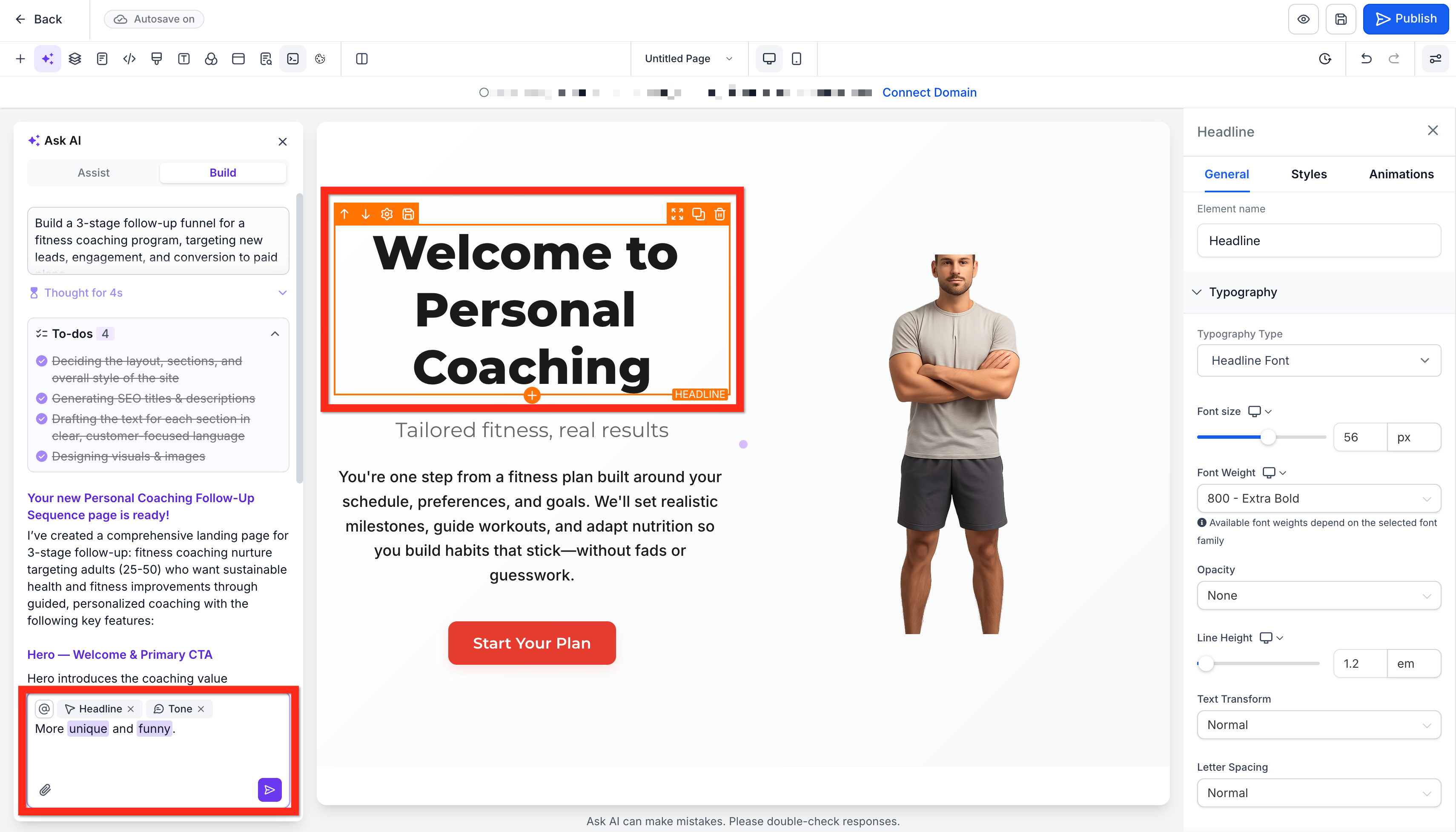
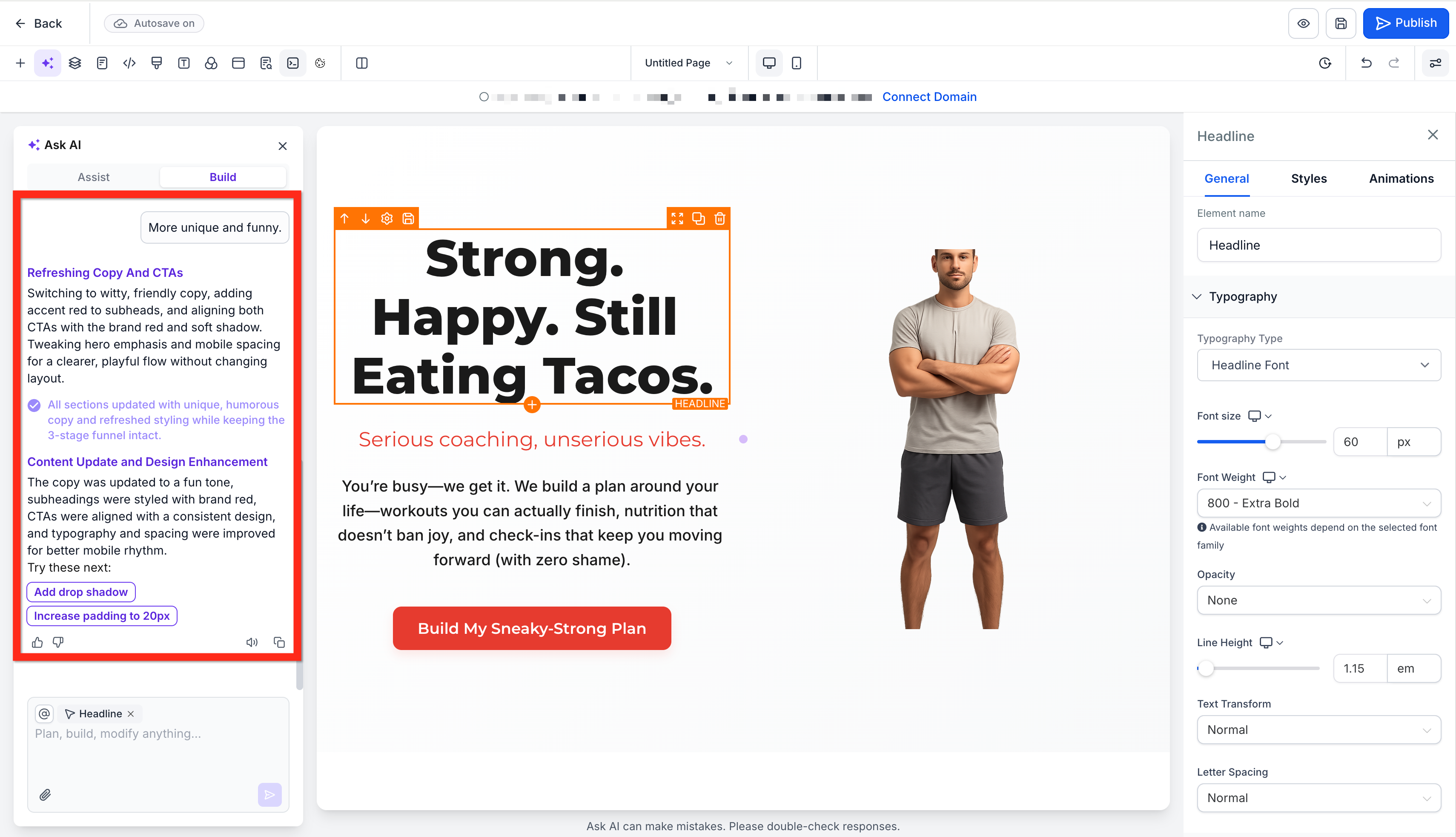
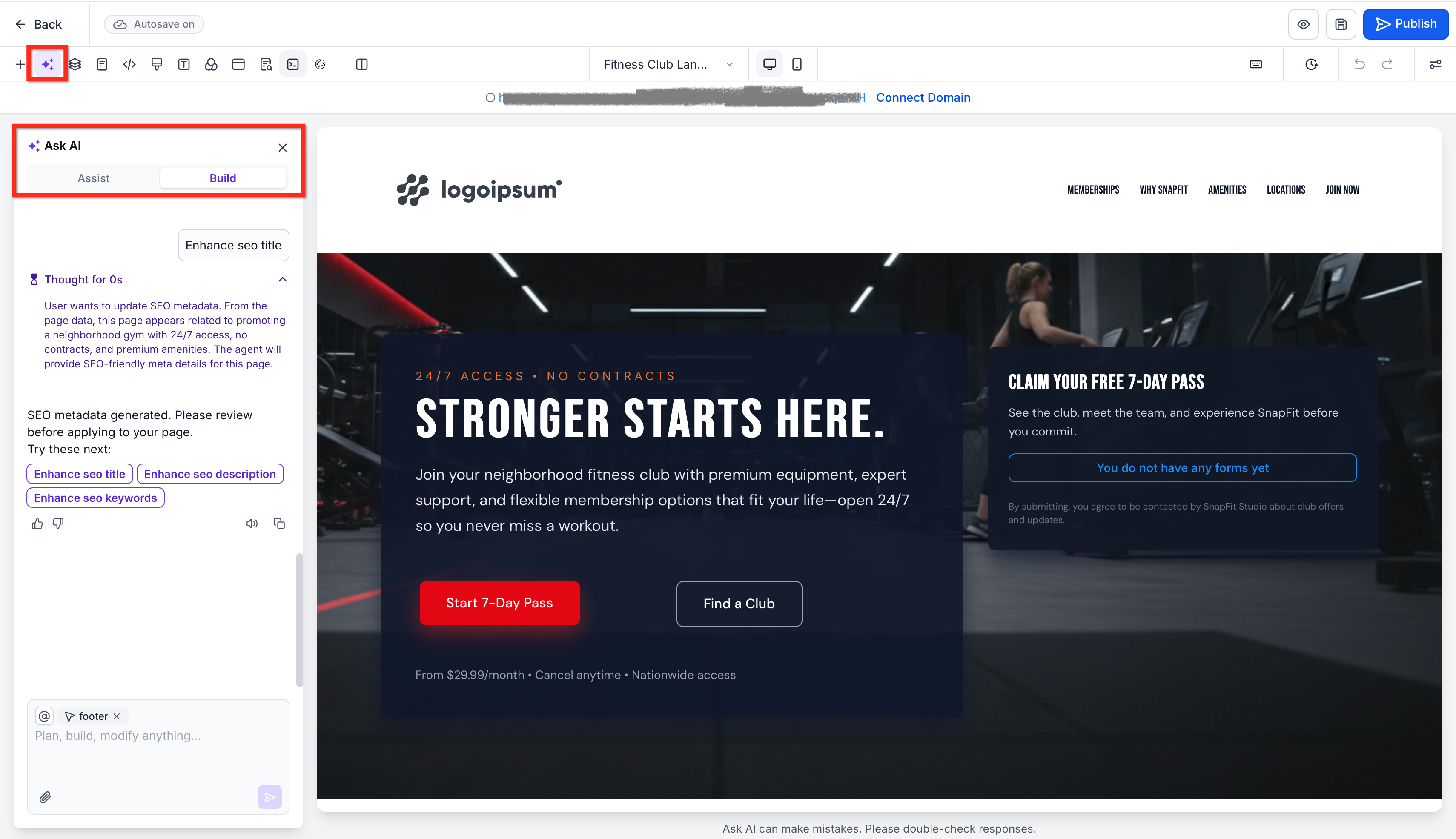
Chat-based editing makes ongoing changes more conversational and efficient. Instead of manually digging through settings for every update, you can ask the AI to rewrite text, adjust sections, suggest design improvements, or refine messaging directly inside the builder.
The side-by-side experience combines AI assistance with traditional editing controls. That means you can:
Ask AI to improve copy
Refine layout direction
Adjust content section by section
Review and tweak styling through builder settings
Make faster decisions without interrupting your workflow
This workflow is especially useful after the first generation, when the page already exists and needs refinement rather than full recreation.
Import from a link or image helps you create pages inspired by an existing visual reference. This is useful when you want to capture a style, structure, or creative direction without starting from zero.
You can use this workflow to:
Take inspiration from a public webpage
Recreate the feel of a design direction
Build around a brand style shown in an image
Speed up ideation when you already know the look you want
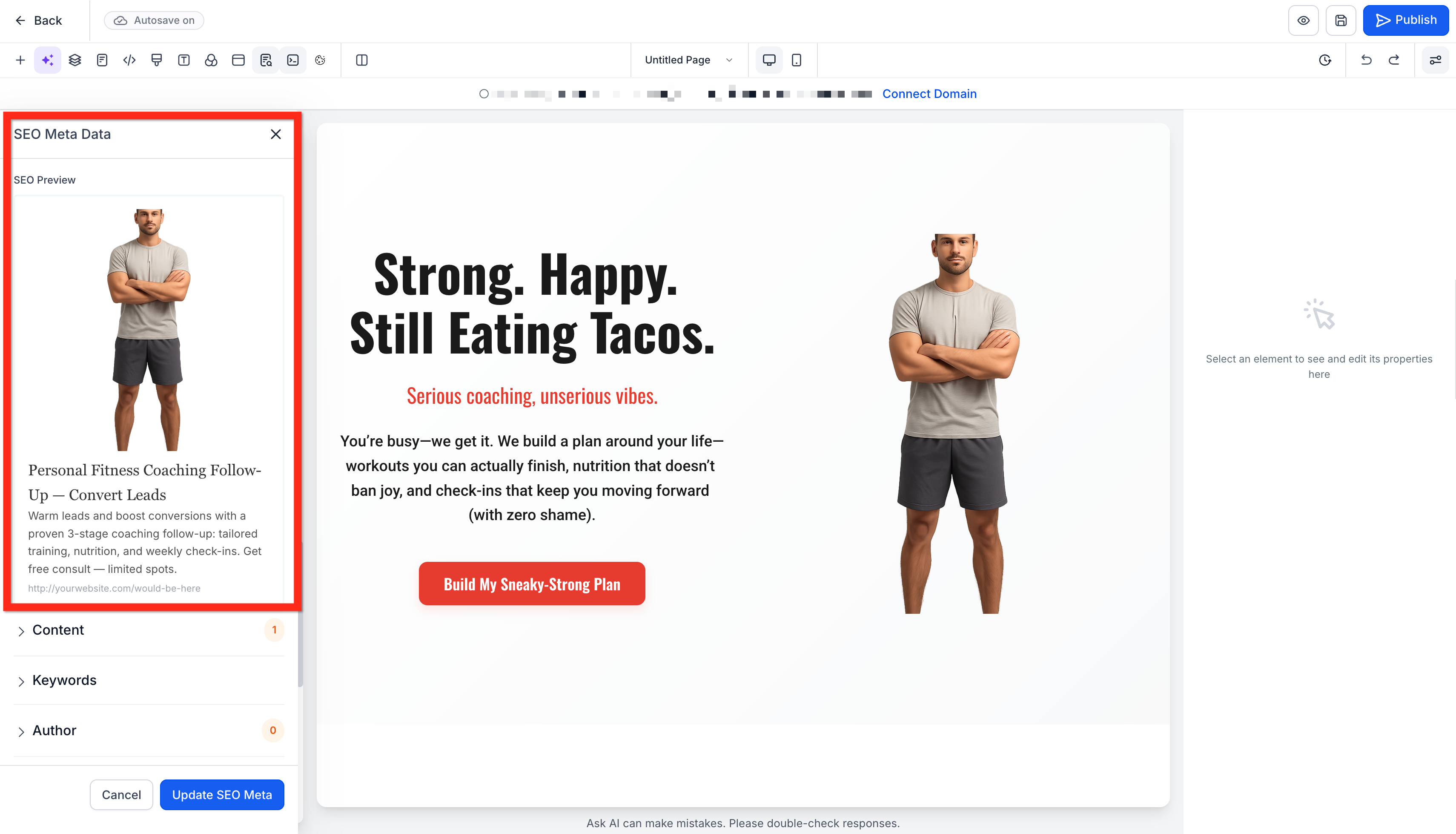
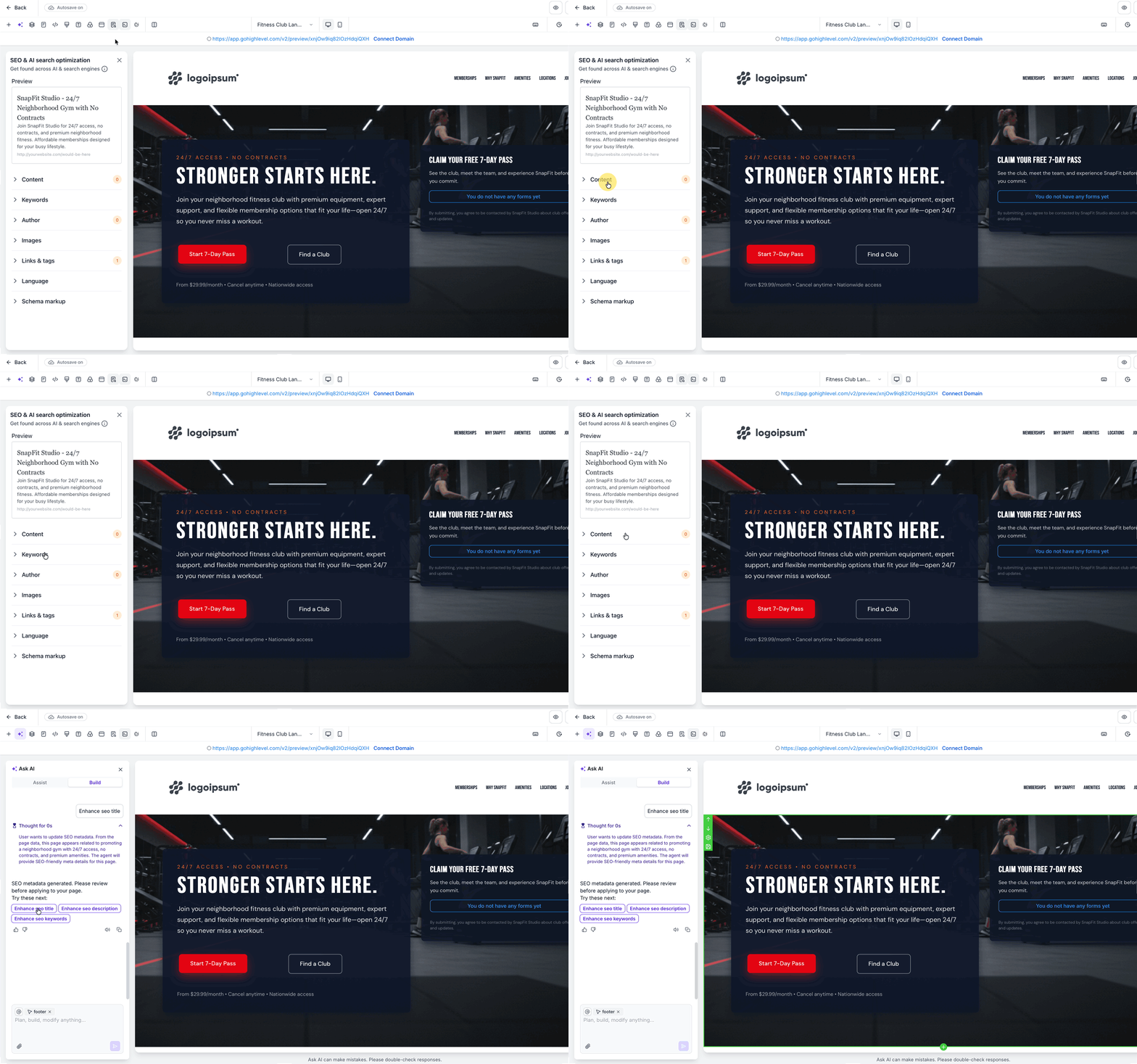
Landing Page & Website AI can help you move faster on SEO by generating suggested titles, descriptions, and content direction during page creation. This gives you a stronger starting point when preparing a page for search visibility.
AI-generated SEO suggestions should still be reviewed before publishing, as page goals, brand language, and search intent may require manual refinement.
Helpful follow-up tasks after AI generation:
Review the page title for clarity and relevance
Refine the meta description for search intent
Confirm headings match the page purpose
Update page copy to reflect your brand voice
Add any custom metadata needed before publishing
A strong setup process helps you get better first-generation results and reduces the need for excessive edits later. Starting with the right mode, inputs, and expectations makes the AI output more relevant and easier to refine.
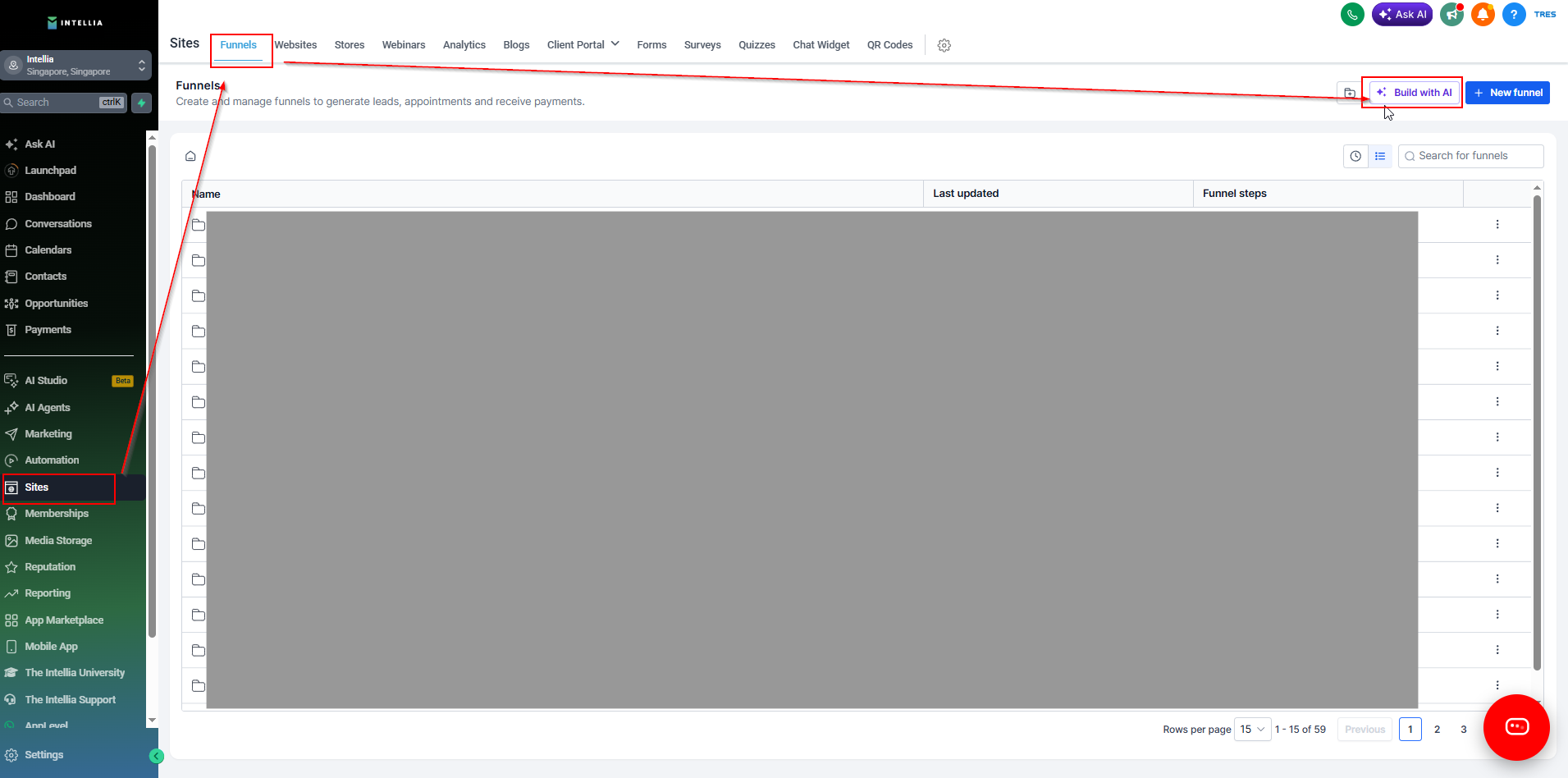
Navigate to Sites → Landing Pages or Websites in your Intellia account. Click Build with AI to create a new landing page or website, OR open an existing website or landing page.
Choose your AI creation path:
Assist for a guided setup experience
Build for direct prompt-based creation
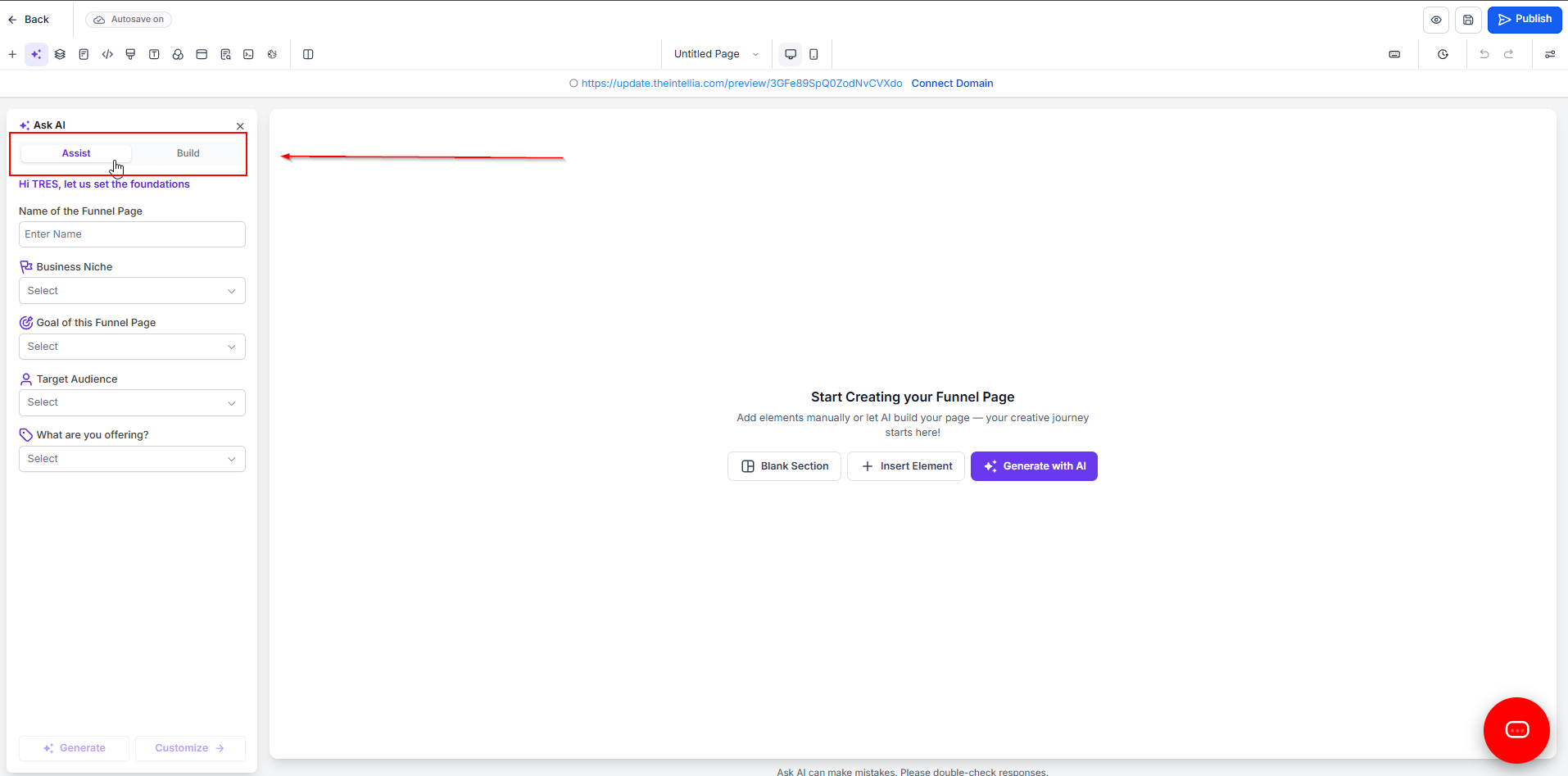
If you choose Assist, enter your landing page name, business niche, page goal, target audience, and offer details. If you choose Build, enter a detailed prompt that explains the page purpose, audience, messaging, and desired style.
Use Ask AI chat and builder settings to refine the page. Update headlines, section order, copy tone, images, and styling until the page aligns with your brand and campaign goals.
Review the page's SEO fields, then complete any final edits before publishing.
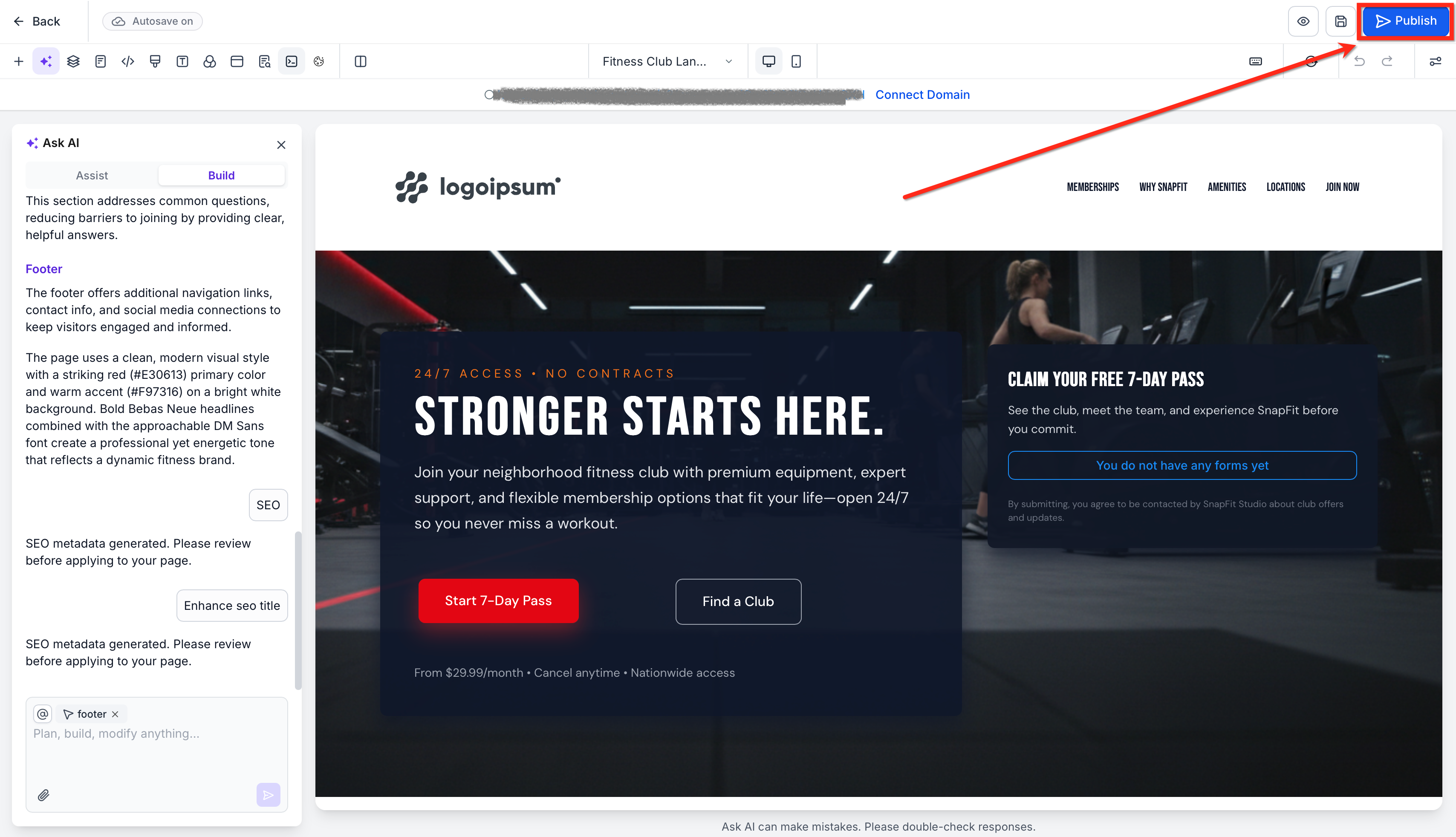
Publish the page once your content, layout, and settings are ready.
Q: When should I use Assist instead of Build? Use Assist when you want a guided starting point and would benefit from presets or structured inputs. Use Build when you already have a clear page concept and want to describe it directly.
Q: Does importing from a link or image work the same way as cloning a landing page or website? No. AI reference-based creation is best treated as inspiration-driven generation, not an exact copy.
Q: Can I still manually edit the page after AI generates it? Yes. The AI experience is meant to speed up creation, but you can continue refining the page using chat-based edits and standard builder settings.
Q: Will the AI-generated SEO content be enough on its own? It's a strong starting point, but it should still be reviewed for accuracy, search intent, and brand voice before publishing. You can also update metadata manually at any time.
Q: Do I need design experience to use Landing Page & Website AI? No. One of the main benefits of the tool is that it reduces design complexity by generating layouts, copy, and page structure for you.