Ask AI is an AI workspace that lives inside your Intellia account. Instead of clicking through multiple menus to get things done, you simply type (or speak) what you need in plain language, and Ask AI responds instantly — whether that's drafting an email, pulling up your appointments, summarising a contact, or generating an image for your next campaign.
You can use it as a quick side panel while you work, or open it in full-screen mode for bigger tasks.
The short answer: ChatGPT gives you advice. Ask AI gets things done inside your account.
Chatgpt - Ask AI
Knows your business data? | No — you have to copy and paste everything in | Yes — it's connected to your contacts, appointments, and account settings |
Output | Text you still have to copy elsewhere | Real assets created directly in your account — email drafts, images, landing pages |
Actions | None — it can only tell you what to do | Can create contacts, apply tags, list appointments, and more (always with your approval) |
Brand consistency | Generic tone | Uses your Brand Voice settings for personalised, on-brand content |
For example: ask ChatGPT to "list my appointments tomorrow" and it has no idea. Ask AI will show you your actual bookings, because it works with your real account data.
Create branded content. Emails, social media captions, ad copy, and campaign text — written in your brand's voice. (Tip: set up your Brand Voice first under "Marketing" → "Branded Content" → "Brand Voice" so the content sounds like you.)
Answer questions and generate ideas. Blog post ideas, call-to-action suggestions, campaign inspiration, or guidance on how to do something in Intellia.
Find and act on your CRM data. Look up contacts, list appointments, review opportunities — and take supported actions like creating a contact or applying tags to a group of contacts.
Summarise contacts. Get a quick summary of a contact's full history — conversations, appointments, payments, and tasks — before a follow-up call, without opening several tabs.
Generate and edit images. Create images for campaigns, emails, social posts, and landing pages, or edit existing ones ("make this brighter and more modern").
Build landing pages. A guided experience that creates a landing page using your business details, templates, and brand personalisation.
Set up communities and AI agents. Ask AI can walk you through creating a community or even setting up a Voice AI agent, step by step, through conversation.
Important: Ask AI never publishes, sends, or creates anything final without asking you first. Multi-step tasks go through approval cards — you review and confirm before anything goes live.
There are two ways to open it:
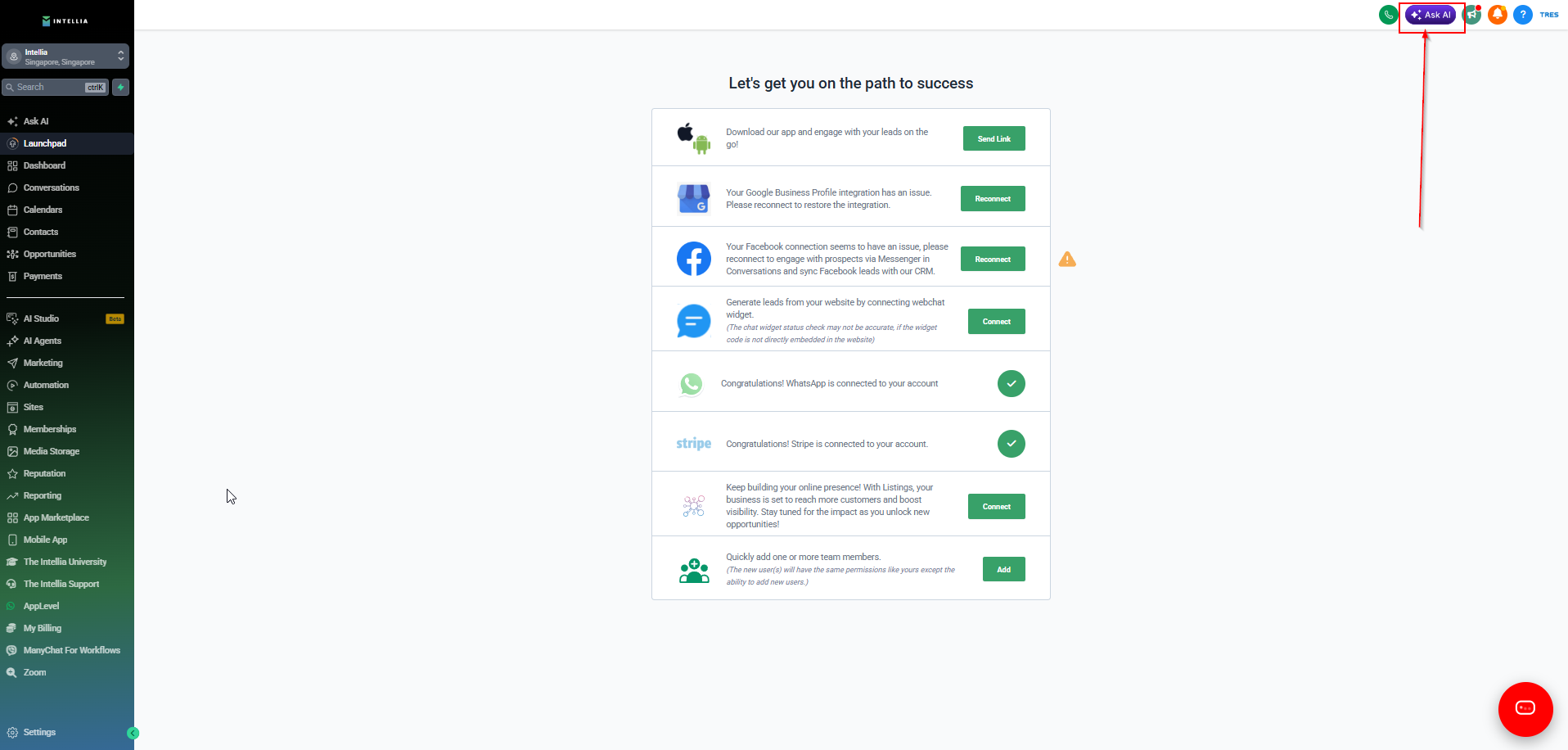
Top navigation bar — click the "Ask AI" button at the top of your screen. This opens a quick panel you can use from anywhere in your account.
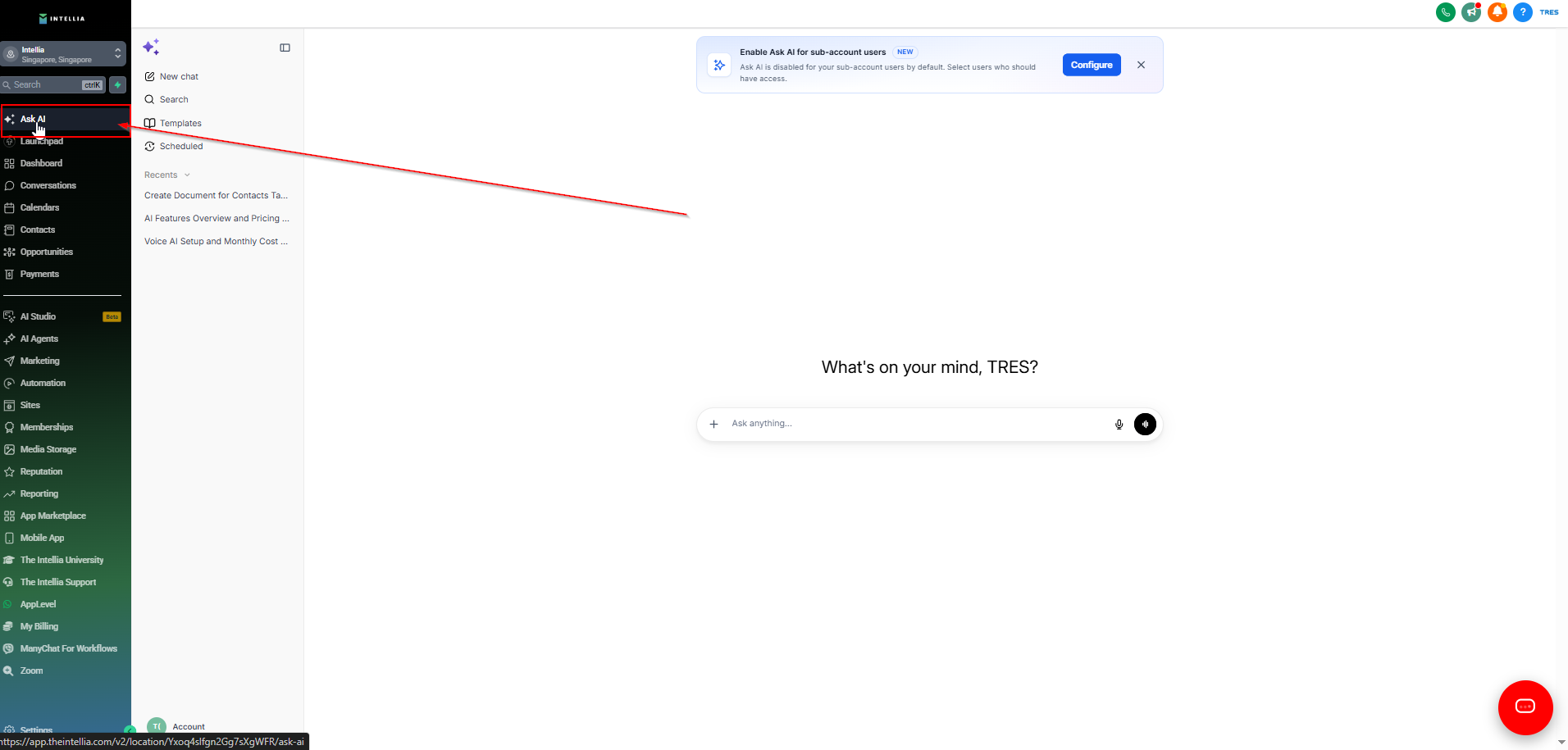
Left sidebar — click "Ask AI" in the left navigation menu to open the full-screen workspace, best for bigger tasks.
Can't see Ask AI in your account? Access depends on your current plan. Reach out to us through the support widget (bottom-right corner of your screen) and we'll check your account and help you get set up.
Click the "Ask AI" button in the top navigation bar (or the left sidebar for full-screen).
Type your request in plain language — or use voice input to speak it. No special commands needed.
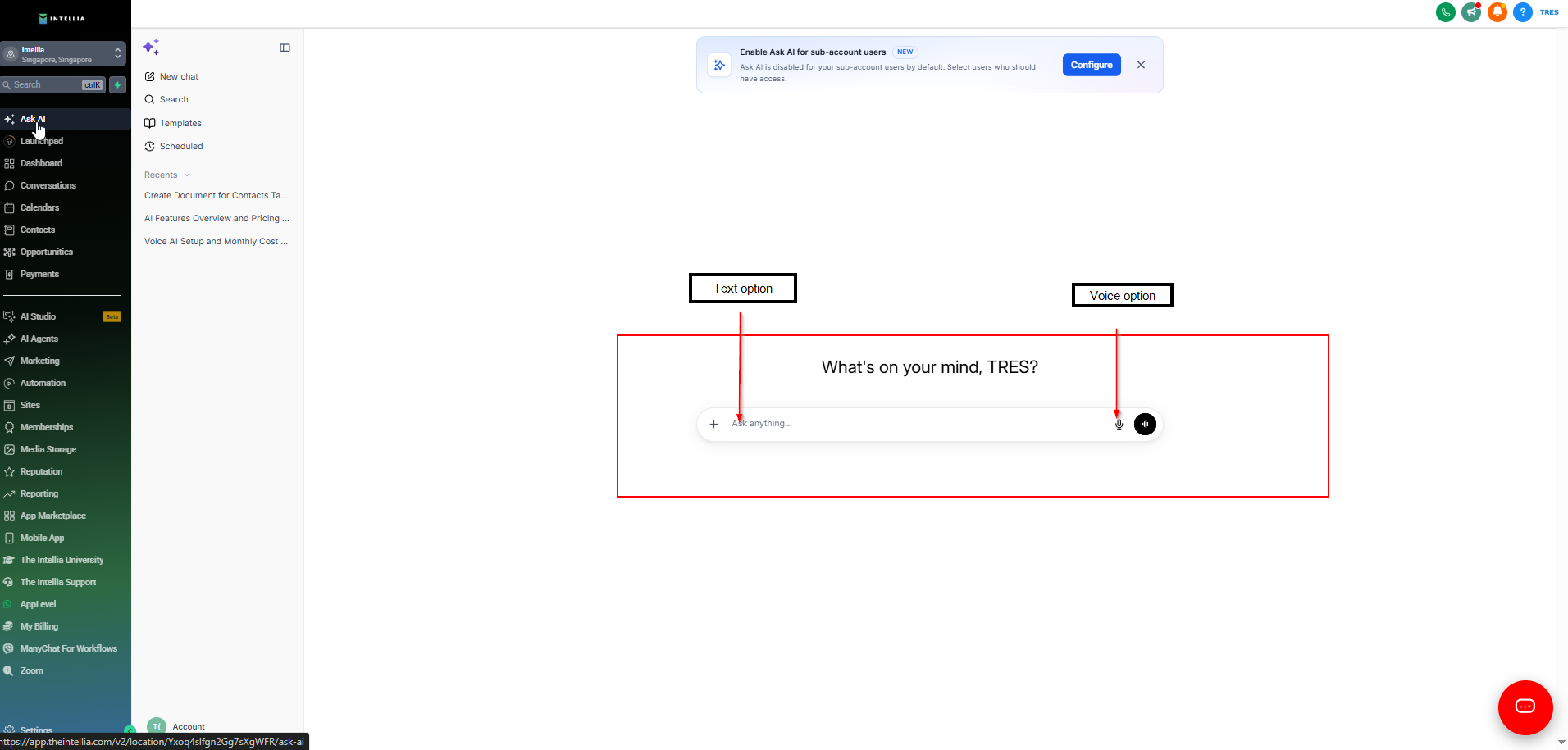
Ask AI responds instantly, or asks you a few quick questions if it needs more details (for example, when setting something up for you).
Review the result. You can refine it by replying — "make it shorter", "change the tone", "use a different image" — until it's right.
For anything that creates or changes something in your account, Ask AI shows you a proposal first. Confirm it, and the action is done.
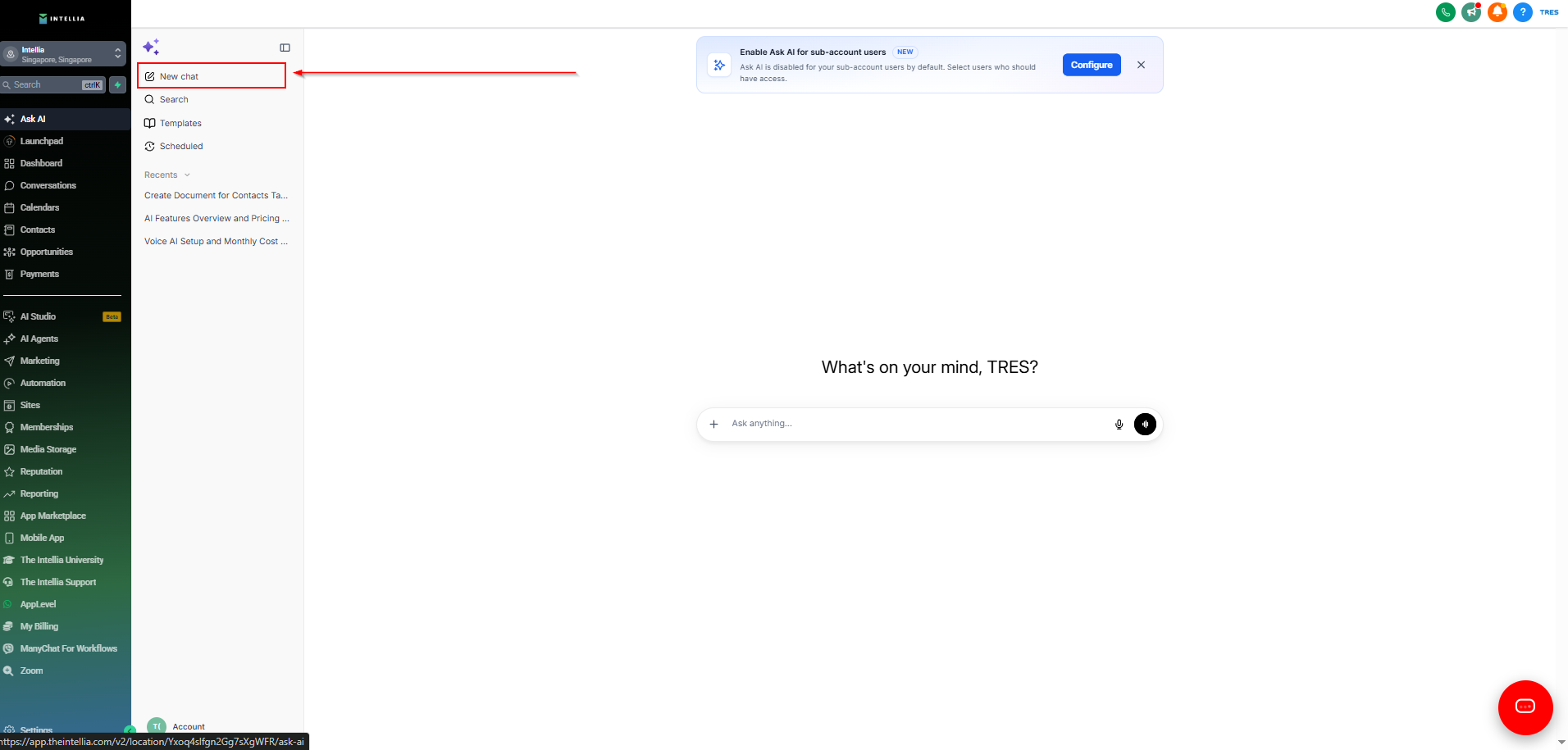
Use the sidebar inside Ask AI to start a "New chat" or search through your previous conversations — your chat history is saved so you can pick up where you left off.
Content creation
"Write a Facebook ad post using my brand voice."
"Create a social media caption for our spring promotion."
"Draft a follow-up email for leads who attended last week's webinar."
Your data
"Show me tomorrow's booked appointments."
"Summarise this contact — what should I know before following up?"
"List all contacts tagged VIP."
Taking action
"Create a contact named John Doe with phone number 555-1234."
"Tag all contacts from last week's webinar as Webinar-2026."
Ideas and guidance
"Give me blog post ideas about SMS marketing."
"Suggest call-to-action ideas for a lead magnet campaign."
"How do I set up a calendar in my account?"
Creative
"Generate an image for a summer sale campaign."
"Create a landing page for my free consultation offer."
The simple version: Ask AI is free to use until 31 August 2026 as part of a limited-time promotion. From 1 September 2026, usage becomes billable. A typical Ask AI session — for example, drafting a few emails or preparing campaign content — costs roughly US$1–3, depending on how much work the AI does. Bigger sessions (image generation, multi-step campaign builds) sit at the higher end; quick questions and short drafts cost only cents.
The detailed version: Ask AI usage is measured in tokens — small units of AI processing. The rate is US$2.2155 per 1,000,000 tokens, deducted from your account's wallet balance as you use it. To put that in perspective, a US$10 wallet balance covers roughly 5 million tokens. The cost of a session depends on its complexity: simple text drafting uses the fewest tokens, while sessions involving image generation, account actions, or long multi-step tasks use more. Ask AI is also included in the AI Employee Unlimited plan — if your account is on that plan, you can use Ask AI without per-session charges (subject to fair use).
There are no subscriptions or lock-ins for pay-per-use — you're only ever billed for what you actually use.
Q: Why can't I see Ask AI in my account? Ask AI availability depends on your account's plan and settings. If you can't see the "Ask AI" button in your top navigation or left sidebar, contact us through the support widget and we'll check your account.
Q: Will Ask AI do things in my account without my permission? No. Ask AI always shows you a proposal before creating, changing, or sending anything. You review and approve each action — nothing goes live without your confirmation.
Q: Does Ask AI have access to my data? Is it secure? Ask AI works with the data inside your own Intellia account — your contacts, appointments, and settings — which is exactly what makes it more useful than a generic AI tool. It operates within your account only and follows the same security as the rest of the platform.
Q: Can Ask AI give me a downloadable file, like a Word document or spreadsheet? Not yet. Ask AI can't currently generate downloadable files directly. If you need your data in a file, Ask AI can guide you through exporting it (for example, as a CSV file) using your account's built-in export options.
Q: How is my content kept on-brand? Ask AI uses your Brand Voice settings when generating content. Set this up once under "Marketing" → "Branded Content" → "Brand Voice" — after that, every draft it writes will match your tone, style, and messaging.
Q: Can I speak to Ask AI instead of typing? Yes. When voice input is available, you can click the microphone and speak your prompt — handy for longer requests or when you're multitasking.
Q: Do my conversations with Ask AI disappear? No. Your chat history is saved in the Ask AI sidebar. You can return to older conversations, continue where you left off, or start a fresh chat for a new task.
Q: What happens if I run out of wallet balance? Ask AI usage is deducted from your account's wallet. If your balance runs low, top it up under "Settings" → "Billing" — or ask us through the support widget if you need help with billing settings.
Q: Is Ask AI the same as the support chat? No — they're different tools. The support widget (bottom-right corner) connects you to our team and help articles. Ask AI is your personal AI assistant for doing work inside your account: creating content, checking your data, and completing tasks.