company logo

Help center

All collectionsHelp LibraryAccount FeaturesSites - Landing Page & Automation GuideSetup Guide1-To-Infinity1-To-Infinity - 1. Prepare Assets

1-To-Infinity - 1. Prepare Assets

The helpdesk article lists all the essential materials needed before creating a cart funnel, such as branding assets, product info, offers, testimonials, and media files. It serves as a pre-build guide to ensure everything is ready for funnel setup. However, it lacks clear structure, context, and examples, making it less effective for users unfamiliar with the process.

Ferdinand Callueng·September 7, 2026

STEP-BY-STEP TUTORIAL

Clone Landing Page Template


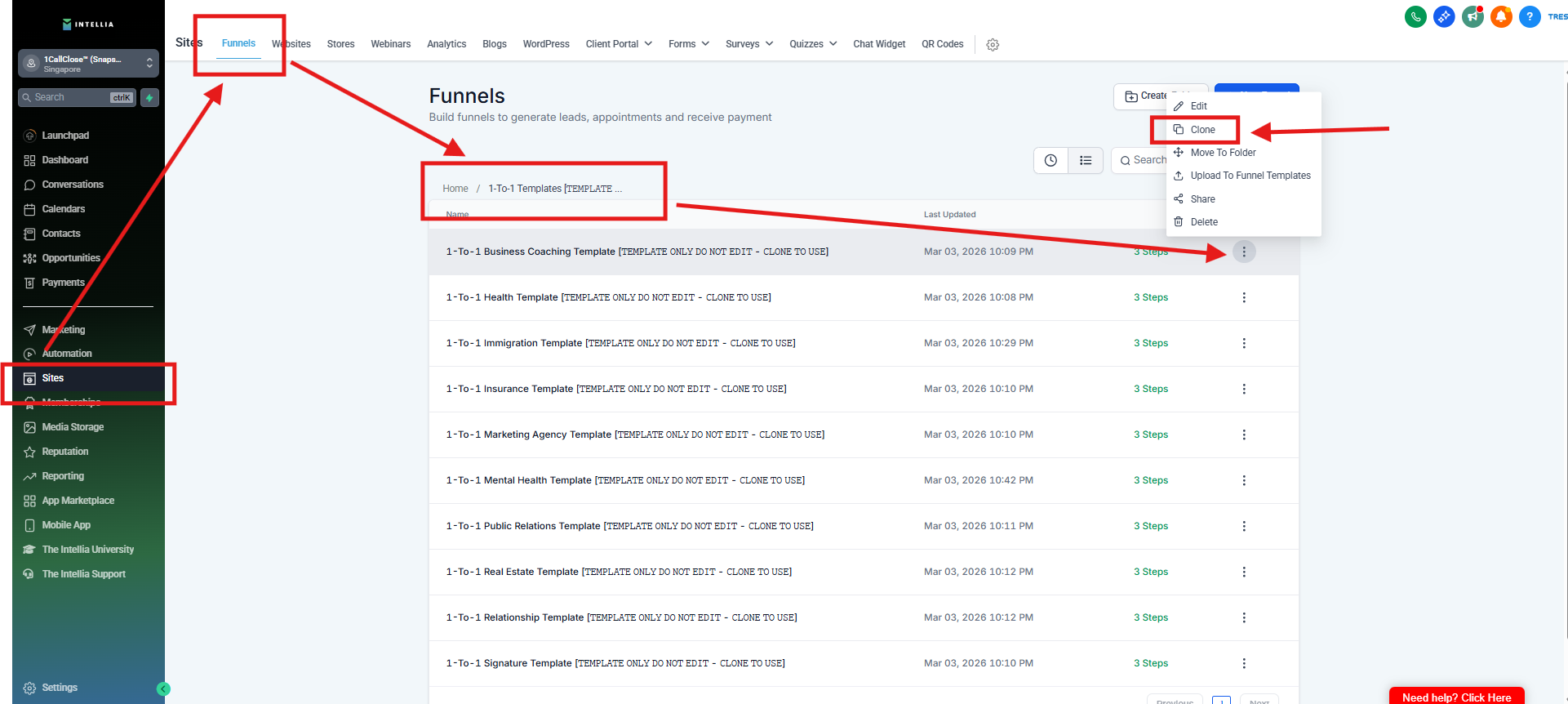
Step 1 : On the Sites > Click Funnels > Click 1-To-1 Template > Click the 3 little dot Icon > Then click Clone 
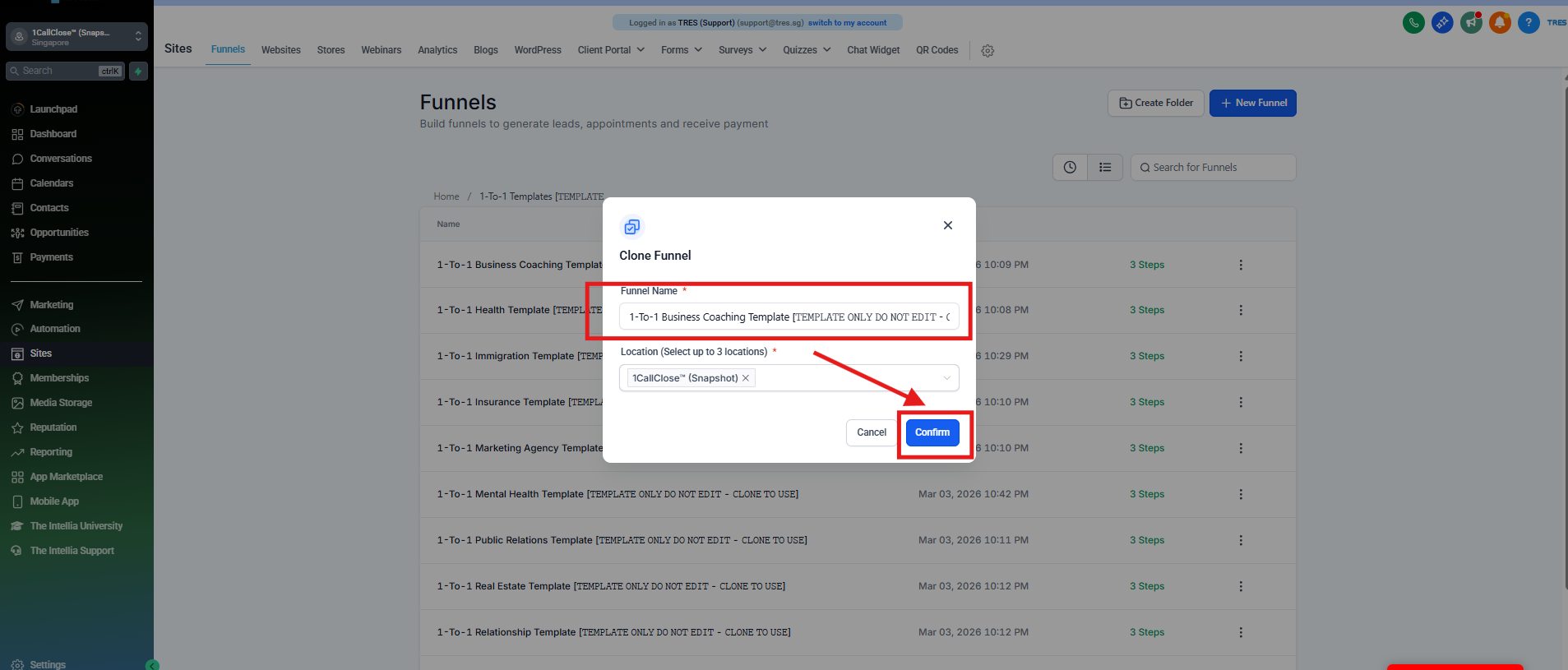
Step 2 : Click the Funnel Name Field > Name it > then click the Confirm
How To Create A Product (Offer and Bump)

Step 1 : go to Payments > Click Products > Create Products.

Step 2 : On the Product Information > Create a Product Name and Description

Step 3 :  Under the Prices > put your desire Amount for your Offer Product > and make sure the currency is SGD > And for the Bump Products > click the"+ Add another price" > for Additional Price Product. 


Step 4 : Don't Forget to click the Save Button.

How To Purchase The Domain On The Intellia


You can refer to this article on how to purchase the domain :

Click this link to be directed to another site.

Did this answer your question?
😞
😐
😁