

Lumi is built by our team and connected to Intellia’s full technical knowledge base, so you can get accurate answers right away without waiting for a live support agent.
You can ask Lumi about quick fixes, setup questions, technical issues, or anything related to using Intellia. If your question needs further help, Lumi can redirect you to a live Intellia Support specialist.
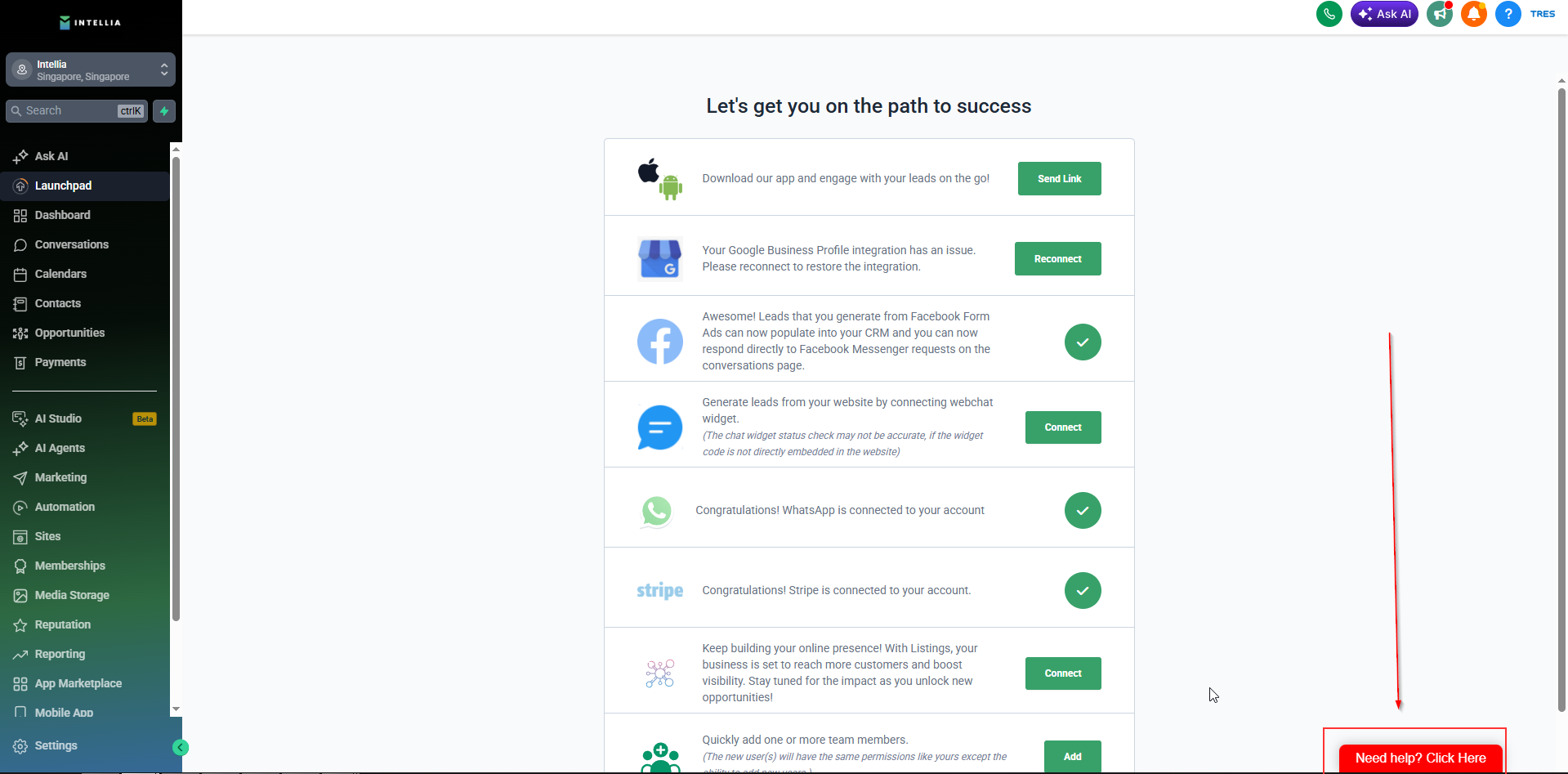
Step 1: Look for the chat widget with the red button that says “Need help? Click here” at the bottom-right corner of your Intellia screen.
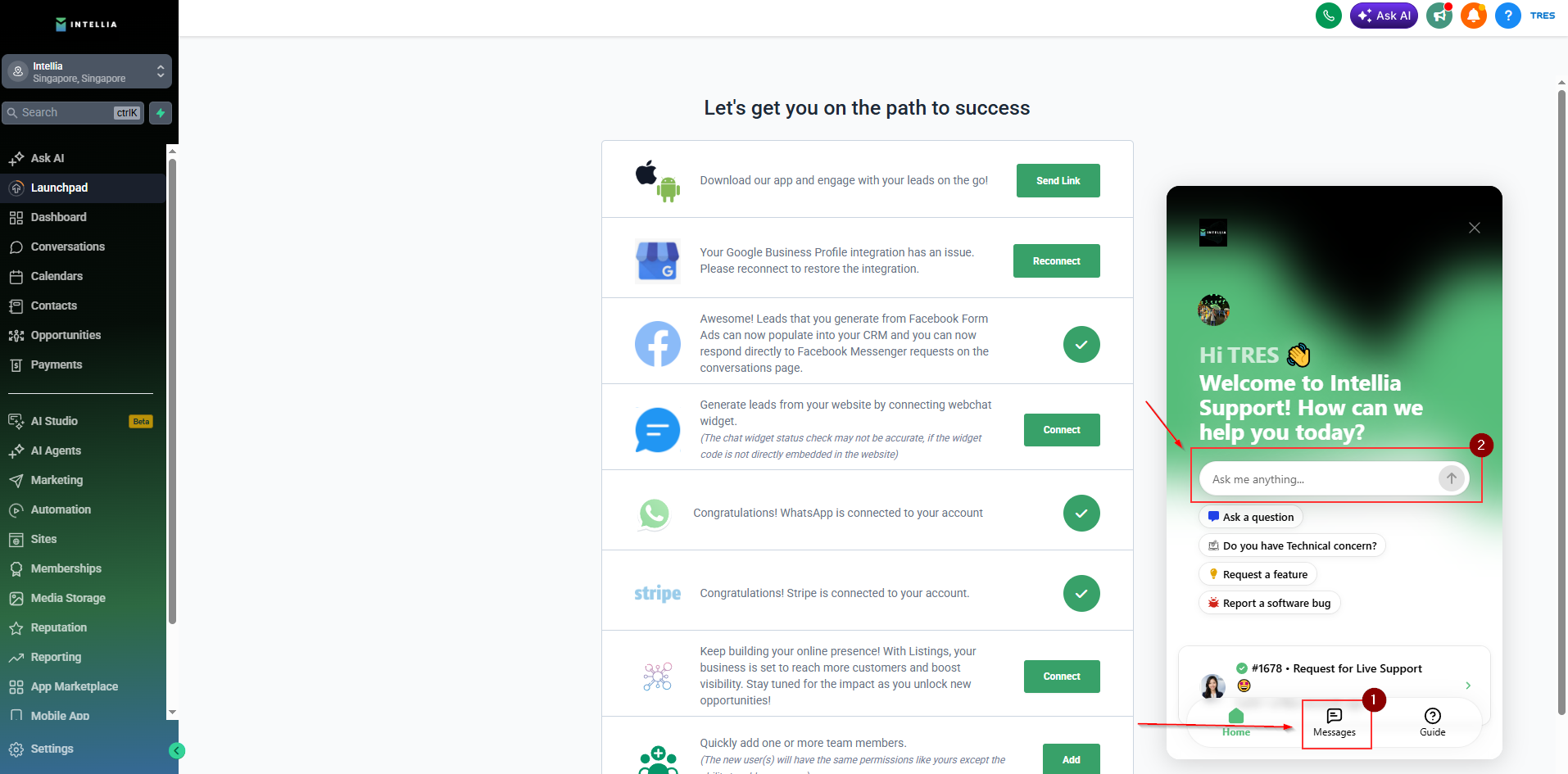
Step 2: Click the widget, then look for the message button (option 1) or the “Ask me anything” (option 2) field to start a chat with Lumi.
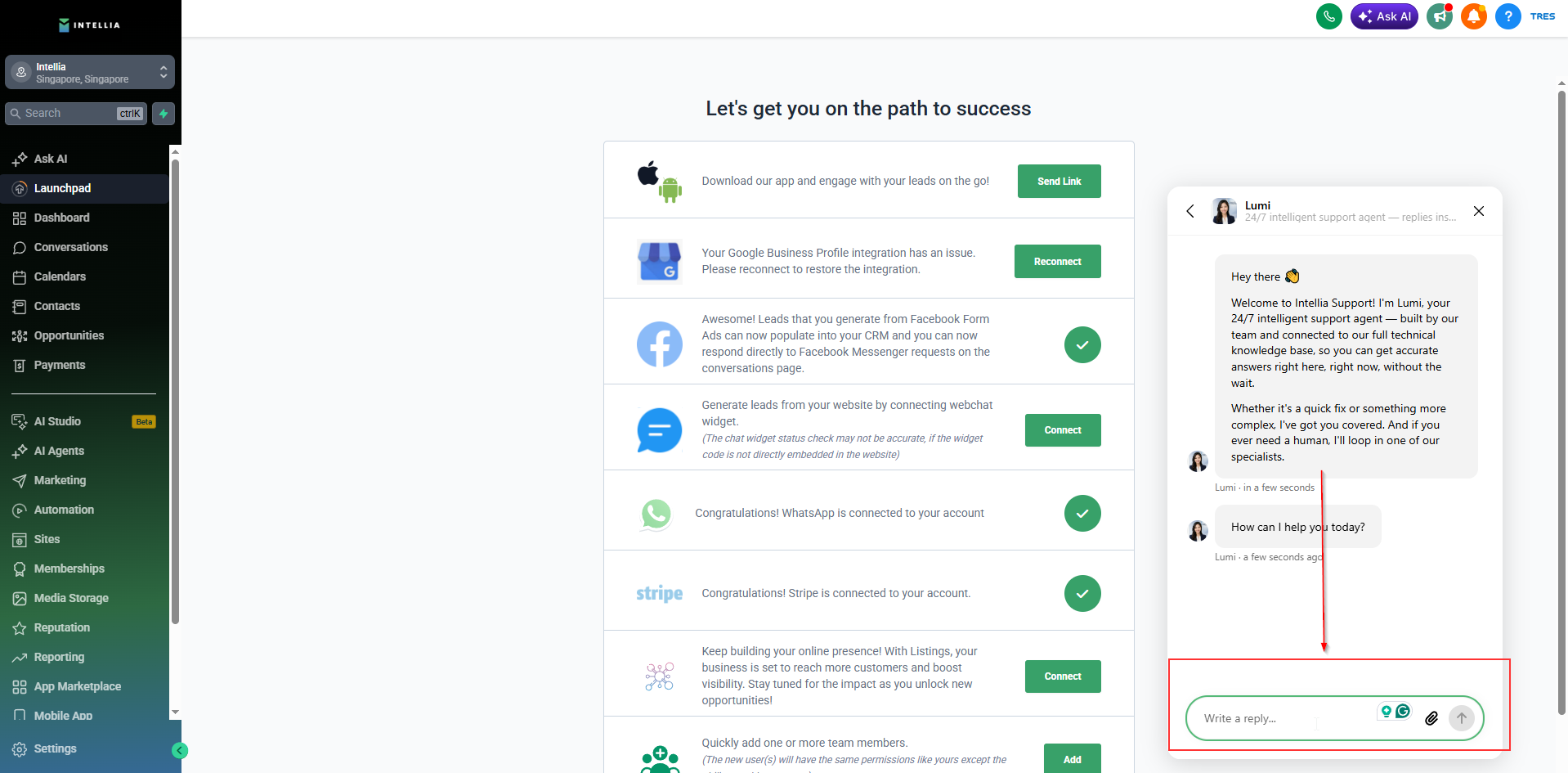
Step 3: Type your question and start the conversation with Lumi.
Note:
If Lumi cannot answer your question, it will redirect you to a live Intellia Support agent.
You can also request to speak with a real person anytime. Simply tell Lumi that you want to be connected to a live support agent, and Lumi will help transfer your request to the Intellia Support team.