Internal comments are private notes you add to a conversation thread that are never sent to or visible by the contact. When you type @ and select a teammate, that person is mentioned and can be notified to review or act, keeping handoffs tight and context in one place. Internal Comments ≠ Internal Chat. Internal Chat is a separate team chat experience.

These benefits help you decide when to use internal comments versus sending messages or switching to team chat.
Private collaboration: Keep sensitive notes and decisions out of the contact’s view.
Targeted notifications: @mention the right teammate to get timely eyes on the thread.
Faster handoffs: Assign context and next steps without leaving the conversation.
Searchable context: Retrieve internal notes with filters to speed up QA and audits.
Login to your sub-account.
Click on the Conversations tab.
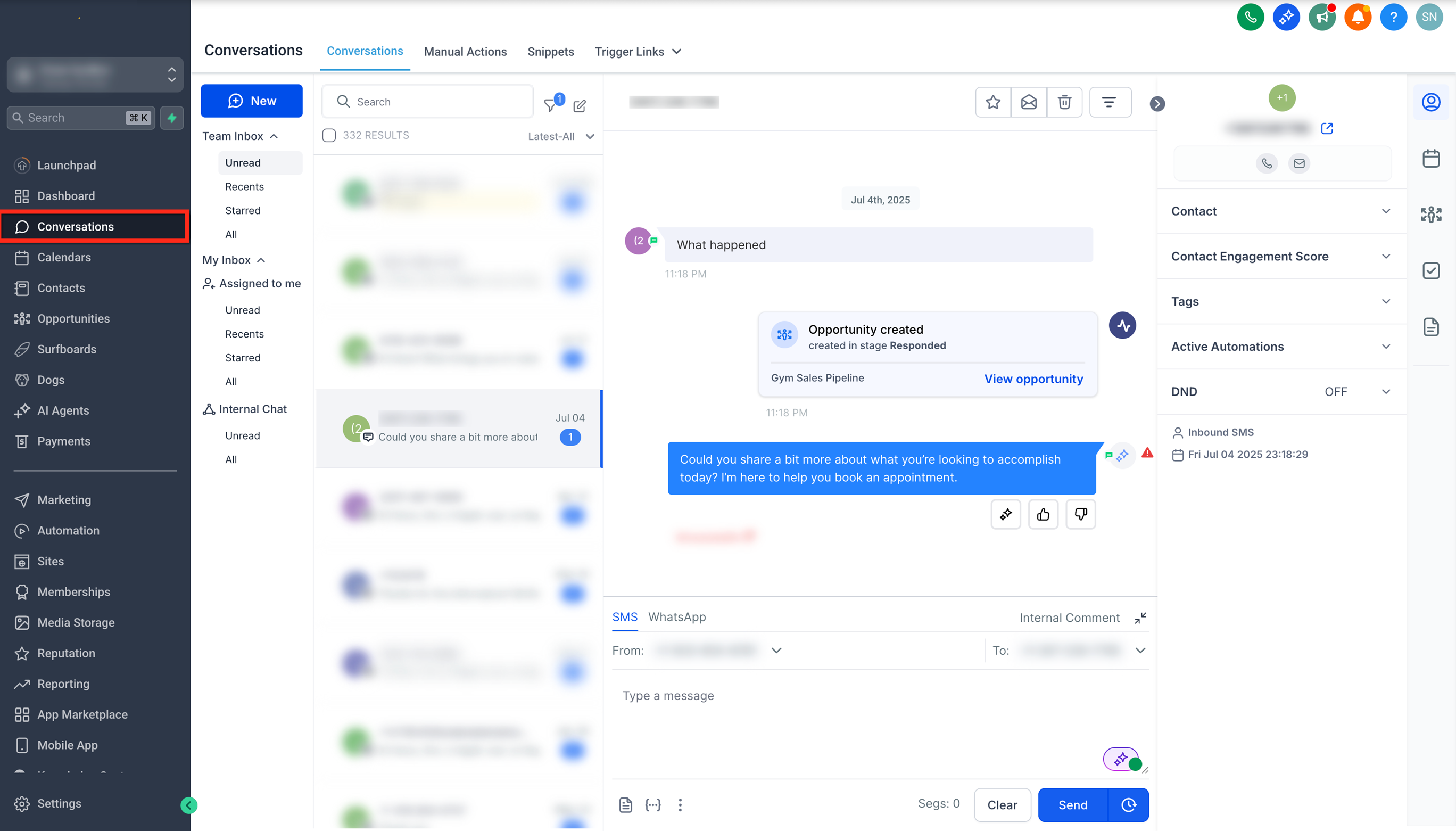
Open the conversation that you want to add the internal comment to by clicking on it.
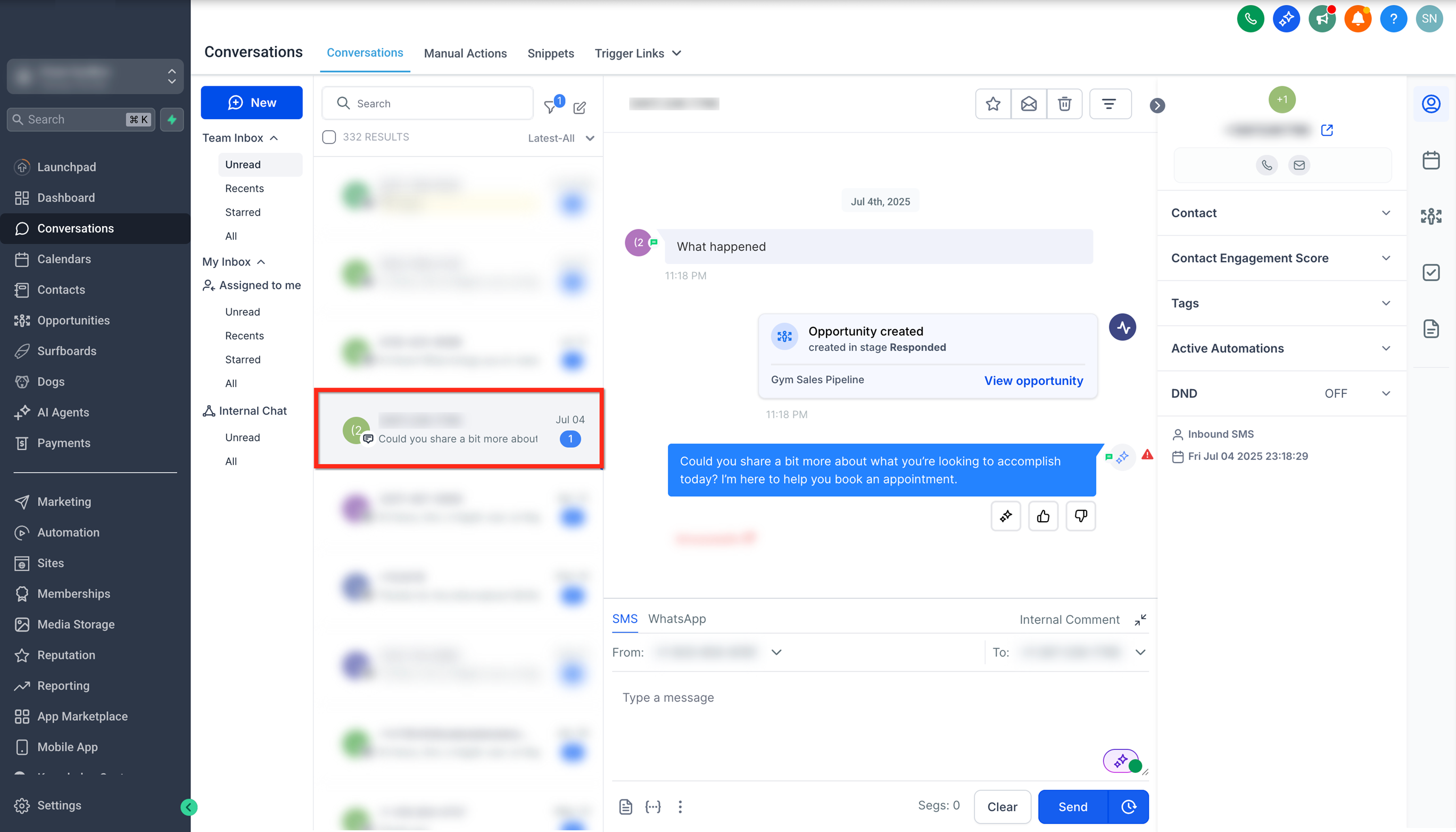
Click on the Internal Comment option in the conversation card.
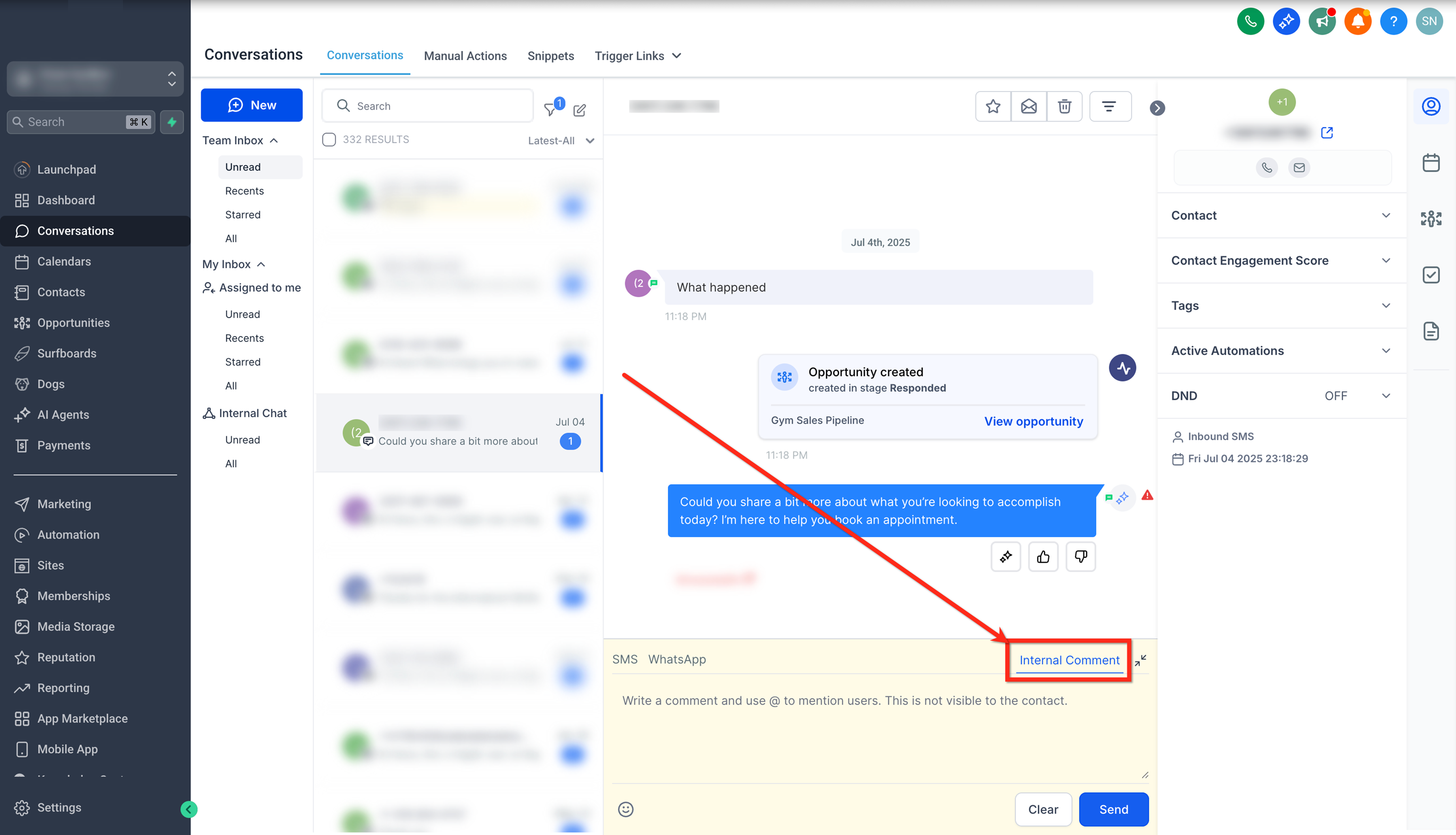
Type your comment and, if needed, tagusers by entering @.
Click on Send to post the comment, which will be visible only to internal users.
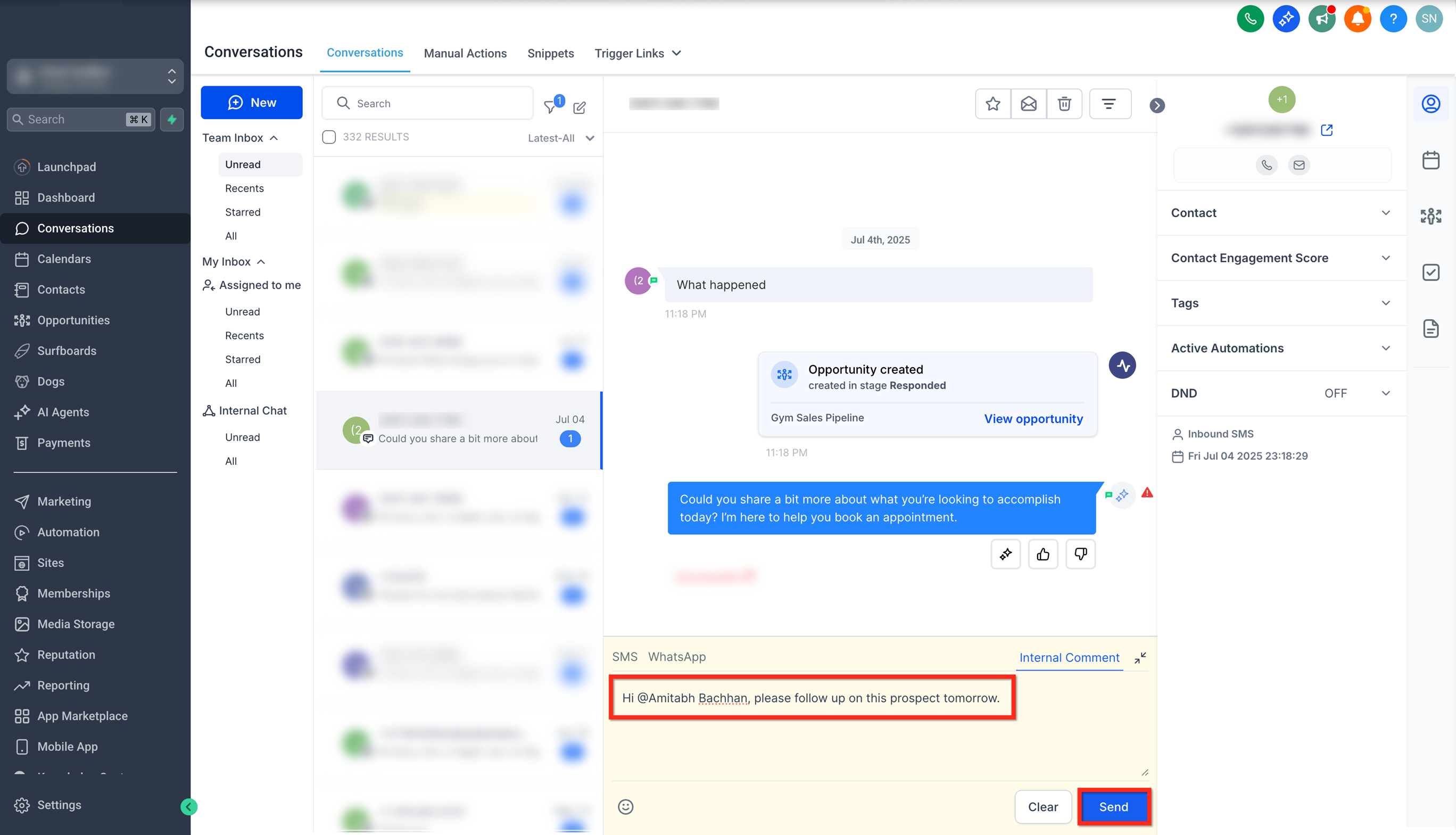
To view conversations where you or a specific user has been mentioned:
Click on the Quick Filters button.
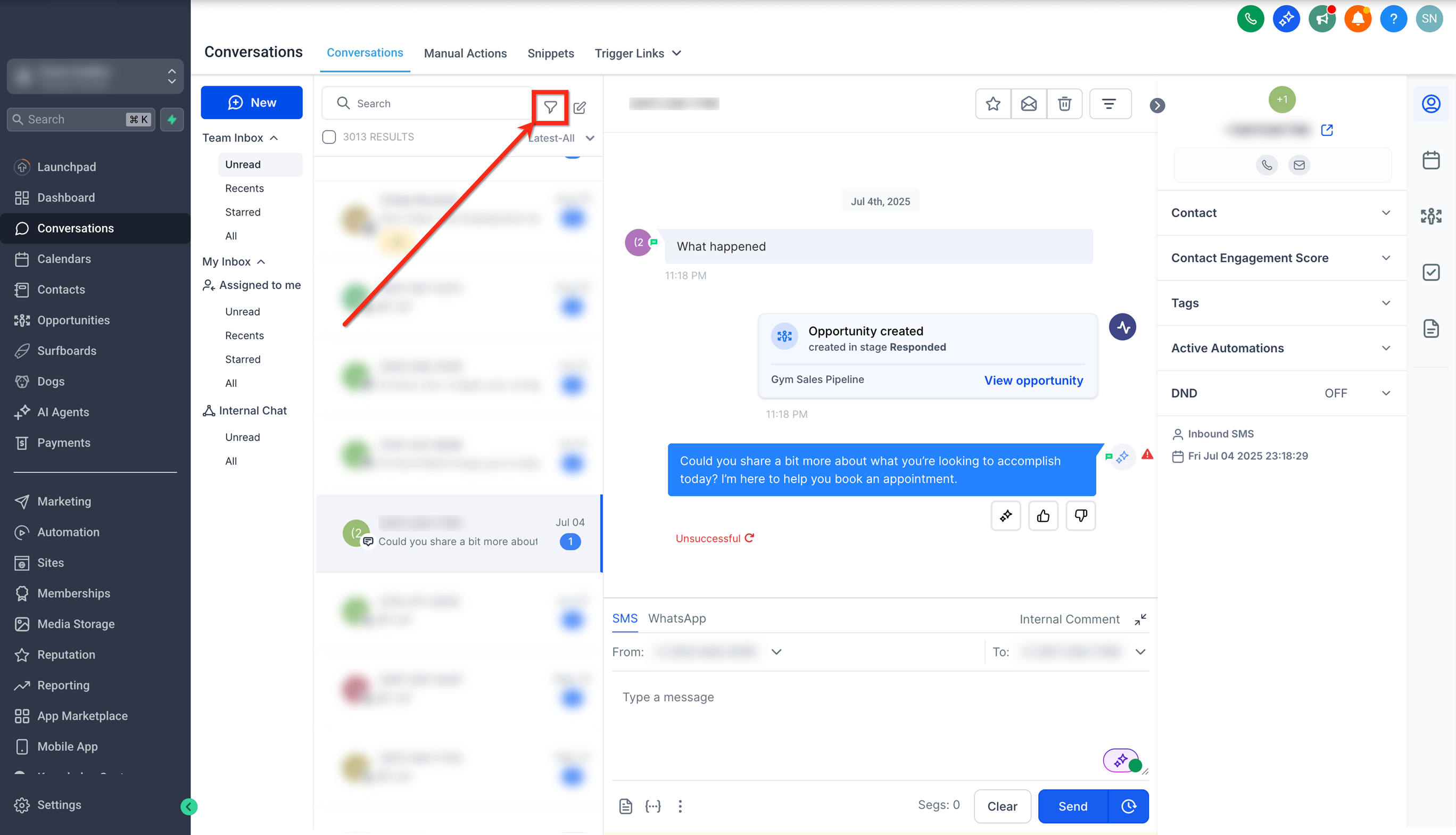
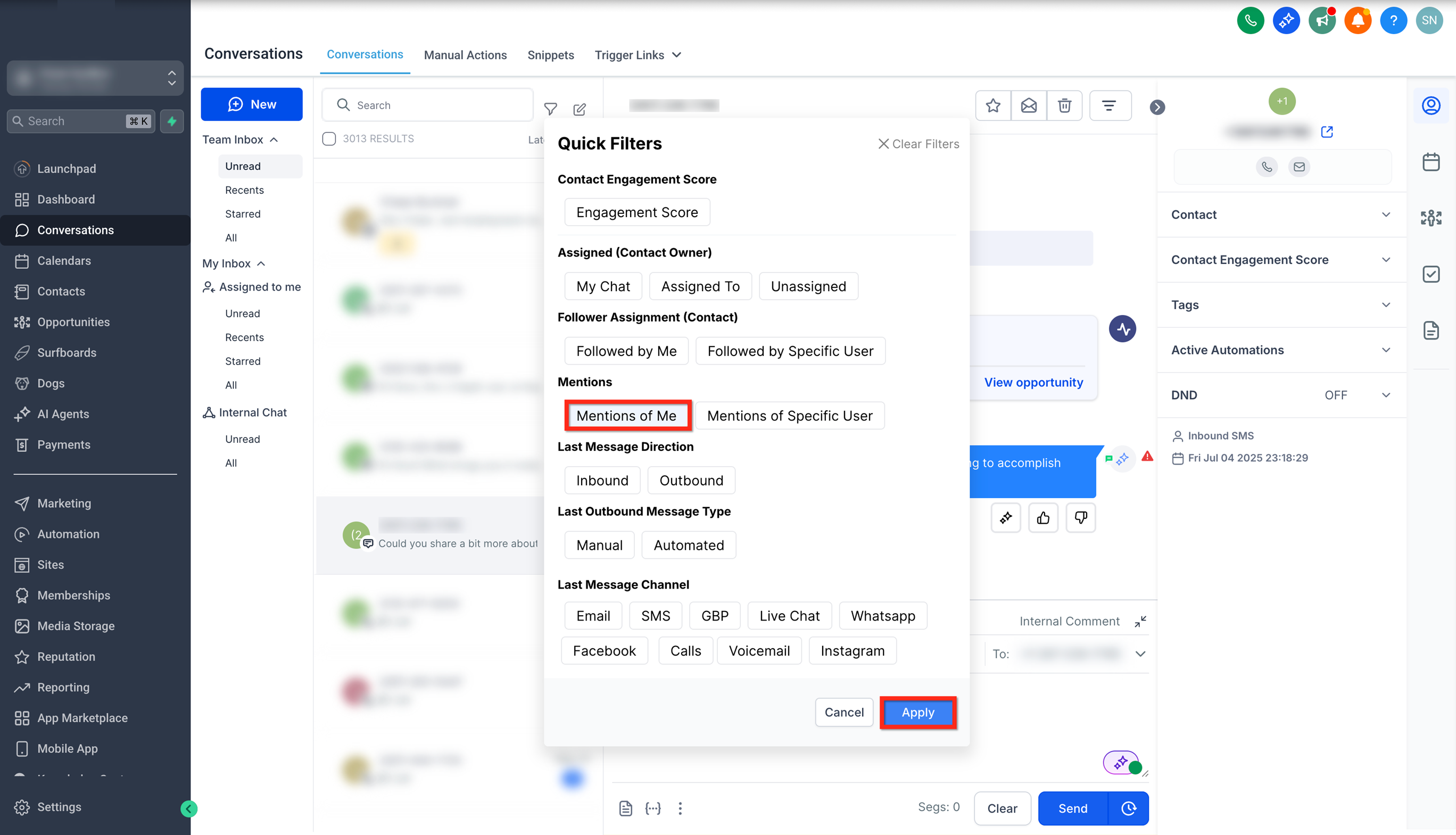
Under the Mentions filter, select Mentions of Me and click Apply to view conversation where you are mentioned.
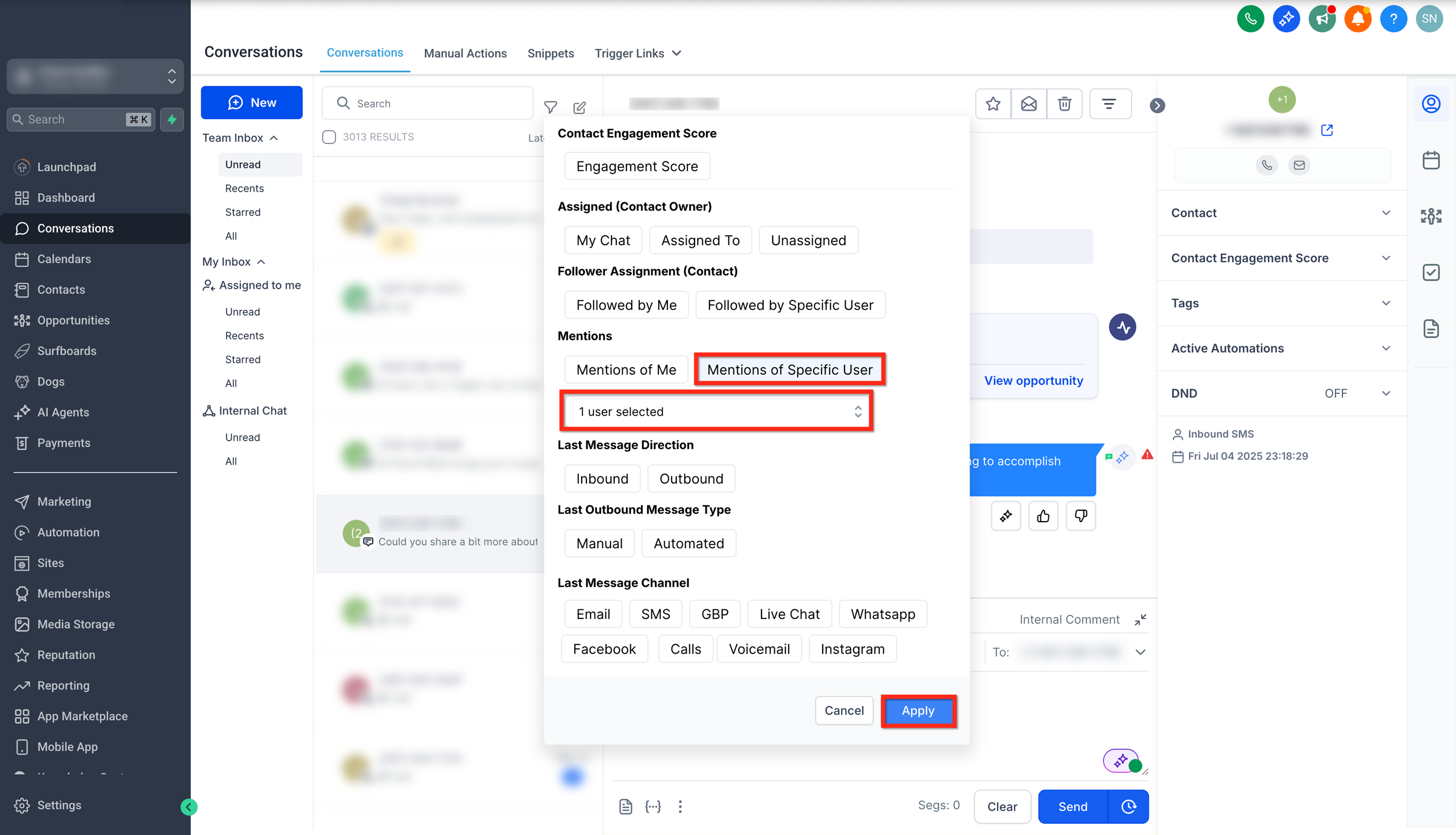
Or select Mentions of a Specific User option and select the user from the list and click on Apply to view conversations where specific users have been mentioned.
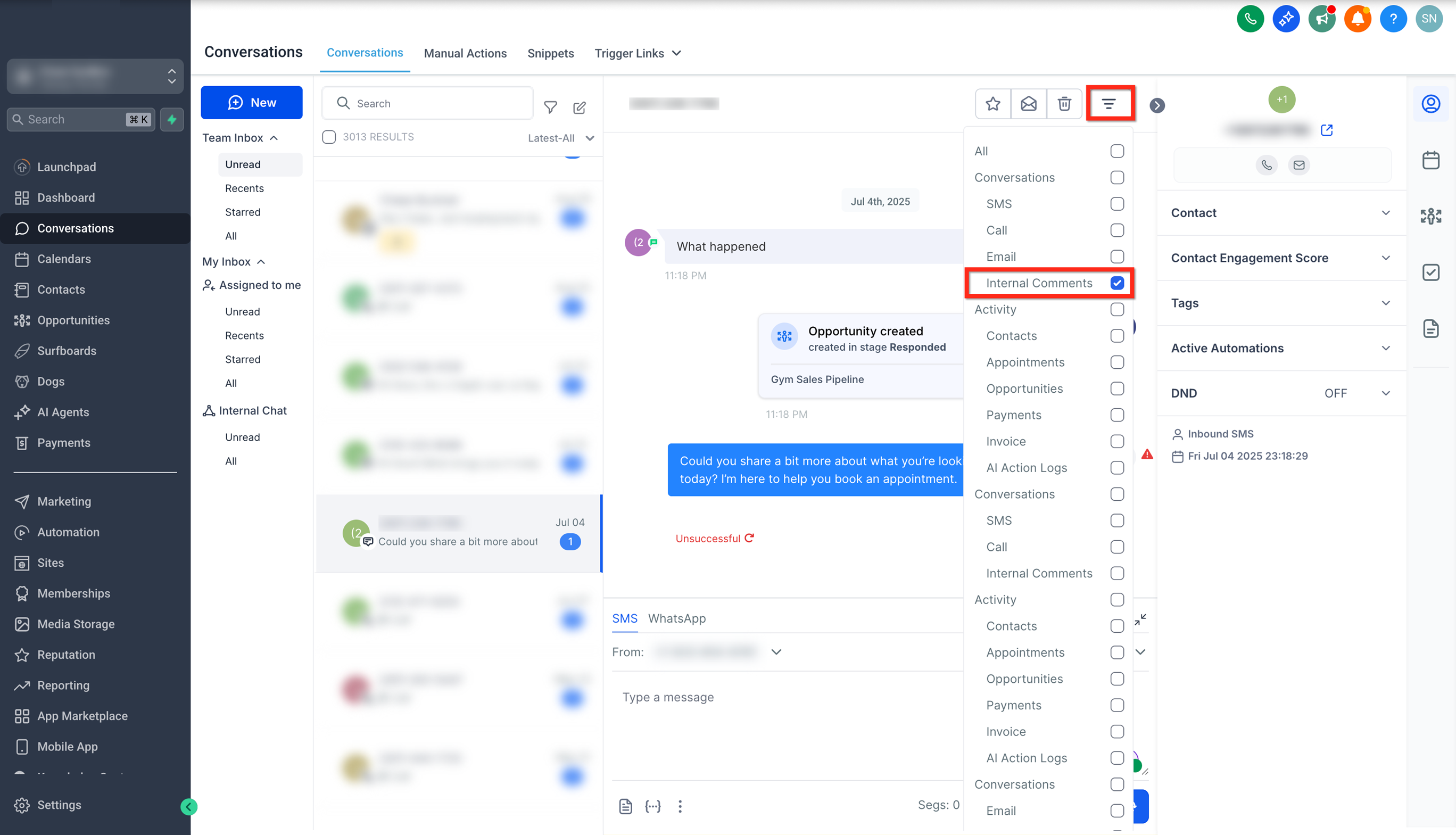
To see all internal comments in a conversation, click on the Filters button and apply the Internal Comments filter.
Ensure your notification settings are enabled to receive alerts when you’re mentioned or for new messages in relevant conversations.
Navigate to Settings > My Profile > Notifications to enable the respective notifications.
Q: Can contacts ever see internal comments?
No. Internal comments are private to your team and never sent to the contact.
Q: Do @mentions send email or only in-app alerts?
Alerts depend on each user’s notification preferences. Ask teammates to review Settings > My Profile > Notifications .
Q: Are internal comments searchable or filterable later?
Yes, use Filters > Internal Comments. To find items directed at you, use Filters > Mentions of Me.
Q: Who can edit or delete an internal comment?
Internal comments in Conversations cannot be edited or deleted once posted.
Q: Do internal comments support attachments?
No, attachments are not supported in internal comments.

