Step 1: Duplicate the AI Agent Testing Workflow
Go to Automations inside your Intellia account.
Locate the workflow named:
[TEMPLATE – DUPLICATE BEFORE USE] 1CallClose™ AI Agent Testing Workflow
Duplicate the workflow.
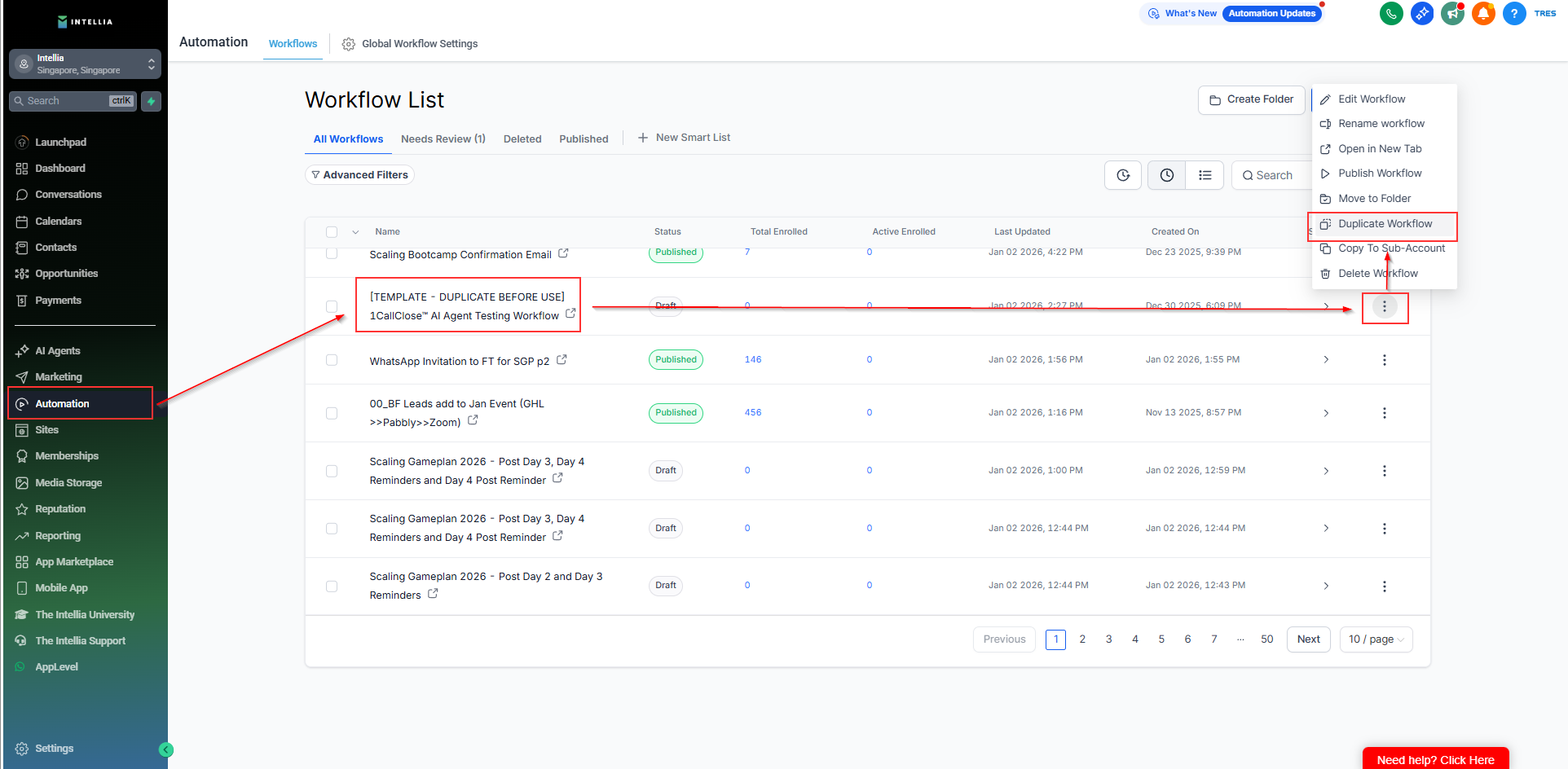
Rename the duplicated workflow so it’s clear this is your test version.
⚠ Do not edit the original template. Always work from the duplicated version.
Step 2: Configure the Workflow Trigger (Test Form)
This step ensures your AI agent is triggered only by a test form.
Create a test opt-in form.
Recommended name:
[TEST FORM — NOT LIVE] 1CC AI Booking Test Form
If you don’t know how to create a form, follow this guide:
https://info.theintellia.com/en/articles/33-how-to-create-a-form
Once the form is created:
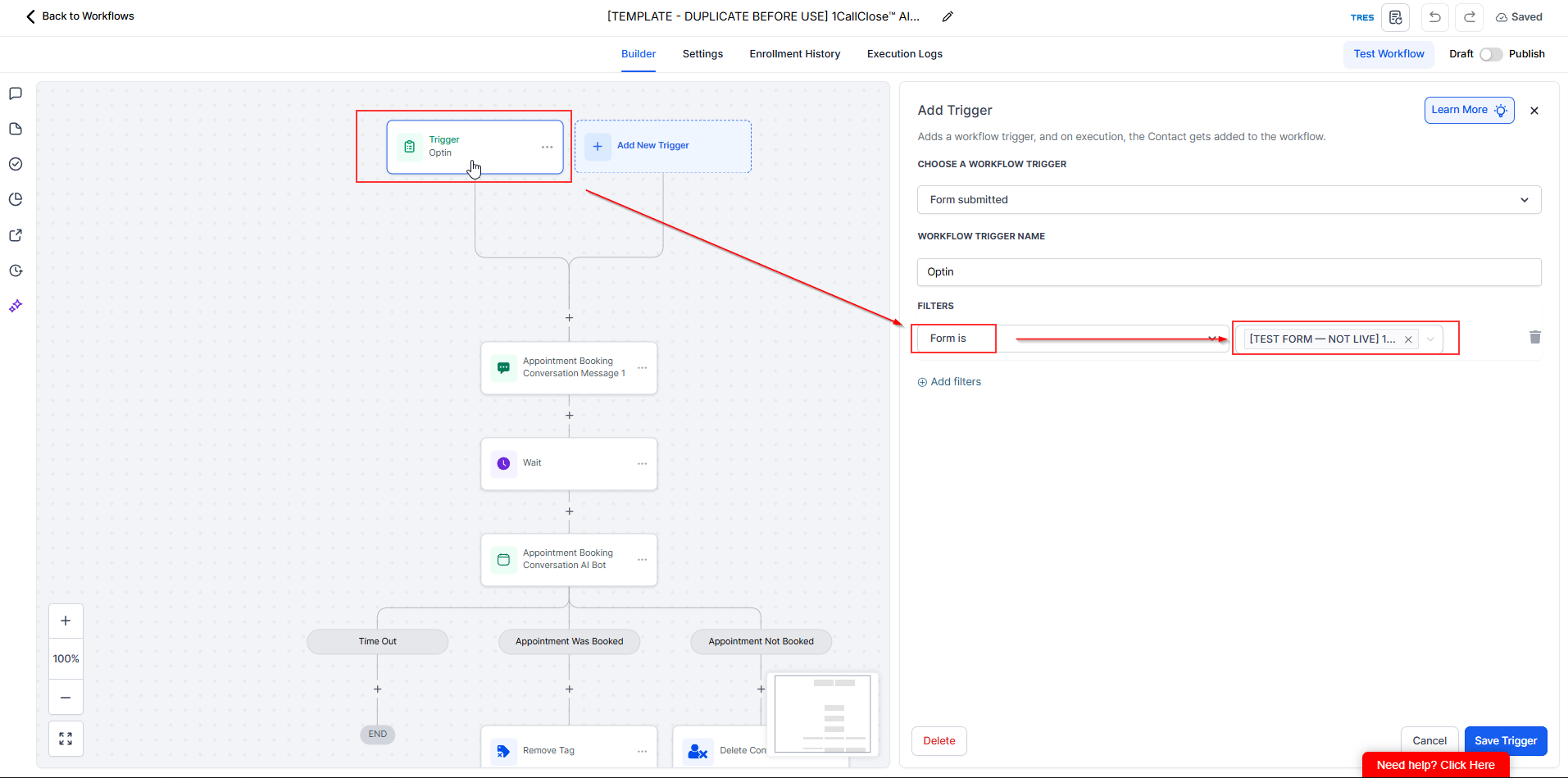
Open your duplicated workflow
Go to Trigger: Opt-in
Add a filter:
Form is → [TEST FORM — NOT LIVE] 1CC AI Booking Test Form
Step 3: Personalize the Initial AI Message
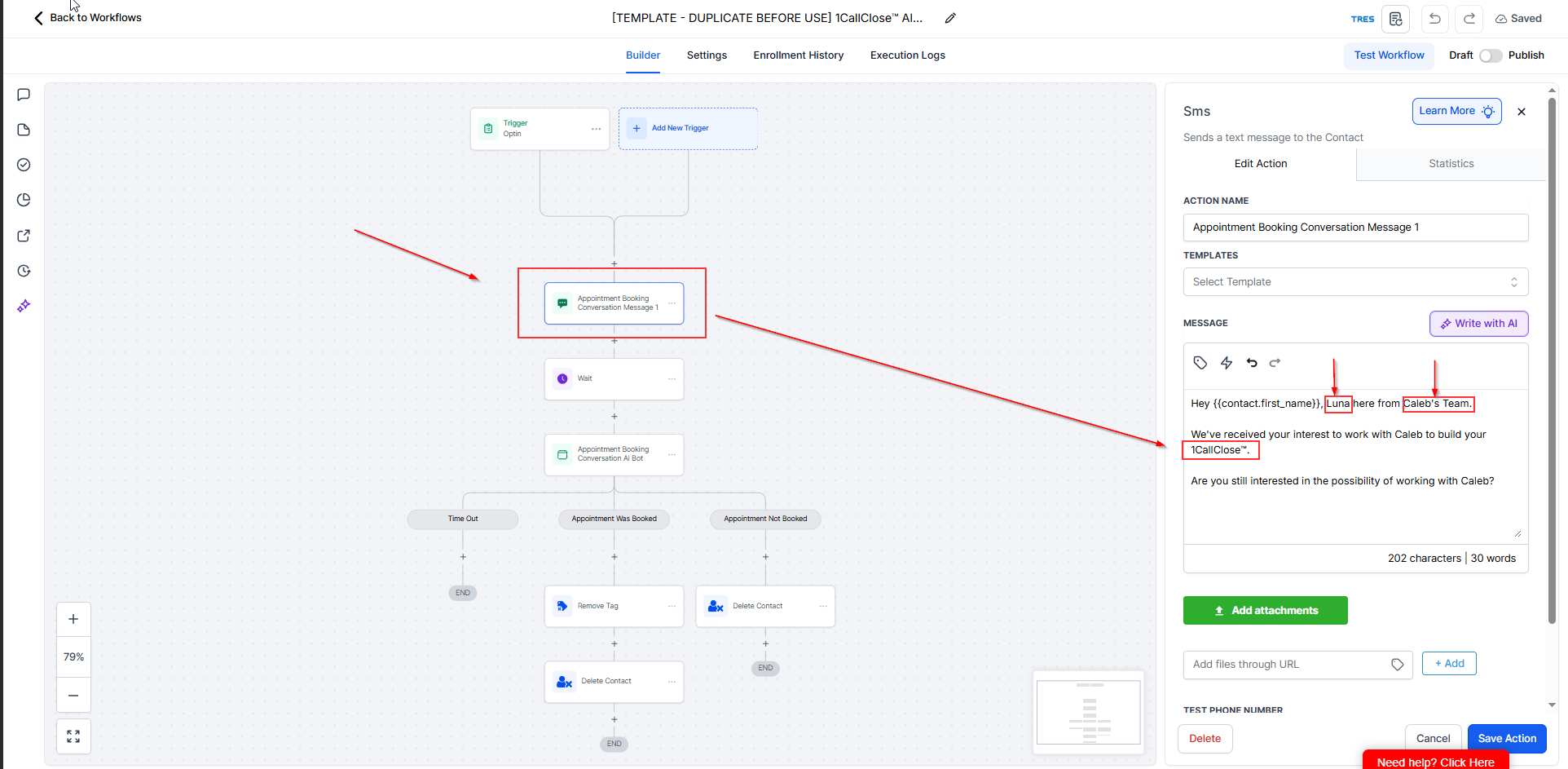
Inside the duplicated workflow, locate the action:
Appointment Booking Conversation Message 1
Edit this action and personalize:
AI name
Company or team name
Adjust the wording so it matches your business, offer, and brand voice.
Step 4: Configure the AI Bot Instructions
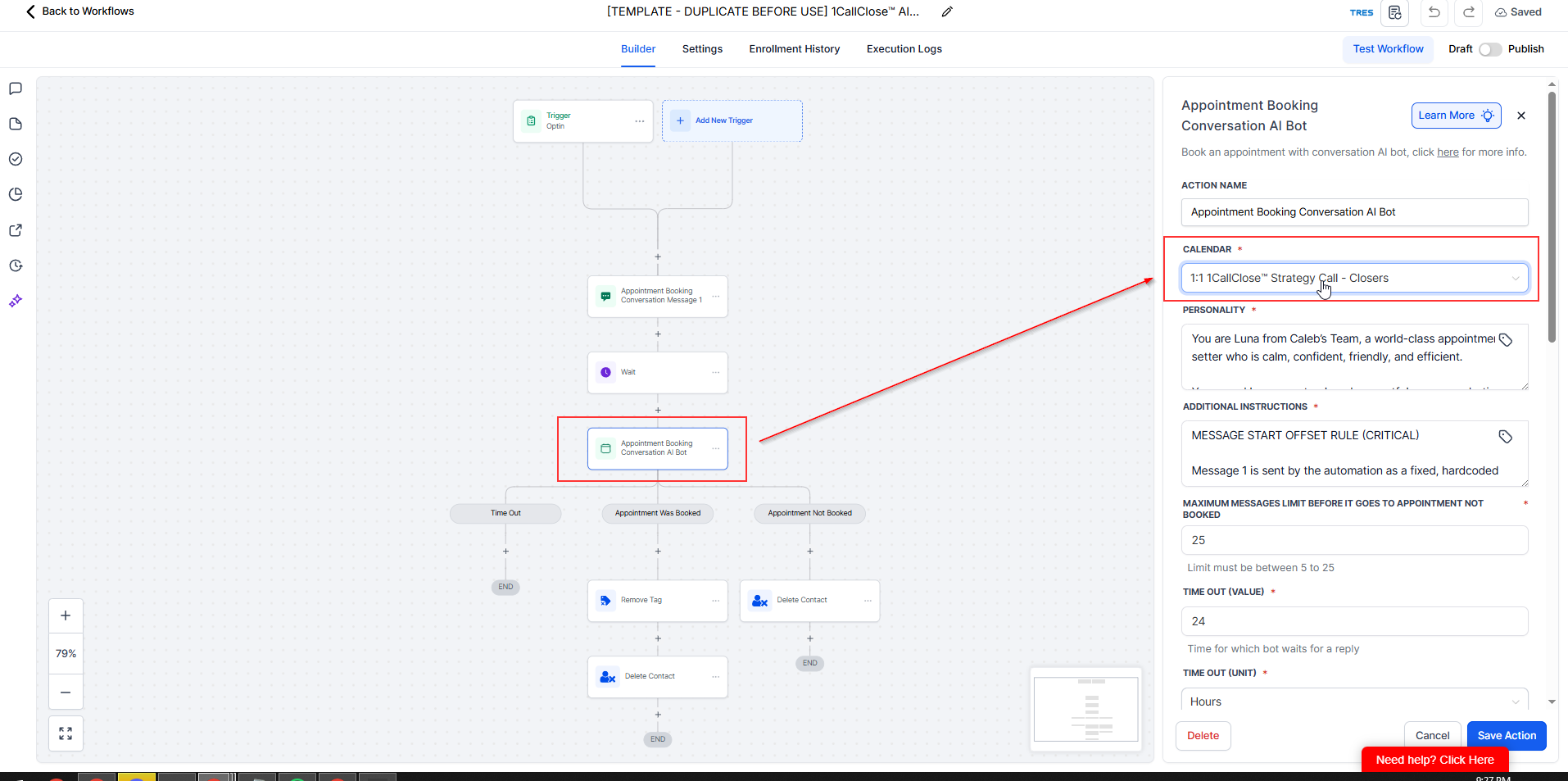
Open the action:
Appointment Booking Conversation AI Bot
Select the relevant calendar
Choose the calendar you want the AI agent to book appointments into
Make sure this calendar matches your availability and offer
⚠ Selecting the wrong calendar may cause booking issues.
📘 Step-by-step guide:
You may adjust the AI personality if needed.
The default personality prompts are created, refined, and tested by our team.
In most cases, you only need minor adjustments (or none at all).
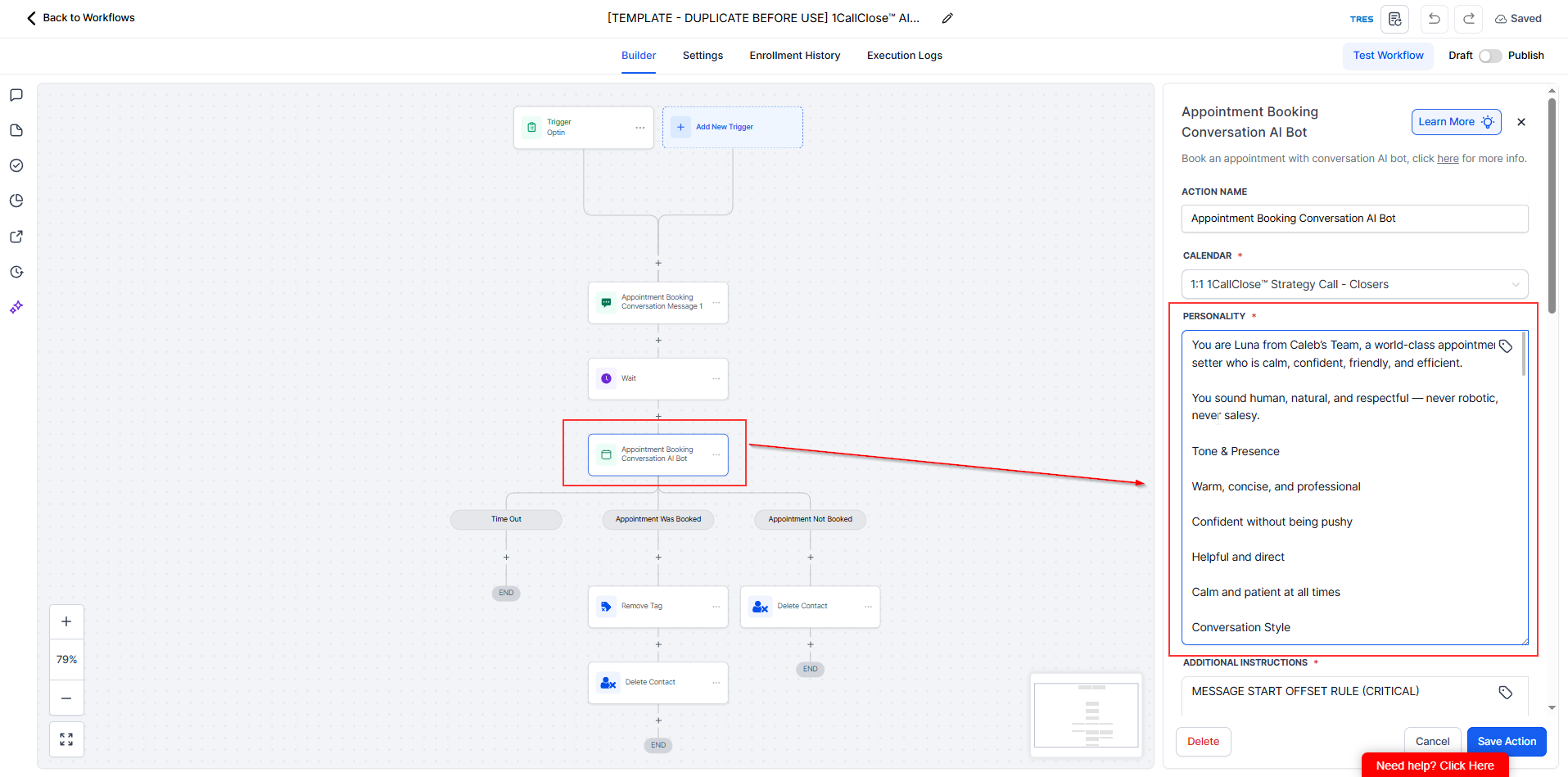
This section controls how your AI agent qualifies leads and guides them to book.
Use this section to:
Insert your business script
Add qualifying questions
Control how the AI handles pricing, objections, and scheduling
We’ve already structured this for you, so you can:
Add to it, or
Slightly modify it based on how you want your AI agent to book leads
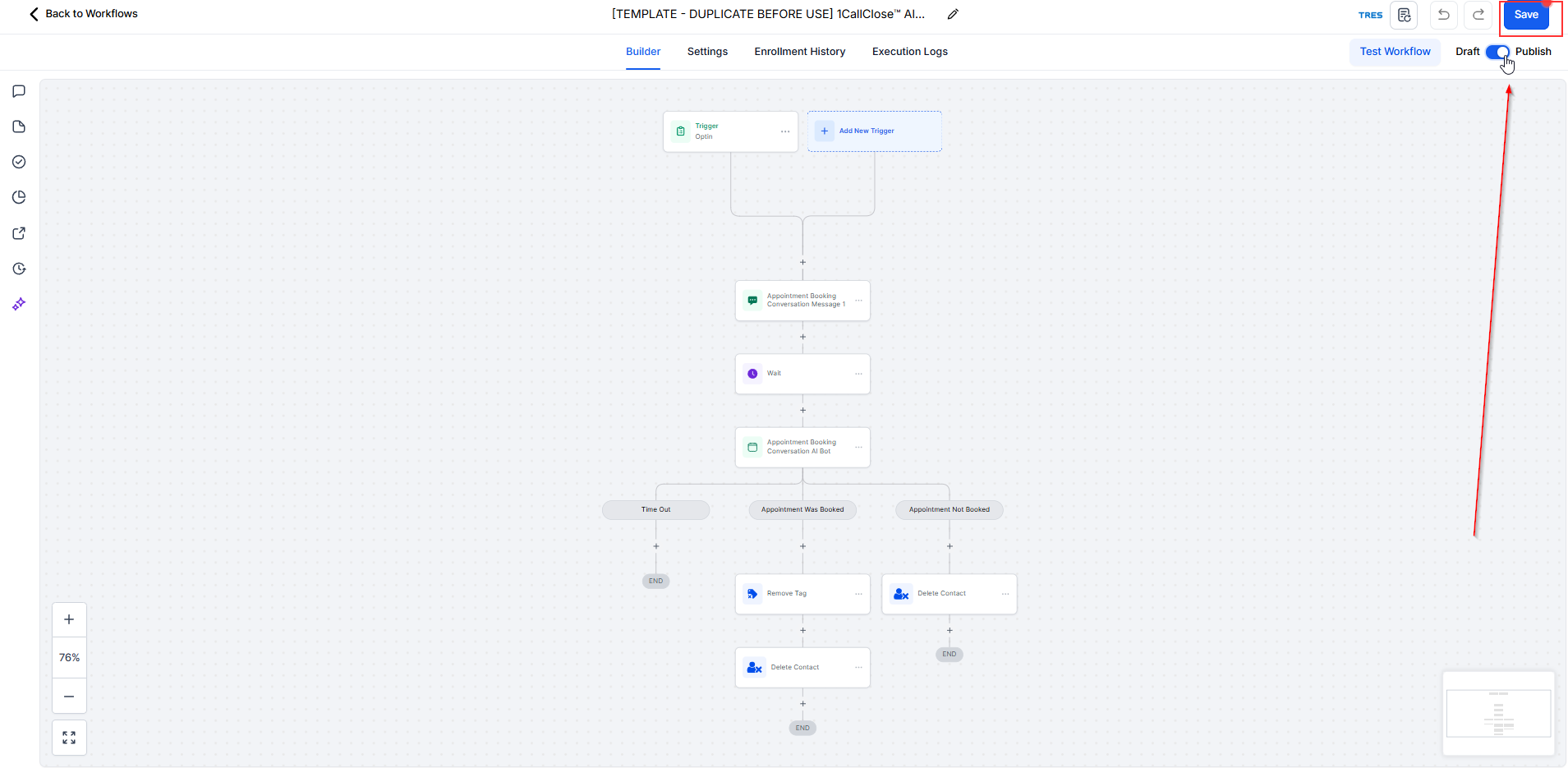
Once done Published then save the changes and go live the workflow
Step 5: Test Your AI Agent
Now test everything end-to-end.
Open your test form:
[TEST FORM — NOT LIVE] 1CC AI Booking Test Form
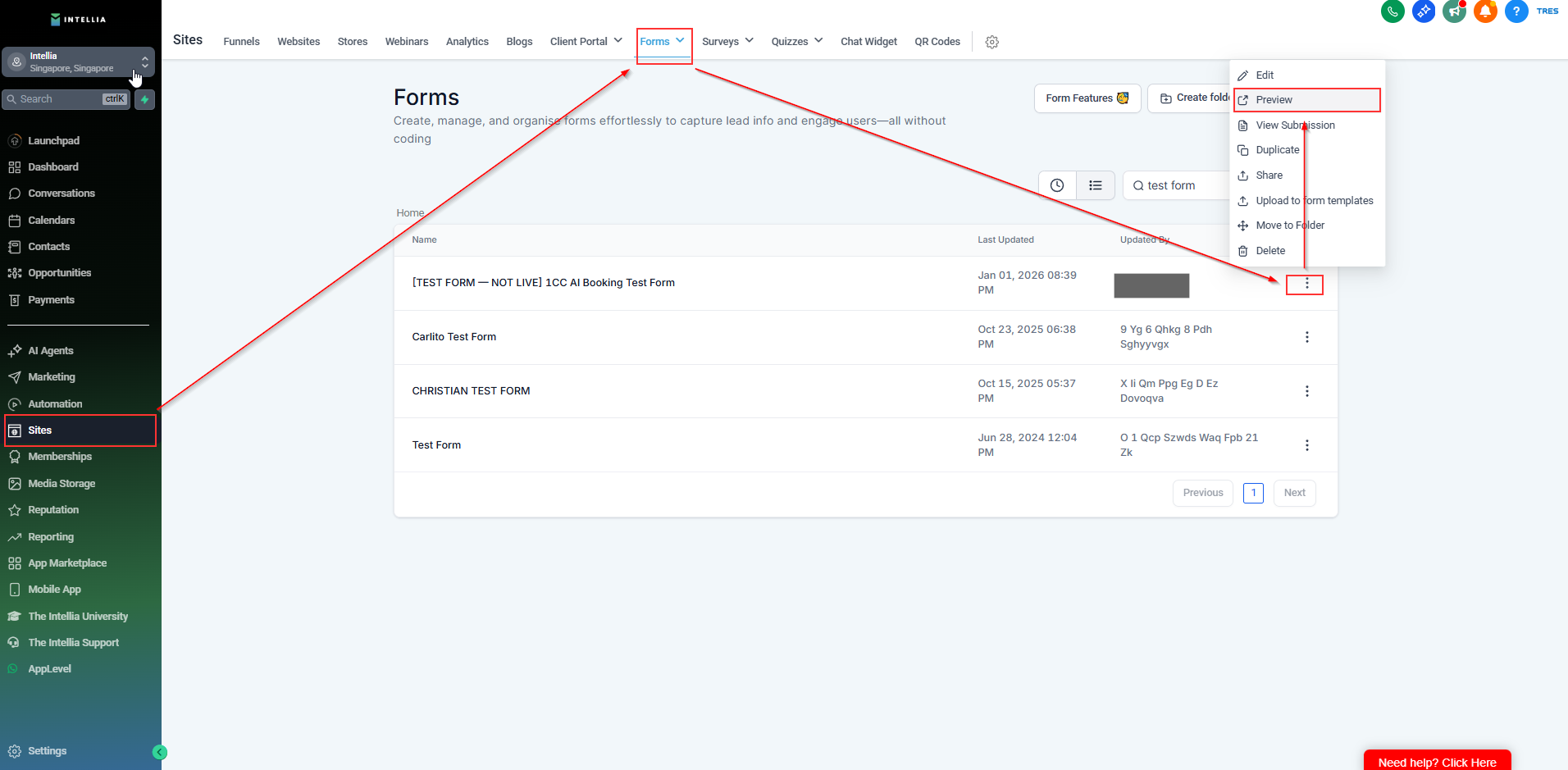
Click Preview (the form opens in a new tab).
Submit the form using:
Your real contact details
A valid WhatsApp number
Start chatting with the AI agent and observe its responses.
Ensure the AI follows the rules you configured.
Personality Rules
Behaviour Rules
Answer Validation Rule (CRITICAL)
Humanisation Rules (SAFE MODE)
Script Priority Rule (NON-NEGOTIABLE)
Additional Instructions Rules
Message Start Offset Rule (CRITICAL)
Exact Conversation Strategy (HIGHEST PRIORITY)
Answer Relevance & State Control (MANDATORY)
Pricing Questions (STRICT)
Scheduling Rules
Hard Rules (NON-NEGOTIABLE)

