

Use our Template Form: [LIVE] 1CallClose™.Agent - Lead Qualification Form
or Create a test form: https://info.theintellia.com/en/articles/33-how-to-create-a-form
Name it: [TEST FORM — NOT LIVE] 1CC AI Booking Test Form
Required fields:
First Name
Email
Phone (optional)
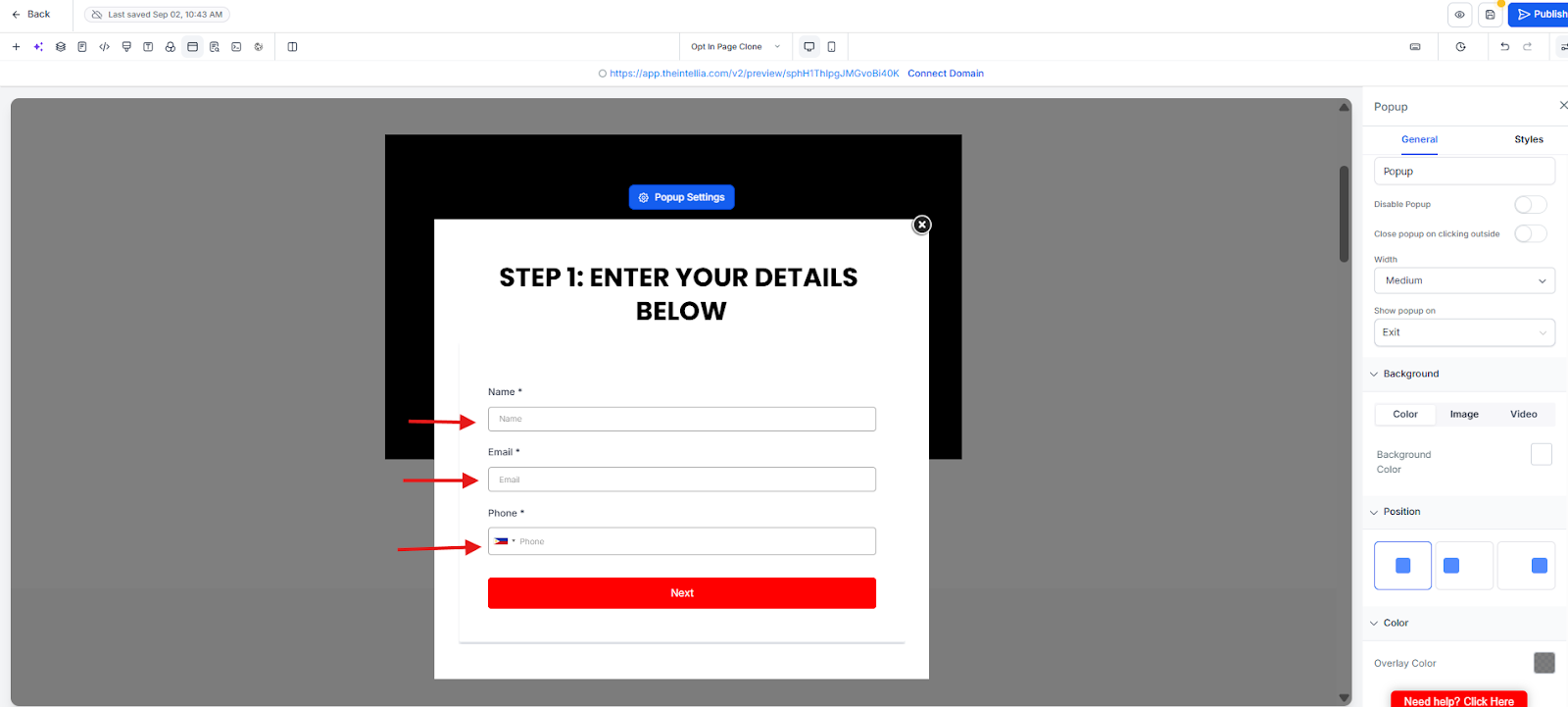
Set After Submit:
Redirect to thank-you page URL (recommended)
Or show success message
Add microcopy + reassurance line from Copy Pack.
Frequently Asked Questions
Why are we creating a TEST form first?
So you can test the full flow safely without triggering messages to real leads or breaking your LIVE funnel.What should I name the test form?
Name it exactly: [TEST FORM — NOT LIVE] 1CC AI Booking Test Form
This prevents confusion later when selecting triggers inside workflows.What fields are required?
Required: First Name, Email
Optional (but recommended if WhatsApp automation is used): PhoneWhat should happen after someone submits the form?
Choose one:
Redirect to thank-you page URL (recommended)
Show success message (okay if you don’t have a thank-you page yet)Where does the microcopy/reassurance line come from?
From your Copy Pack (e.g., privacy reassurance, “no spam,” “we’ll only use this to…”)—paste it near the form.What’s the most common reason forms “don’t work”?
The After Submit action wasn’t set (no redirect/success), or the form wasn’t tested end-to-end with your own details.